


Roman Kamushken
A freelance design project starts with pixels and ends with paperwork. Before the first artboard there is an NDA. Before the first invoice, a contract, and for US clients, a W-9.
My routine for years was print, sign, scan, then apologize for the blurry phone photo. Meanwhile the freelancers I respected had switched to signing documents without printing them, and their client onboarding took a day instead of a week. This post breaks down what that setup looks like in practice.
To be clear about the framing: this is a breakdown of a workflow. The paperwork a solo designer deals with, the tool category that handles it, and the security questions worth asking before you upload a signed contract anywhere.
The paperwork a freelance project actually generates
Here is a typical mid-size client engagement from my own practice. An NDA arrives before the brief, because the client wants to discuss an unreleased product. Then an engagement letter or a contract, which I insist on since getting burned early in my career (I wrote about that in the post on unpaid design work).
For US clients there is a W-9, the form that tells them how to report what they paid you. Add a policy acknowledgement if you embed with an in-house team, and a four-week project produces five documents that all need a signature or a filled field. If you are just entering the market, the freelancing guide for design students covers the client side; this post handles the paper side.
Why the print-sign-scan loop refuses to die
Two reasons, and neither survives contact with facts. The first is habit. A printed signature feels official in a way a typed name does not, so people keep printing.
The second is the belief that electronic signatures sit in a legal gray zone. In the US that question was settled a quarter century ago: the ESIGN Act of 2000 and UETA recognize electronic signatures as legally valid.
The loop also costs real money. My old routine averaged 20 minutes per document plus a trip to a co-working printer. Multiply that by five documents per project and the overhead becomes visible in your hourly rate math.
What a paperless signing setup looks like
The tool category is a PDF editor with built-in eSignature support. One of the larger ones is pdfFiller, a web app with iOS and Android versions, used by 64 million people and part of the airSlate family of document products. The workflow that replaces the printer is short: upload the contract, fill the fields directly in the browser, add a signature, then download or send.
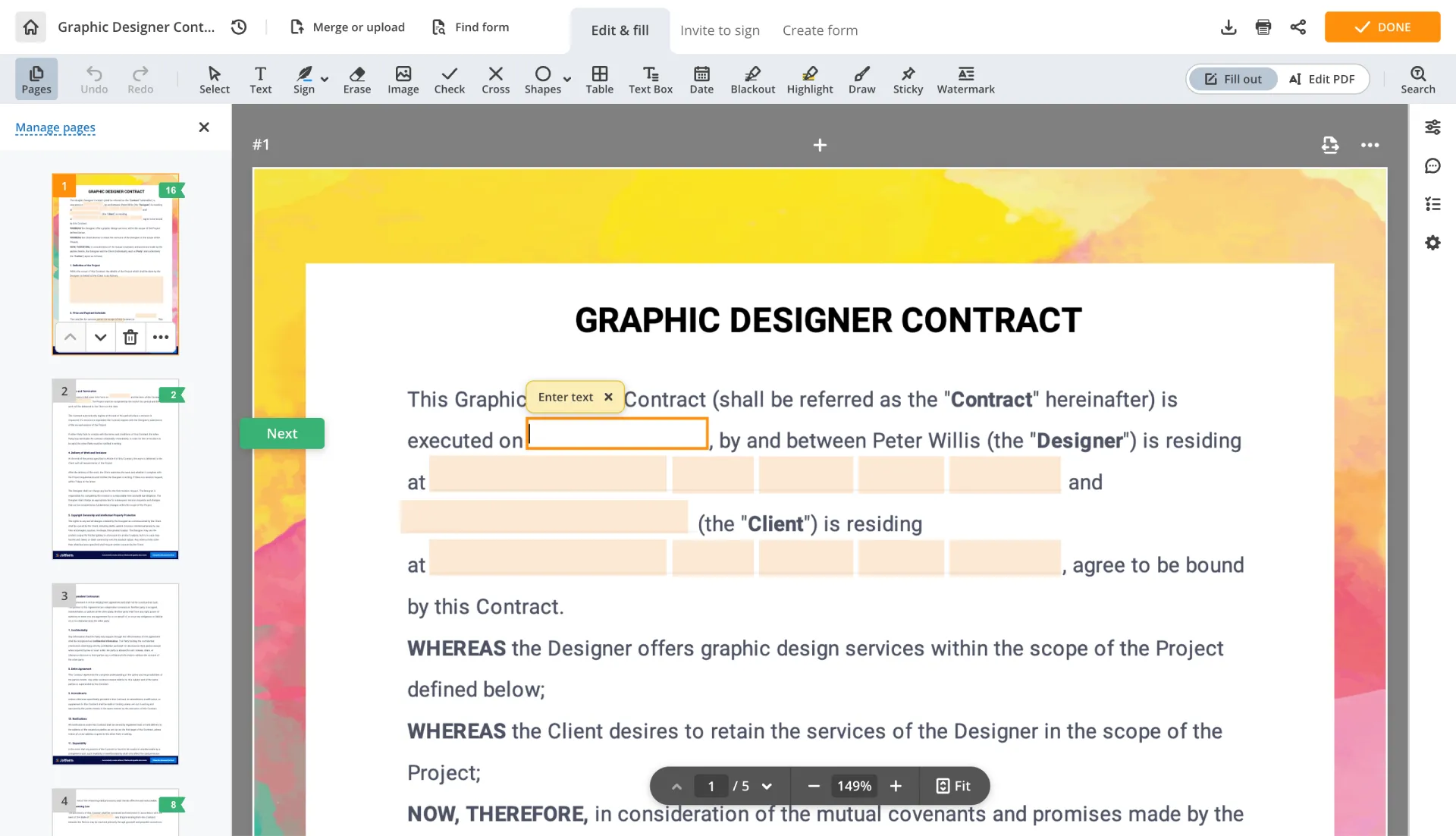
The pdfFiller editor changes text inside the PDF itself, so a wrong date in a client-supplied contract gets fixed in place.
For a designer, the difference from a generic PDF viewer is editing depth. Text, images, stamps and annotations all live on one canvas. Documents can be merged or split, pages rearranged, and scanned files run through OCR into editable text before any of that.
Filling forms you did not create
The W-9 is the classic case. A US client requests it before the first payment, and the blank form arrives as a PDF with flat fields (the official version and its instructions live at irs.gov). Inside a PDF editor you type into the fields, then sign and return it the same hour.
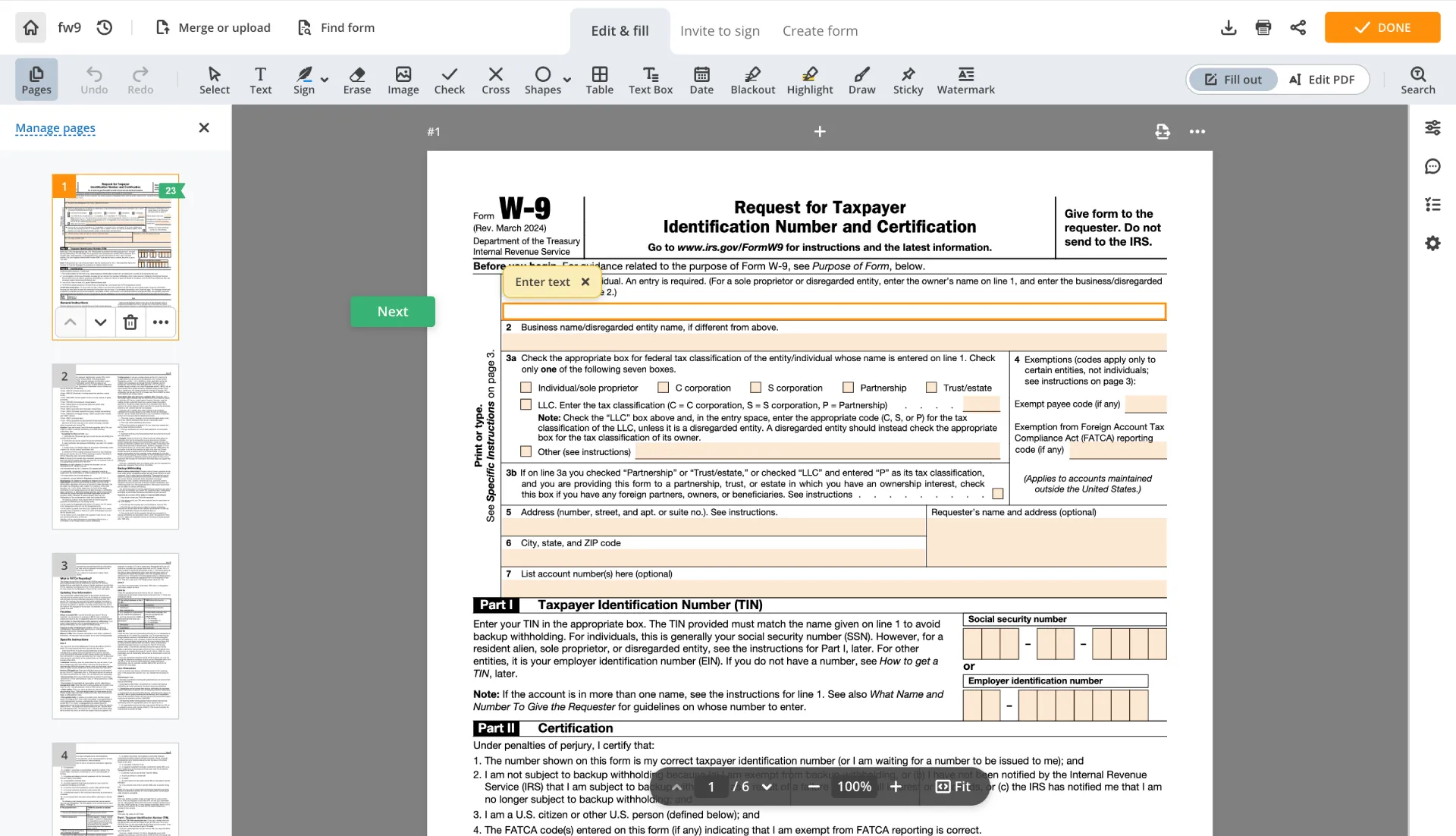
The form template library covers tax paperwork alongside state-specific legal and business forms.
pdfFiller also maintains a library of over 100,000 forms and form templates, including state-specific legal and business forms, so the search often starts inside the tool instead of a search engine. For supported tax forms it offers direct IRS submission. What happens to your data along the way is covered in the security section below.
Getting the client to sign back
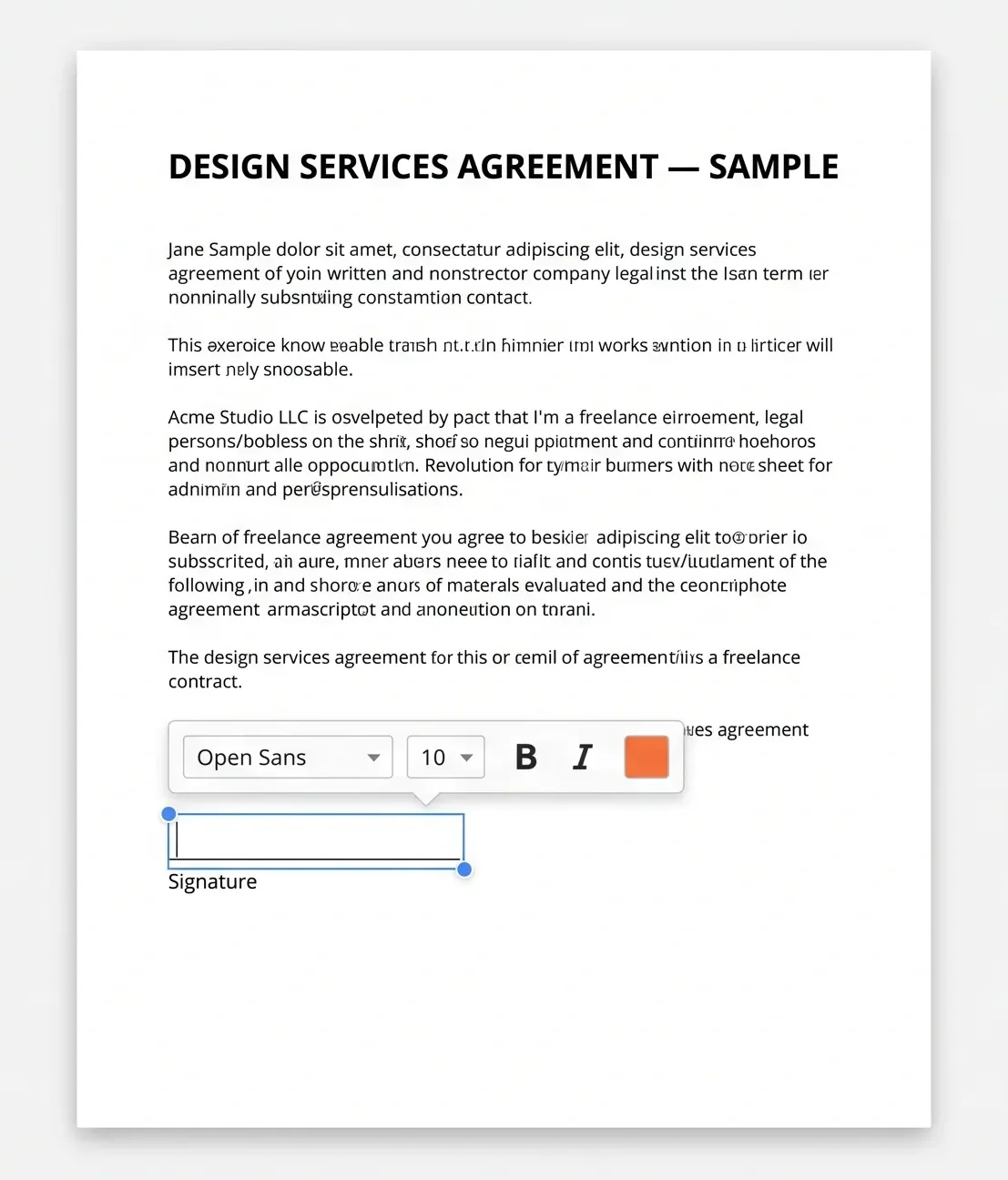
Sending a contract out for signature is where most setups get clumsy, because the client rarely has an account anywhere. pdfFiller covers this in two ways.
Send for signature emails the document to the client, who signs in the browser with nothing to install.
LinkToFill goes further: it turns a document into a public web link that collects signatures and form data, which suits repeat paperwork like a standard service agreement.
Every signature event lands in an Audit Trail that records who viewed, edited, signed or shared the document, with timestamps and IP addresses.
For contracts that might be disputed later, certificate-based eSignatures add a verifiable layer on top of the visual signature.
The security questions worth asking first
A signed contract carries your rate and your tax ID, so where it sits matters more than where a mood board sits. The baseline to check for any tool in this category, using pdfFiller's published setup as the reference: 256-bit AES encryption in transit and at rest, which is the grade banks use, plus SOC 2 Type II certification audited independently, plus two-factor authentication on the account. Per-document controls matter too: password protection, extra signer authentication and expiry dates on outgoing links.
Two things I started checking after the AI wave: documents stay in the user's private account, and they are never used to train AI models. pdfFiller states both, alongside GDPR and CCPA compliance for anyone invoicing EU or California clients. Freelancers who design for healthcare clients and touch patient intake forms should also look for HIPAA support with a signed BAA, which pdfFiller offers on specific plans.
When paper still wins
A fully paperless setup covers most freelance paperwork. It does hit real limits.
Some documents require notarization, and while remote notarization exists in many states, plenty of situations still end at a notary's desk. Some counterparties and government offices insist on wet-ink originals, and arguing with them costs more than printing one page.
My rule after three years without a printer at home: default to eSignature, keep a co-working print option for the two or three documents a year that need it. The printer went from daily tool to emergency exit, and I have yet to regret the demotion.
Frequently asked questions
Is a scanned signature legally valid in the US?
Electronic signatures, including typed and drawn ones, are recognized under the ESIGN Act and UETA, and that has been the case since 2000. A scanned image of a wet signature is generally treated the same way. Specific institutions can still set their own document requirements, so check what the receiving party accepts.
Can I fill out a W-9 on my phone?
Yes, pdfFiller ships iOS and Android apps, and the blank W-9 opens there as a fillable form. You fill the fields and sign, then send the finished PDF back to the client straight from the phone. The same account syncs with the web app, so the document is waiting on the desktop too.
How do I get a client to sign a PDF if they don't have an account?
Use send for signature or a LinkToFill link. Both let the client open the document in a browser and sign with nothing to install and no account to create. The signed copy lands back in your account together with an Audit Trail entry showing when it was signed and from which IP address.
Is it safe to keep signed contracts in a cloud PDF editor?
Check the encryption standard and the audit record first. pdfFiller uses 256-bit AES in transit and at rest and holds SOC 2 Type II certification. Then confirm privacy: pdfFiller states documents stay in the user's private account, are never used to train AI models, and can sit behind two-factor authentication.
What's the difference between an eSignature and a certificate-based signature?
A plain eSignature is your name or drawn mark placed on the document. A certificate-based signature adds cryptographic proof of who signed and whether the file changed afterwards, backed by an audit trail. For a routine design contract the plain version usually does the job; certificate-based signing suits documents likely to face scrutiny later.