

Roman Kamushken
An hour of recorded meeting sits on your drive, and you need it as text. The obvious move is to upload it to a cloud service and pay a subscription for the privilege. There is a second option: run the transcription on the Mac in front of you.
This tutorial walks from an empty machine to a working transcript in about twenty minutes, and it asks for no payment method at any point.
In October 2026 a developer published an unusual trick: an embedding model that reads speech. The fastest free path below is built on that trick. The developer's post picked up about 3,300 likes.
What you need for offline speech-to-text on a Mac
Everything here is free and runs on the machine on your desk. There is no account to create and no key to paste. Work through the list first, because two of the four items block the install.
→ A Mac with Apple Silicon, M1 or newer
→ macOS 14 or later
→ About one gigabyte of free disk space
→ Any audio file to test on (m4a, mp3, or wav)
On an Intel Mac or a Windows PC there is no native app. The Whisper route in the model comparison below covers those machines, and it costs more setup time than this one.
The sequence is short. The install and first transcript take about seven minutes, most of it waiting for models. Cleaning up a first file runs about ten minutes, and dictation takes three.
Step 1. Install and transcribe your first file
This is the part that produces a transcript. Five steps, and most of them are waiting. When it finishes you have a text file you can paste into any editor.
❶ Open eg2.haku.sh and download Embedding Gemma Transcribe, currently version 1.6, from the download page. Expected: a disk image lands in your Downloads folder.
❷ Drag the app into Applications, then open it. Expected: the app opens, or macOS asks you to allow an app from an unidentified developer in System Settings.
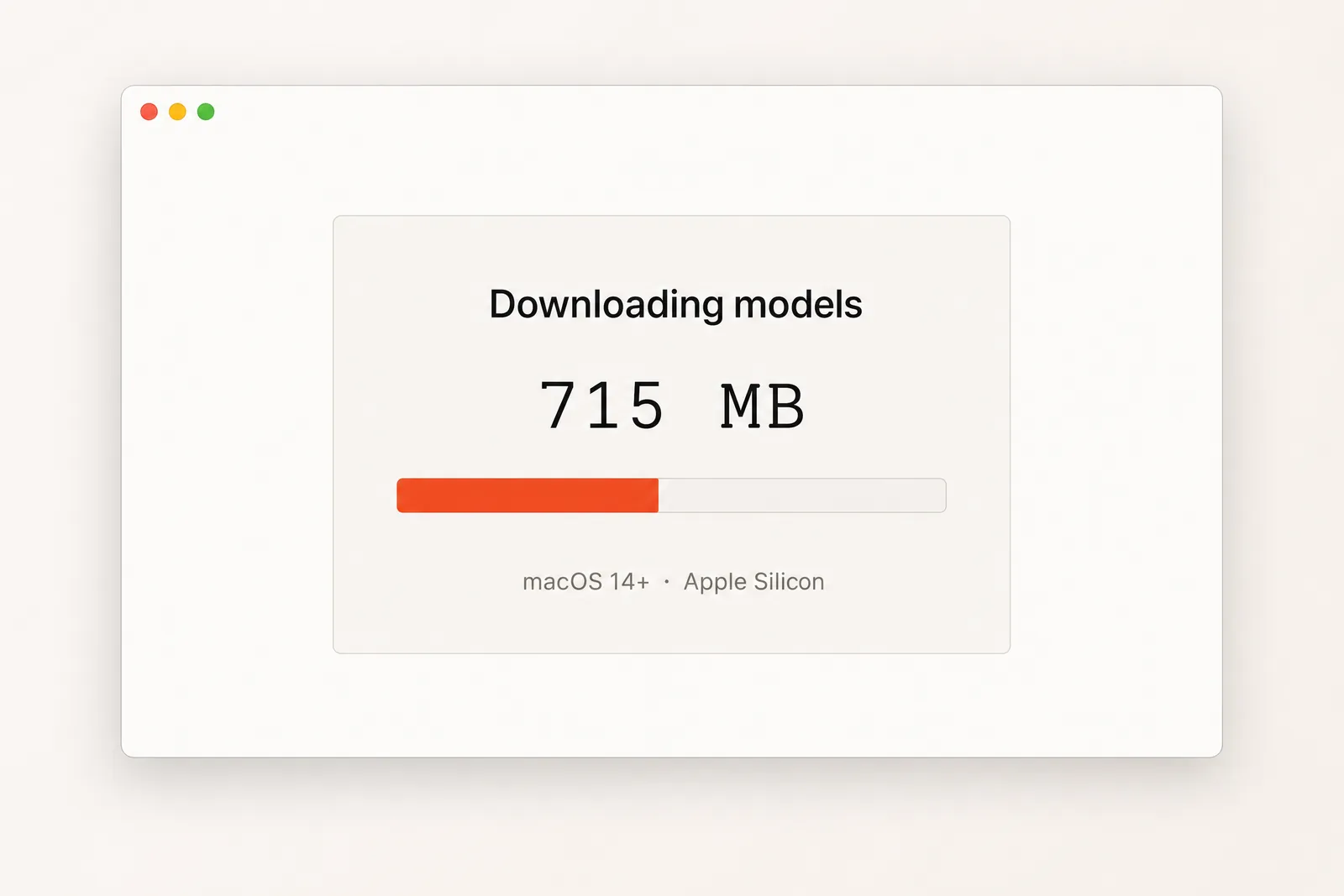
❸ Let the app fetch its models on first launch, about 715 MB. Expected: a progress bar fills, then the main window opens.
❹ Drop your audio file onto the window. Expected: the filename appears in the drop area.
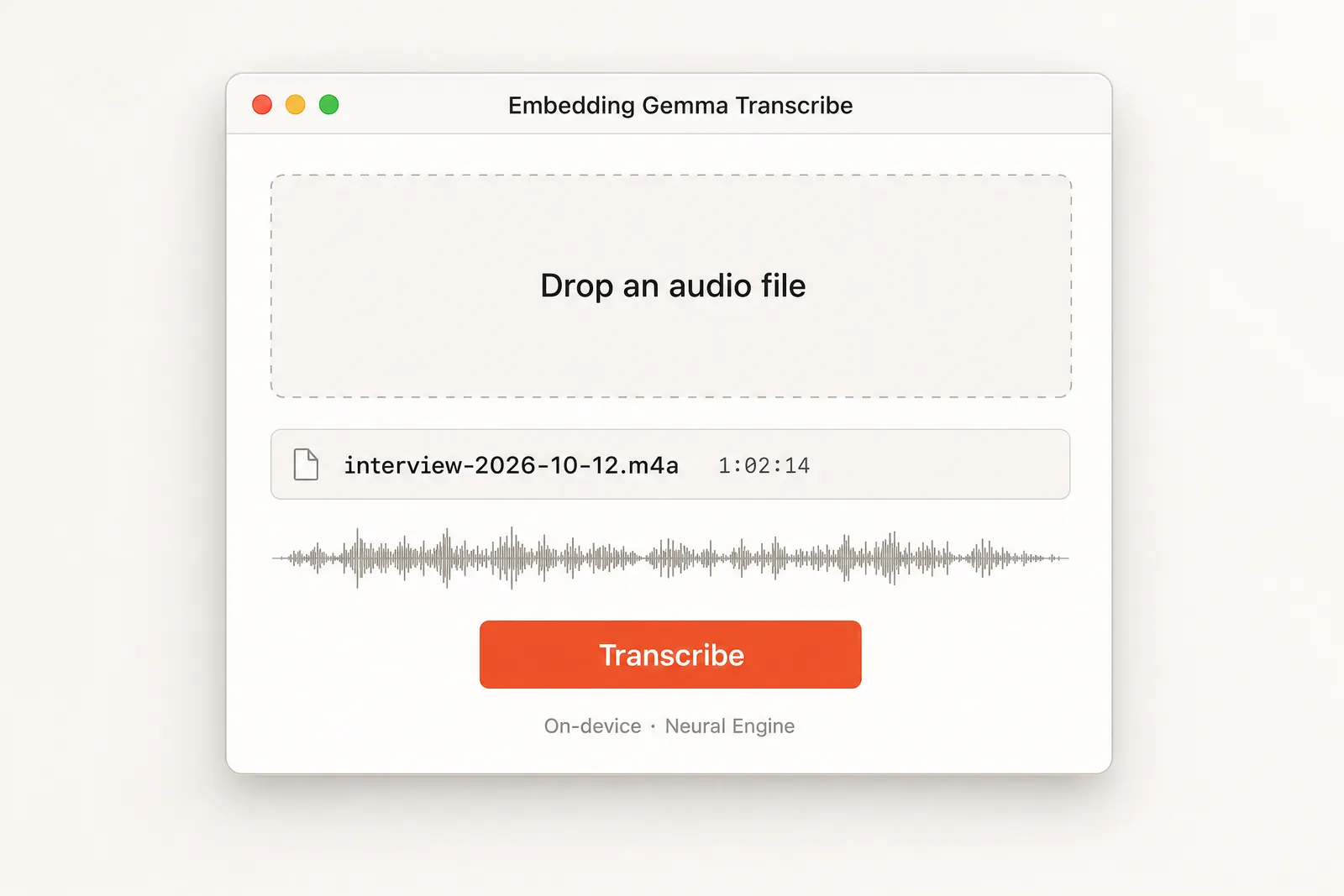
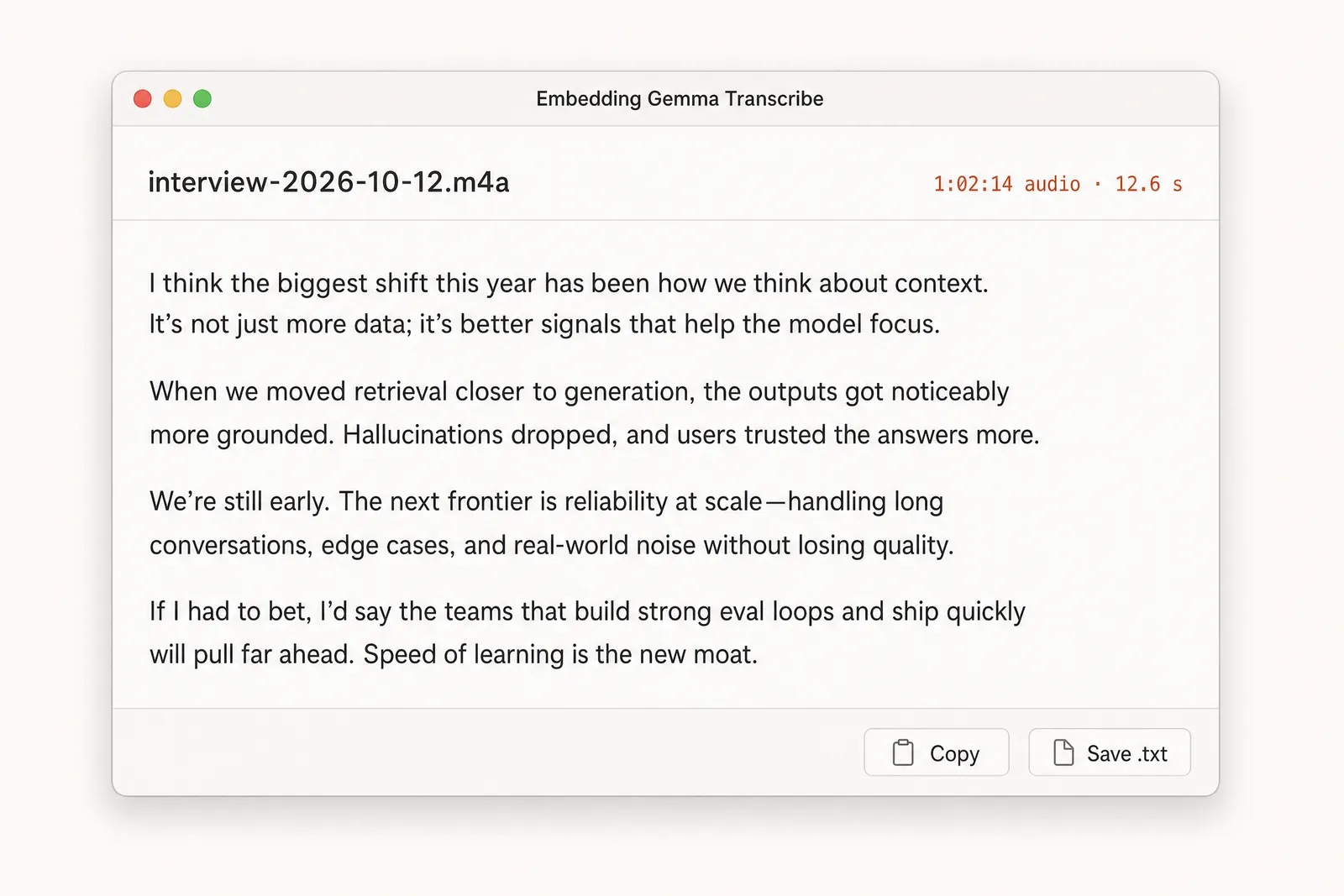
❺ Wait for the run to finish. Expected: a full transcript with punctuation and capital letters appears in the window.
Two facts about this run matter. The app computes on the Neural Engine, the dedicated AI silicon in every Apple chip. Audio never leaves the machine, which is the whole point of the exercise.
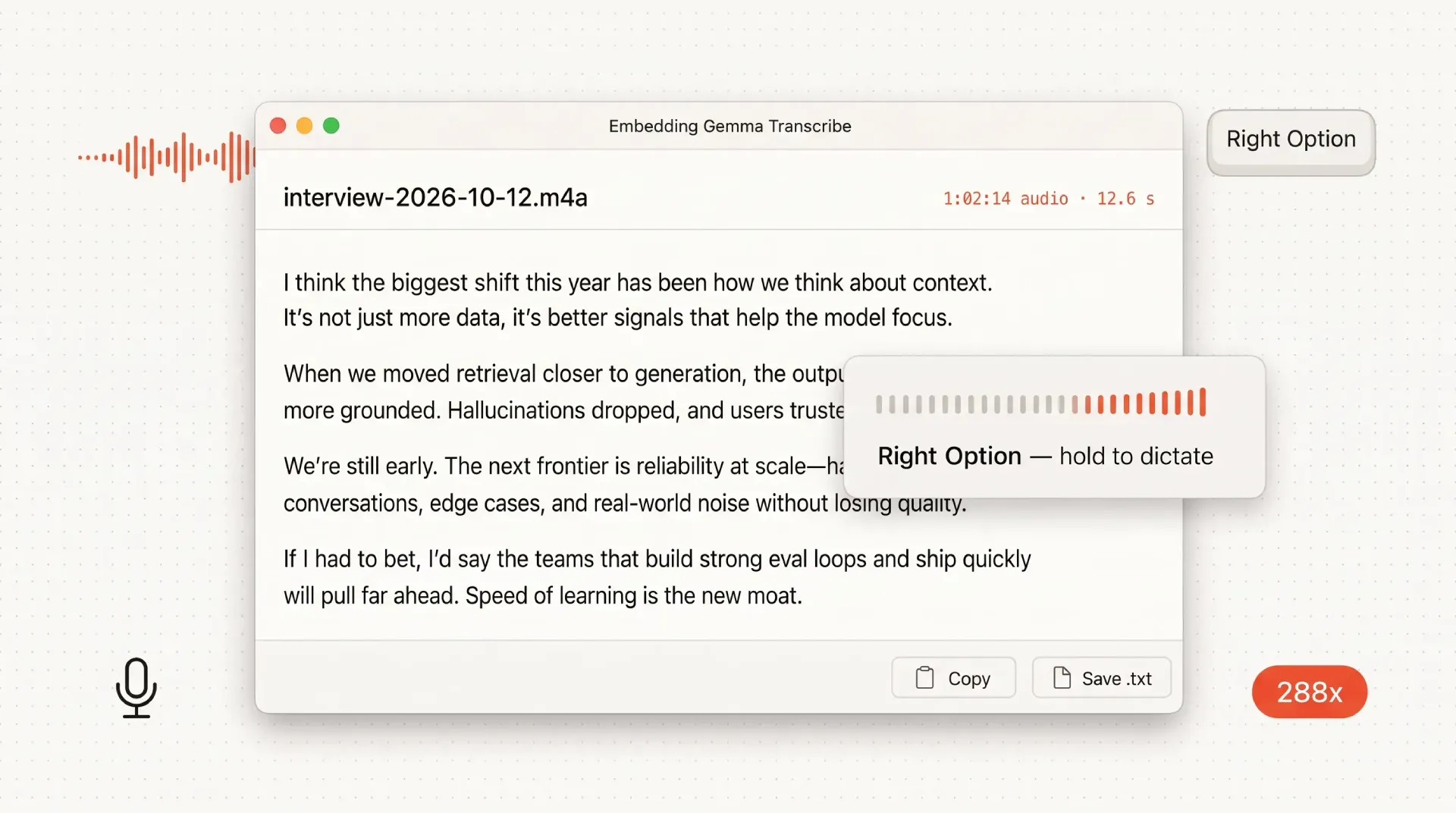
To repeat the measurement yourself, take a file with a known duration, time the run, then divide the audio length by the wall-clock time. A one-hour file that finishes in 12.6 seconds is 288 times real time. That is the ratio the developer reports on a base M3 MacBook Air with 8 GB. Write down your own chip and file length beside the number, because the ratio shifts with both.
Which model for which job
Different jobs want different models. The table below maps five options to the work they suit and the trade each one asks for.
| Model | Runs on | Best for | What you give up |
|---|---|---|---|
| Embedding Gemma Transcribe | Neural Engine | Meetings, quick notes | 5% error rate, English only |
| Whisper and faster-whisper | CPU or GPU | Non-English, long files | CLI setup, slower on CPU |
| IBM Granite Speech 5.0 TurboCTC | GPU through MLX | Subtitle drafts | Needs the MLX stack |
| NVIDIA Parakeet TDT 0.6B v3 through FluidAudio | Neural Engine | Podcasts | Benchmark figure, not your machine |
| Phonon-2, a Parakeet v3 fine-tune through FluidAudio | Neural Engine | Batch podcasts | Benchmark figure, not your machine |
Match the model to the task. Meetings usually want the fastest read and a clean transcript, so Embedding Gemma Transcribe fits. Subtitles need tighter timing and often a non-English source, where Whisper or faster-whisper stays the safer pick. Podcasts run for hours, so a tool that accepts a whole season at once saves real time.
The wider question of choosing between model families is the subject of our comparison of Chinese and American AI models. This blog tests tools like these on a regular schedule, the way it did with design tools.
The bare command shape for the Whisper route looks like this, and the names move between releases:
pip install -U faster-whisper   # check the current version on PyPI first
faster-whisper audio.mp3 --model large-v3
Check the version notes in the repository before you paste anything, and confirm whether the command-line entry point ships with the library or as a separate package. Flag names and required arguments change often.
Where an embedding model does the transcribing
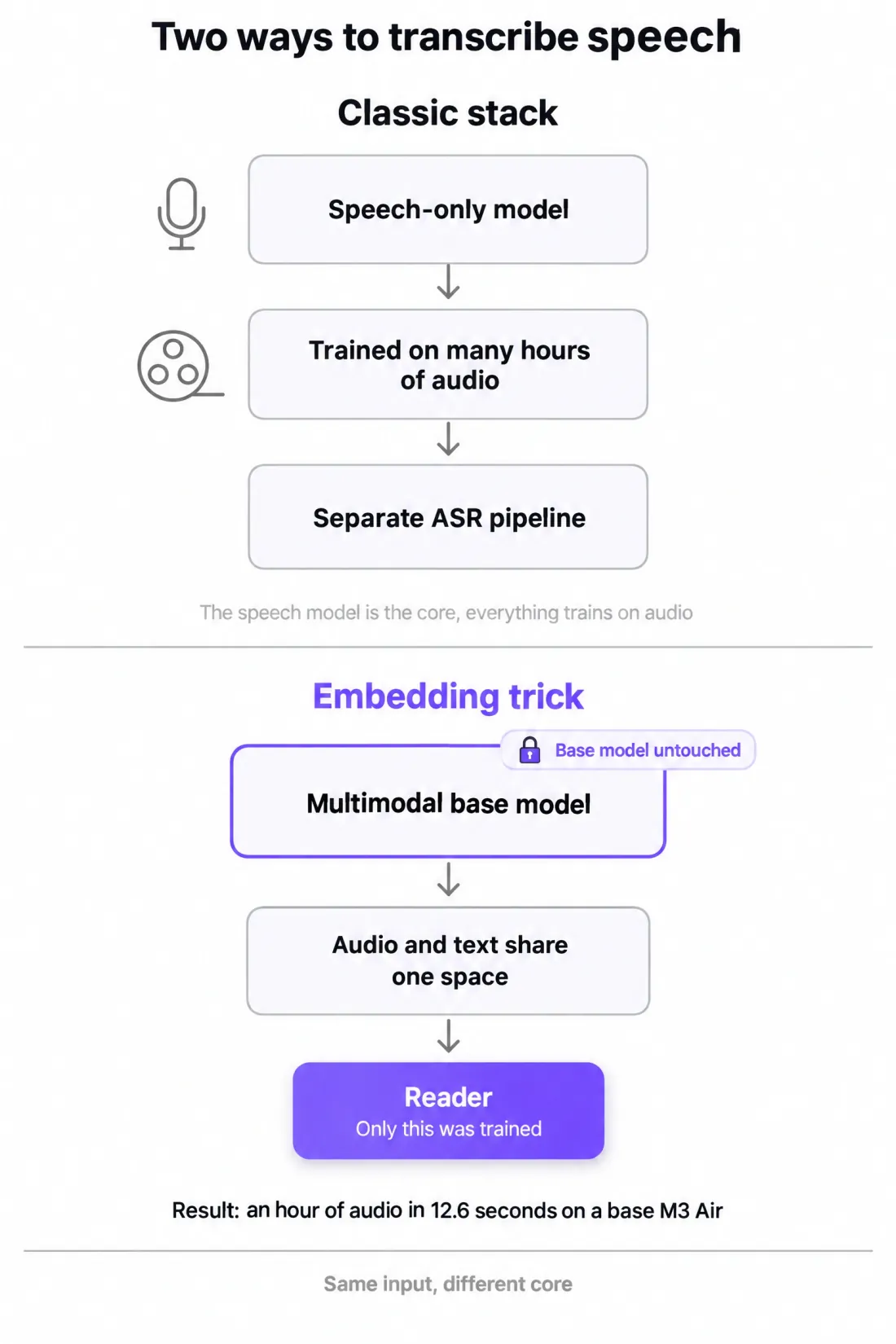
Most transcription tools add a speech model on top of a text pipeline. This one goes the other way, and that explains both its speed and its limits.
EmbeddingGemma 2 is multimodal. Text and images sit beside audio and video in one shared space, so a spoken word lands close to the same word written down. The developer exploits that single property.
The mechanism has three moving parts.
❶ The audio encoder of the base model was never changed. It already knew how to represent sound.
❷ A small reader pushes each short audio slice into the model's text space.
❸ The app takes the nearest of roughly 229,000 English words and stacks the slices into a transcript. A separate, tiny model adds punctuation and capital letters.
Only the reader was trained. Training the reader took under two hours on eight H100 GPUs, on openly licensed English speech. The base model stayed untouched and never trained on speech, which the developer states directly.
EmbeddingGemma 2 ships under Apache 2.0 from Google, and the app is an independent project with no affiliation.
In replies, the developer confirmed the model already identifies parts of speech, and pointed to Google's fine-tuning guide for EmbeddingGemma 2 through Sentence Transformers as the next step to try. The link goes to the model family page rather than the exact guide.
How to read speech-to-text benchmarks without being fooled
Search for a speech model and you find a table of multipliers. Bigger is better, the table implies, and the top number wins. The table rarely says which machine produced the number or which audio it ran on.
Three traps hide in almost every such table.
❶ The machines differ. A multiplier measured on an M5 Pro says little about a base M3 Air.
❷ The audio differs. A clean studio read scores better than a noisy phone call.
❸ The accuracy differs. A model that trades precision for speed can post a high multiplier and still return a poor transcript.
Here is the developer's table as published.
| Model | Where it computes | Machine | Speed |
|---|---|---|---|
| Embedding Gemma Transcribe | Neural Engine | base M3 MacBook Air, 8 GB | 288× (an hour in 12.6 s) |
| IBM Granite Speech 5.0 TurboCTC | GPU through MLX | base M3 MacBook Air, 8 GB | about 150× (an hour in 25.7 s) |
| NVIDIA Parakeet TDT 0.6B v3 through FluidAudio | Neural Engine | M4 Pro | 156× |
| NVIDIA Parakeet TDT 0.6B v3 through FluidAudio | Neural Engine | M5 Pro | 335× |
| Phonon-2, a Parakeet v3 fine-tune through FluidAudio | Neural Engine | M5 Pro | 480× |
Read it carefully. Rows one and two are the developer's own measurements on the same base M3 MacBook Air. Rows three to five come from published FluidAudio benchmarks on newer, faster Macs and on different audio. The two groups are not a fair comparison, and the developer says so.
The honest rule is simple. Compare models on your own file, on your own machine, with your own audio. Treat every published number as an orientation point, not a verdict. The borrowed figures live on the FluidAudio benchmark page.
Step 2. Fix the output
The raw transcript is usable but rough. This step brings it closer to what you would type yourself. Ten minutes on a first file is normal.
❶ Skim for punctuation and capitals first. The tiny model handles most of them, so you fix the stragglers by hand. Expected: the obvious gaps are closed and the text reads as sentences.
❷ As a rule of thumb, split anything past about 30 minutes before you run it, so one failure stays contained. Expected: a bad stretch only ruins its own chunk.
❸ Scan proper nouns and figures. Names and abbreviations drift first, and anything outside English drifts with them. Expected: a short list of names and figures to verify against the audio.
❹ Check any odd sentence against the audio. Doubtful spots usually sit near a hard word, not in the middle of a plain one. Expected: those spots resolved against the recording.
The reader picks from roughly 229,000 English words. That ceiling is why names and non-English words come back wrong. This is expected behavior, not a defect, and it follows from how the trick works.
Reach for Whisper when the audio is not English, when names matter more than speed, or when a file runs past an hour and you need steadier output. Stay with Embedding Gemma Transcribe when speed and privacy matter more than a five percent error rate on plain English.
Step 3. Dictate offline into any app
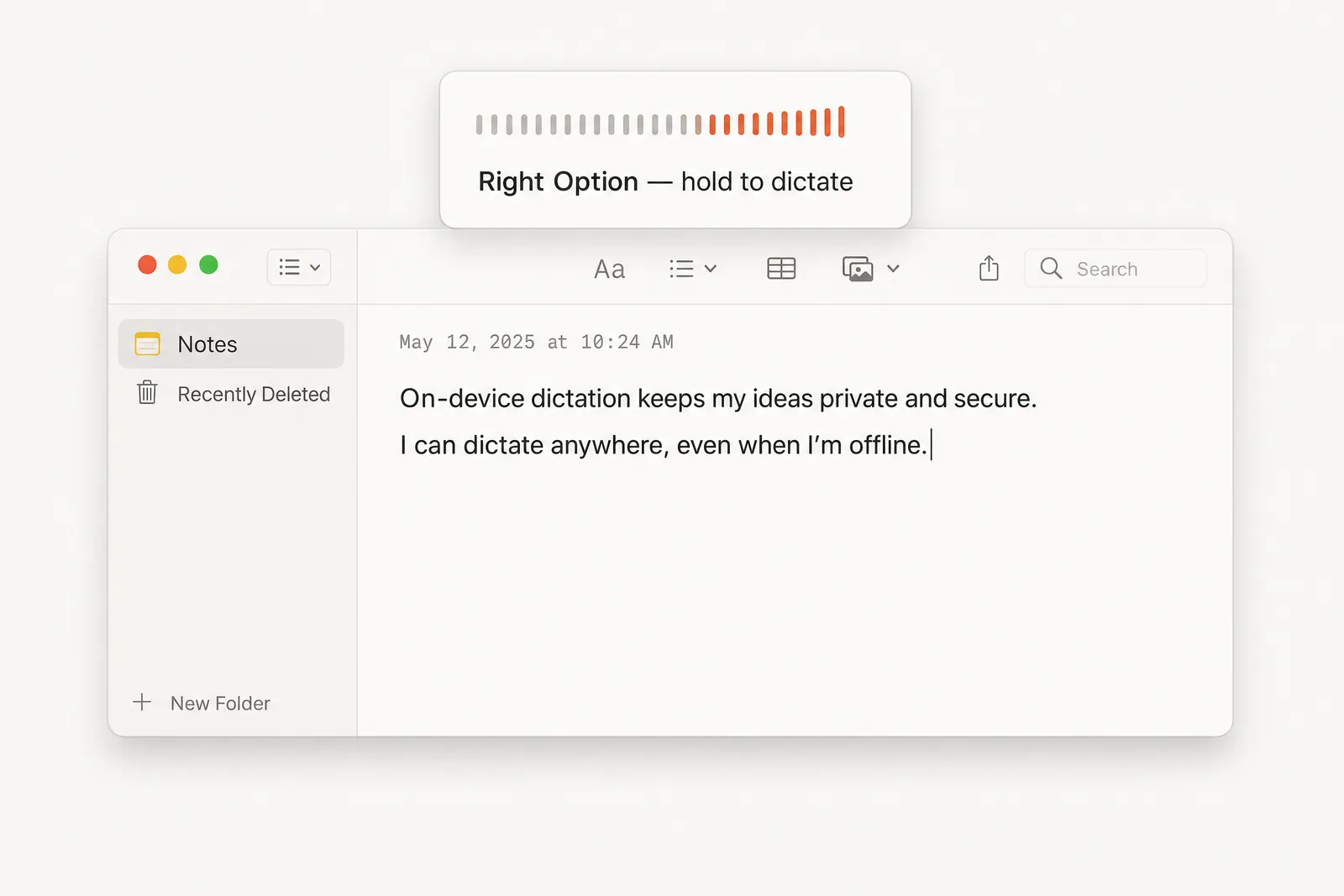
Transcription is batch work. Dictation is the live version, and it works in any text field on the system. Setup takes about three minutes.
❶ Turn on dictation mode in the app. Expected: the app shows a listening state.
❷ Hold the Right Option key and speak. Expected: the level meter moves with your voice.
❸ Release the key. Expected: the app stops listening.
❹ Watch the text land in whatever app has focus. Expected: the recognized words appear in the focused field a moment later.
It fits short notes and chat replies. It fights you on code and terminal commands, where one typo costs more than the typing it saved.
Privacy and the cost math against cloud
Cloud transcription bills per minute and keeps a copy. Local transcription bills nothing and keeps nothing. That difference is the whole argument for this setup.
Run the math. An hour of audio on a cloud service costs a fraction of a dollar at list price, and the total climbs with volume. Fifty hours a month turns into a recurring line item.
The local path costs one download and the power to run a laptop. Audio never leaves the Mac, which for meeting recordings is the part that matters.
That idea sits inside a larger shift toward pipelines that run on the device instead of a server, and toward assistants that keep the conversation local, the same reason I moved my own work to a private, uncensored AI tool.
Nothing here is free in every sense. You pay for privacy and a zero bill with accuracy, about five percent word error rate against two to three percent for the best cloud models. You also pay with setup time that a subscription hides.
FAQ
Five questions cover the parts that surprise new users. The internet question comes first, because it is the one people ask before they download anything.
❶ Does offline speech to text work without internet?
Yes, for the transcription itself, once the models have downloaded. The first launch needs a connection to fetch about 715 MB of model files. After that the app runs air-gapped, and nothing you transcribe is sent anywhere.
❷ Why does it mangle names and numbers?
The reader picks from about 229,000 English words, so unusual names and abbreviations, or figures outside that set, get swapped for the nearest common word. Treat it as a known ceiling of the method. Spell critical names yourself and check every number by hand.
❸ Is Whisper more accurate than this?
On English benchmarks the gap is real. This tool sits near 5% word error rate while leading speech models reach 2 to 3%. Whisper closes part of that on some audio, especially non-English, at the cost of a slower run and a command-line setup.
❹ Does it work on Intel Macs or Windows?
No. The app needs macOS 14 or later on Apple Silicon, because it runs on the Neural Engine. Intel Macs and Windows machines have no native version. On those systems the Whisper and faster-whisper route from the model comparison works, and its speed depends on your hardware.
❺ How long does setup take?
About twenty minutes end to end. Roughly seven minutes go to the download and the first transcription step, ten minutes to cleaning up a first file, and three minutes to dictation. The model download is the slowest single part, and it happens once.
You now have a free, private speech-to-text path on your own Mac, from install through dictation. The cost is a five percent error rate on plain English and a hard ceiling on names. That is a fair trade for anyone who would rather own the pipeline than rent it.