
Roman Kamushken
I ran setproduct.com through a free SEO check tool and got 77 out of 100, labelled Fair. Two errors, 14 warnings. The home page paints its largest element in 0.44 seconds and all Core Web Vitals were green, so the grade stung.
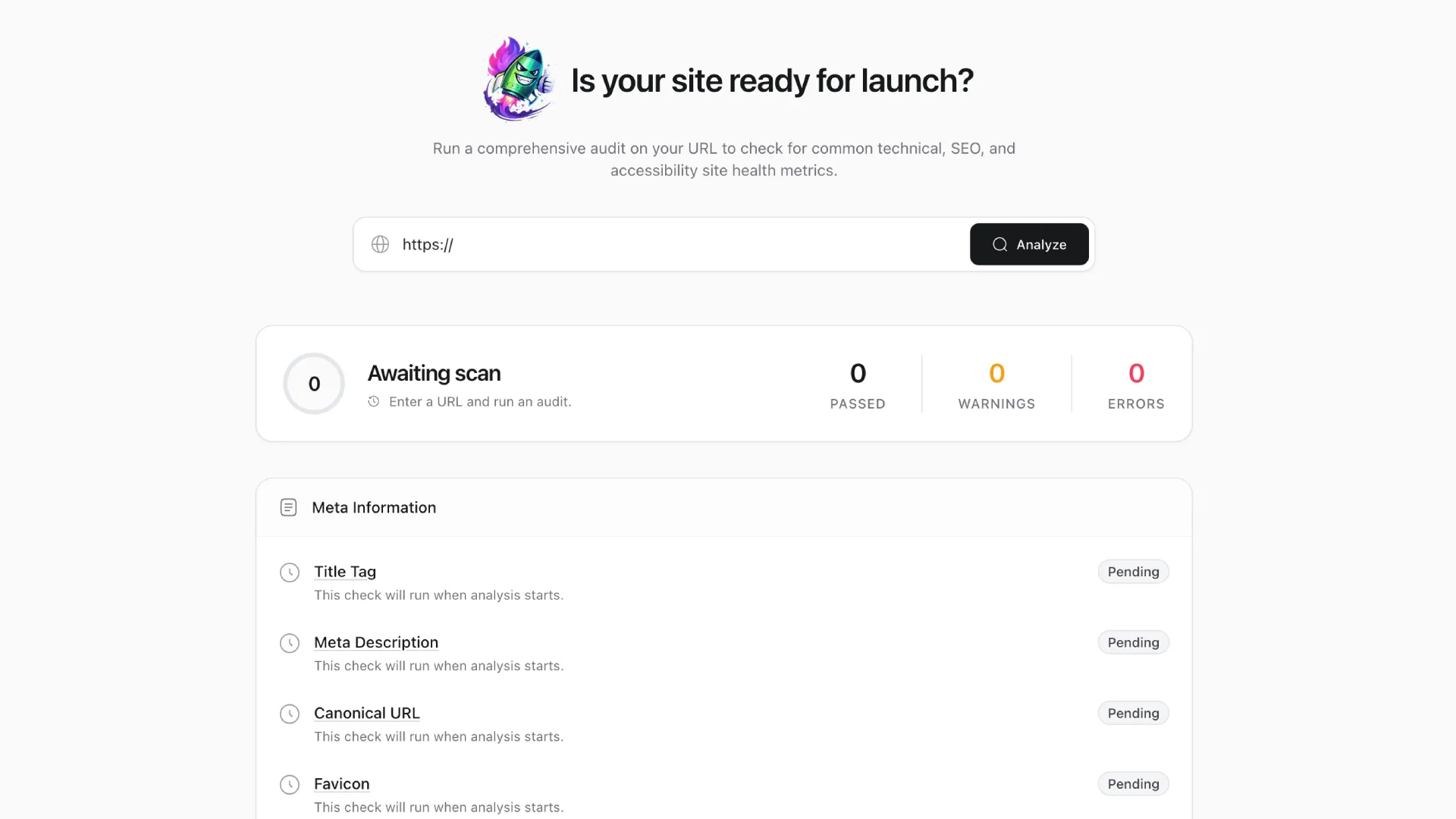
The scanner was isreadyforlaunch. Each finding came with a one-line "How to fix", and the report closed with a ready-made prompt for a coding agent. It read with the confidence of a plan.
A list of fixes is a different object from a plan. Pasted into an agent as written, that prompt would have switched off GA4 and the Gumroad checkout overlay in one commit, and the overlay is where our revenue comes from.
So I kept the symptoms and threw away the instructions. I wrote my own prompt around project rules and a priority order, with a verification gate before anything touched the code. The score went from 77 to 90, and eight warnings still stand.
What the SEO check tool actually gave me
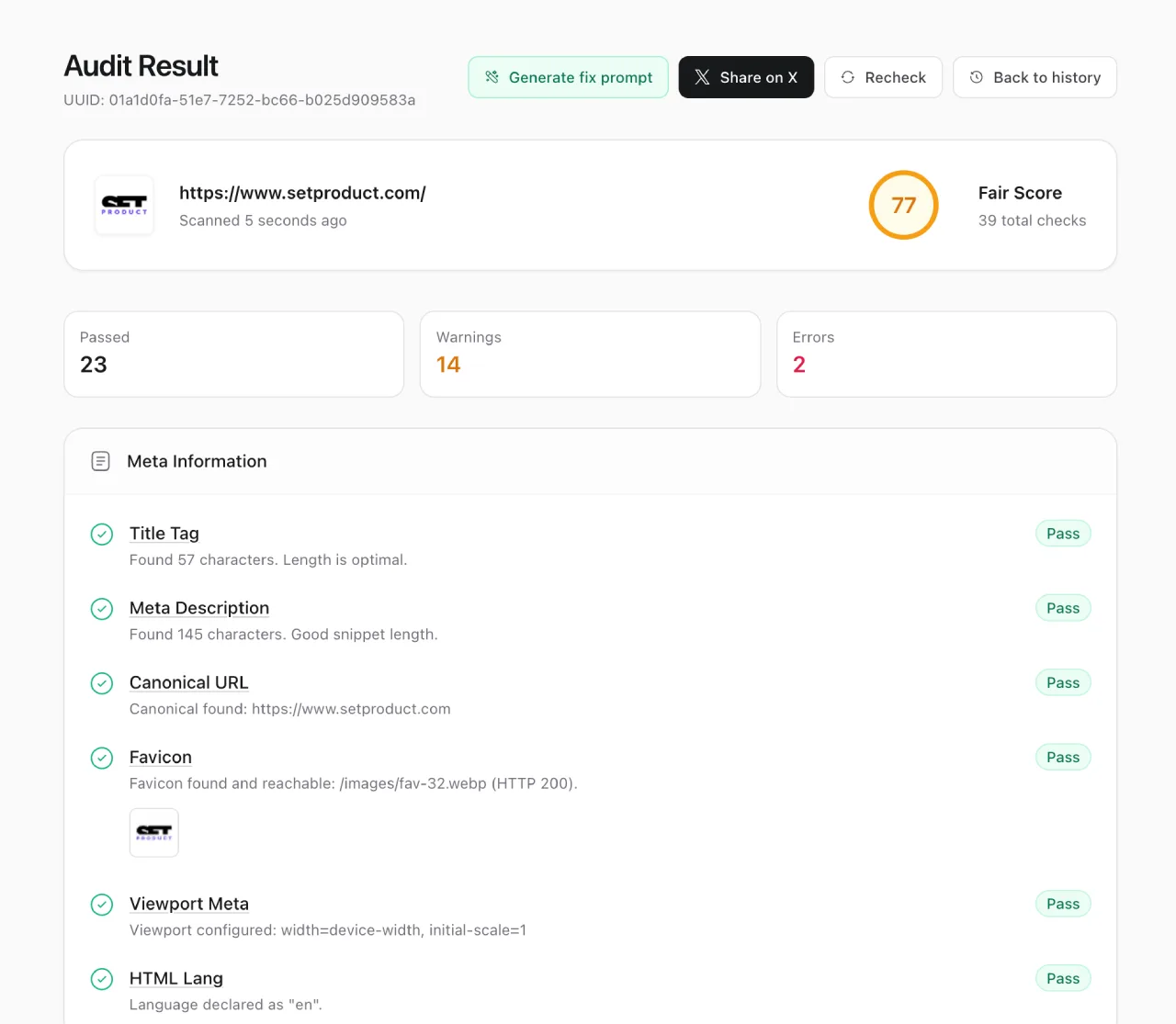
The first scan. 77, Fair, and a fix list that reads like instructions.
The diagnosis was good and fast. In one pass it found alt text missing on 48 of 64 images and a form field called website with no label. It also flagged zero JSON-LD and an OG preview that failed to load.
The scanner did that without reading a line of code, which is what a free checker is for. I compared heavier crawlers in SEO tools compared, and this one holds up.
Then the turn. Every finding had exactly one sentence under "How to fix", written for no site in particular: Add meaningful alt to all images, Define a restrictive CSP, Increase target size to 48px.
Those sentences know nothing about a Next.js site on Vercel or a honeypot left unlabelled on purpose. The tool also scanned one URL.
Why following its prompt would have broken things
I took the five worst lines and asked one question of each. What happens here if an agent does exactly that?
| The tool's line | What it would have done here |
|---|---|
| Define a restrictive CSP | Without report-only mode, it blocks GA4 and Google Ads plus the Gumroad overlay. Analytics and checkout stop on deploy |
| Add includeSubDomains to HSTS | Any subdomain still on plain HTTP becomes unreachable for every visitor for the full max-age of two years |
| Add meaningful alt to all images | Decorative icons get labels. Screen readers announce "search icon, close icon" before the content |
| Increase target size to 48px | Breaks the button scale and the mega menu density. WCAG 2.2 AA asks for 24 by 24 |
| Fix JS files returning 404 | Chases requests that never returned 404. They were analytics calls aborted when the headless browser closed |
Each line is defensible on a generic site and wrong on this one. The CSP row is the expensive one: Gumroad runs our checkout as an overlay script, so a strict policy without an observation week ships a store that cannot take money.
The rewrite
The rewritten prompt kept every symptom and changed everything around it. Four additions did the work.
❶ Project rules first. The agent reads AGENTS.md before touching a file: buttons are <button> or a link with the button scale classes, every string is sentence case, and the hosting config stays untouched.
❷ Priority by impact times risk. JSON-LD and the OG card went first, because they change how Google and social platforms read the site. Security headers went last, with the highest risk and zero ranking weight.
❸ One commit per task, with a gate. After each task the agent runs npm run lint, shows the diff and waits for my OK.
❹ An explicit NOT-TO-DO list. Cloudflare, manual compression, 48px everywhere, aborted analytics calls, alt on decorative icons, the hosting config. Writing down what to leave alone saved more time than any single fix.
Three pairs from the document, translated from the Russian I wrote it in.
Tool:    Add meaningful alt to all images.
Rewrite: Product cards and menu thumbnails get alt = product name plus type.
         Decorative icons and the logo next to aria-label keep alt="".
Tool:    Define a restrictive CSP.
Rewrite: CSP only as Content-Security-Policy-Report-Only, with a whitelist
         for GA4, Google Ads and Gumroad. Production CSP is a separate task.
Tool:    Increase target size to 48px.
Rewrite: Tap targets grow only inside @media (pointer: coarse).
         Desktop visuals stay. No new button sizes.
Each rewritten line names what to leave alone. A generic tool cannot write that part.
Triage before work
Before any task, each item got a verdict checked against the code.
| Bucket | Items |
|---|---|
| Real SEO problems | Missing alt on product and menu thumbnails, no JSON-LD, no manifest or PNG icons, broken OG preview, placeholder links |
| Accessibility, indirect SEO | Unlabelled honeypot field, missing footer landmark, tap targets |
| Security, out of scope | HSTS includeSubDomains, missing security headers, CSP |
| False positives | Cloudflare proxy, compression, missing robots meta, JS runtime errors, most of render-blocking |
→ Cloudflare proxy. The site runs on Vercel, which has its own CDN, and the response says server: Vercel.
→ Compression. The flagged files are build manifests, the smallest 96 bytes, and a Brotli header weighs more than that. The HTML itself shrinks from 240,109 bytes to 37,149.
→ JS runtime errors. Four net::ERR_ABORTED requests to Google ad domains, cut off when the headless browser closed. No 404 and no exception.
→ Missing robots meta. Without the tag Google assumes index, follow, so adding it changes nothing. I set it anyway as a default in the shared head.
What we fixed
Errors first, because they block the rest of the report from meaning anything.
❶ Alt text on product cards and mega menu thumbnails. Cards got the product name plus type. Menu thumbnails were the only content of their links, so those links had no accessible name.
❷ Decorative icons moved from <img> to inline SVG with aria-hidden, so they no longer count as images. The home page keeps 57 <img> tags, all with alt text: product cards, blog covers, the logo.
❸ The honeypot. The website field in four forms went into an aria-hidden container with an aria-label. The name stayed, because the API checks it.
Then the SEO work the tool only hinted at.
❹ One shared head component, SeoHead, replaced meta tags copied by hand into ten-plus pages. Every page now gets canonical and social tags from one place, with a default robots value of index, follow, max-image-preview:large.
❺ Structured data. The home page got Organization plus WebSite with a SearchAction for site search. Template pages got Product with Offer and Brand, plus a BreadcrumbList.
I followed Google Search Central's structured data guide for required fields and schema.org for types. No aggregateRating, because we have no real reviews.
❻ A site.webmanifest, a 180x180 PNG touch icon and a real favicon.ico. iOS ignores WebP touch icons, and the old favicon declared image/x-icon while serving WebP.
❼ Landmarks. The header and footer roots became <header> and <footer>.
❽ Placeholder links. The same href="#" pattern lived in seven components and 31 template data files. Actions became buttons and FAQ contacts became mailto:, and the second scan counted 218 links with a real href.
The audit inside the audit
The OG warning looked like one broken image. Before fixing it, I measured the real pixels behind every og:image on the site.
The site had 306 pages and 295 different og:image values. Exactly 1 of 200 blog posts had the 1.91:1 ratio social platforms expect. The cover of design-career-stagnation was 512x512, below the LinkedIn minimum, and freebies-fsearch shipped a 40-frame GIF.
The fix is one function, ogImageFor, that maps any preview source to a generated 1200x630 JPEG. My first generator walked the whole public folder and produced 1756 images, so the second reads only three real preview fields.
The output is 294 cards at exactly 1200x630, averaging 77 KB, none above 200 KB. Templates went from 22 of 32 correct to 32.
Then the part I trust most. On the second run the scanner fetched the new card and reported image dimensions: 1200x630 itself. A third party measuring the live URL beats my own script claiming the same.
The gap stays open. Five source covers are below 1200 px wide: design-career-stagnation, figma-10-tech-companies and three at 800x450. Their cards are stretched and softer.
What we did not do
→ Cloudflare. Vercel already sits in front of the site.
→ Manual Brotli. Vercel compresses at the edge and skips tiny files by design.
→ Inline critical CSS. It needs an experimental config flag here, which was out of scope. LCP sat at 0.5 s against the 2.5 s threshold in web.dev's LCP guide.
→ 48px targets on desktop. Touch screens got them via a coarse-pointer query, and every element already clears 24 by 24.
→ Aborted analytics requests. Nothing to fix.
Result
The score moved from 77 to 90, Fair to Excellent. Errors went from 2 to 0, warnings from 14 to 8.
The score is a reading, and eight warnings are still on the card. The card counts 31 passed checks, and 31 plus 8 is the 39 total it prints. The first card reconciles too: 23, 14 and 2 also make 39.
| Warning | Verdict |
|---|---|
| HSTS without includeSubDomains | Security backlog, zero ranking weight |
| Missing x-content-type-options, x-frame-options, referrer-policy | Security backlog, needs a config edit |
| No CSP | Security backlog, report-only first |
| Cloudflare proxy | False positive, hosted on Vercel |
| Render-blocking, 6 scripts and 7 styles | False positive, Next.js chunks |
| Compression, 5 files | False positive, manifests under 1 KB |
| JS runtime errors | False positive, aborted analytics calls |
| Tap targets under 48px | Accepted design decision, fixed for touch only |
Four false positives, three security items in the backlog, one accepted decision. Zero open SEO items from the original report.
So the counters add up, and my own earlier notes claiming otherwise were wrong. The 90 is not approximate. The checklist behind it is.
What the score still does not tell you
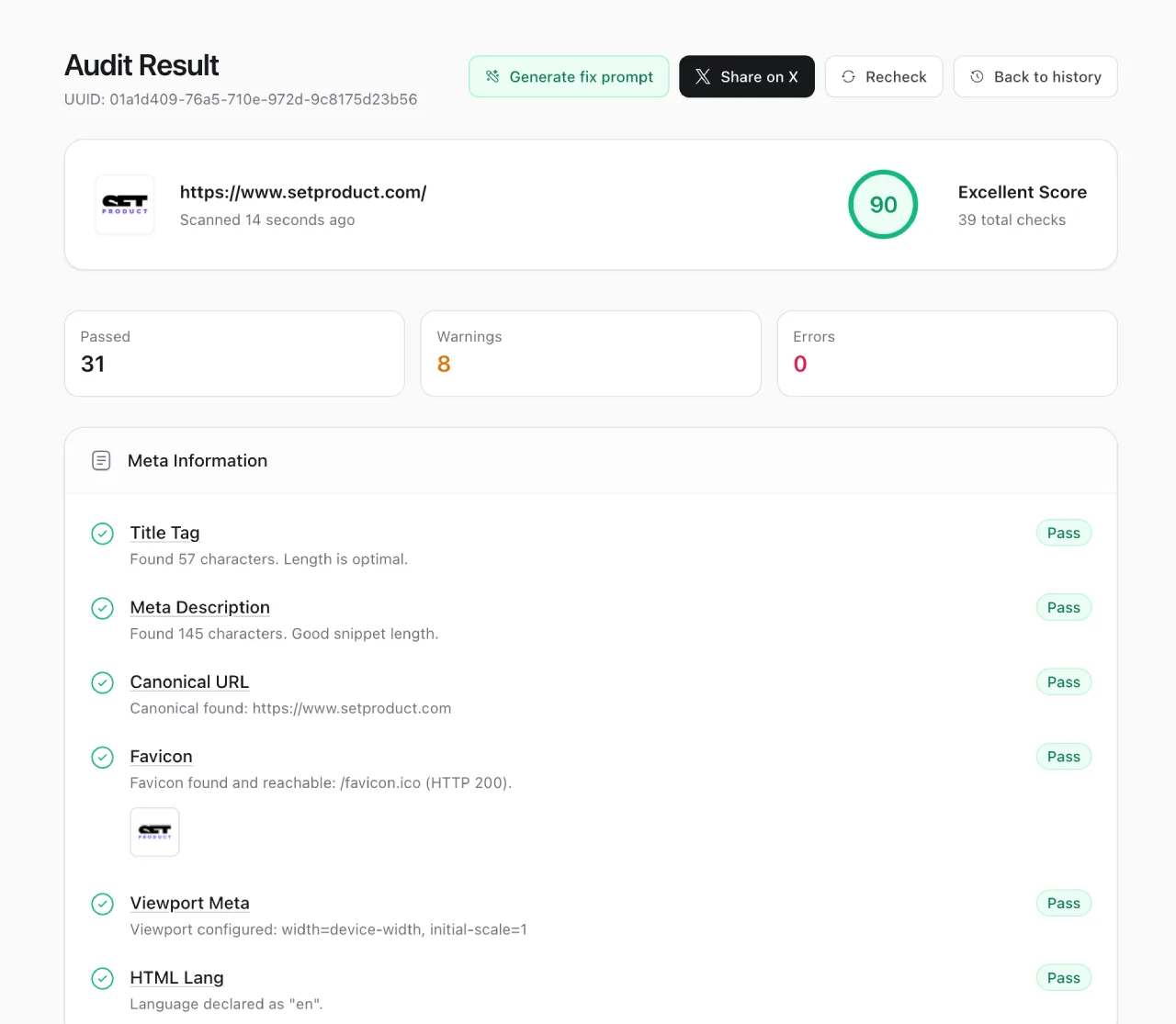
The same page after the fixes. 90, and eight warnings still standing.
A score of 90 counts boxes ticked on one page. The real signal lives in Search Console in about four weeks.
→ Enhancements, to see whether Google accepts the Product and breadcrumb markup.
→ Page indexing, for search URLs now set to noindex, follow.
→ CTR on the home page and category pages, where the new OG cards land first.
Structured data also feeds AI answers, tracked in how to get cited in Google AI Overviews. There it is a precondition, no guarantee.
One leak stays open. Filtered listings like /blog?category= still return index in static HTML, since the filter applies only after hydration. The canonical points at the clean listing, and a real fix needs server rendering.
So what
An audit tool writes symptoms. You write the instruction.
Never paste its output into an agent. The tool sees one URL from the outside, while the agent applies a generic sentence to your whole repo.
Once the checklist is green, growth comes from content and links, the slower work I covered in link building for startups.
If you run audits like this for clients and have the numbers to show, Setproduct takes guest posts from people who did the work. See the plans →
Frequently asked questions
Can I paste an SEO check tool's fix prompt straight into a coding agent?
I would advise against it. The tool sees one URL from the outside and writes one generic sentence per issue, while an agent applies that sentence across the whole codebase. Add your project rules and a priority order first, then a review step after each commit and a written list of things the agent must leave alone.
Why does an SEO checker flag empty alt on decorative images?
The scanner I used counted alt="" as missing, even though empty alt is the correct markup for decorative images. Filling those with labels makes screen readers announce icon names. The cleaner fix is inline SVG with aria-hidden for icons, plus real alt text for product and content images that carry meaning.
Does a higher SEO check score improve Google rankings?
Indirectly at best. The score counts checklist items on one page, and some of them, like security headers and HSTS, carry no ranking weight. Watch Search Console instead, especially the Enhancements and Page indexing reports, plus CTR on key pages, about four weeks after the deploy.
Which SEO check warnings are usually false positives on Vercel?
On our Vercel site four were false. The scanner wanted a Cloudflare proxy and compression for build manifests under 1 KB, reported analytics requests aborted when its headless browser closed, and flagged Next.js chunks that already load with defer. Verify each one with curl before you dismiss it.
The rewrite is the work
The scanner earned its place. It found 48 images without alt and a broken OG preview in one pass, and on the second run it confirmed my 1200x630 cards from the outside.
Every fix that mattered came from somewhere else. It came from reading the code and writing down what the agent must leave alone, then checking each commit before the next one started.
The eight warnings, the five soft covers and the filtered listings are on the record. None of them moves the score, and two of them matter more than the score does.
If you sell SEO to clients, this is the part they pay for. The tool's list is free to anyone. The rewrite is the work.