

Roman Kamushken
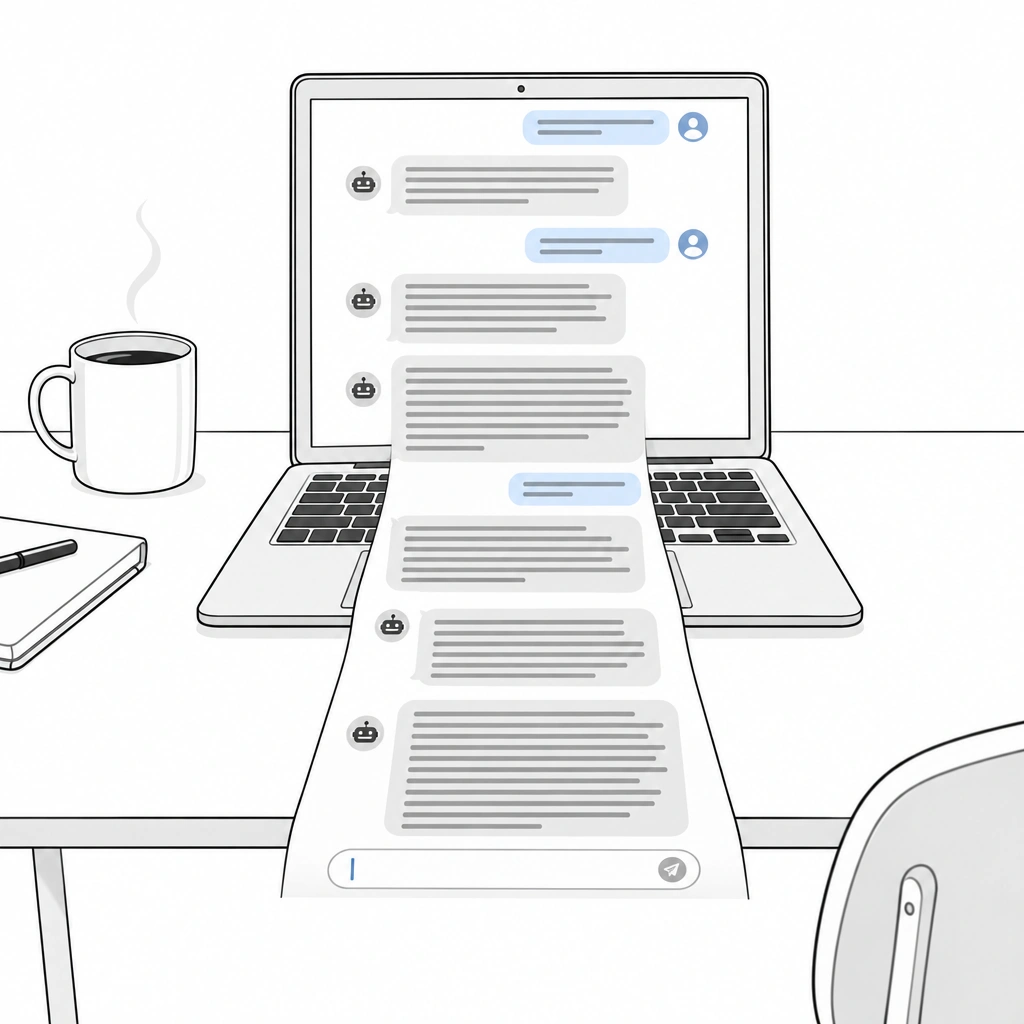
That scene marks the shift from dialogue to delegation: the user hands over a goal and comes back to judge the result.
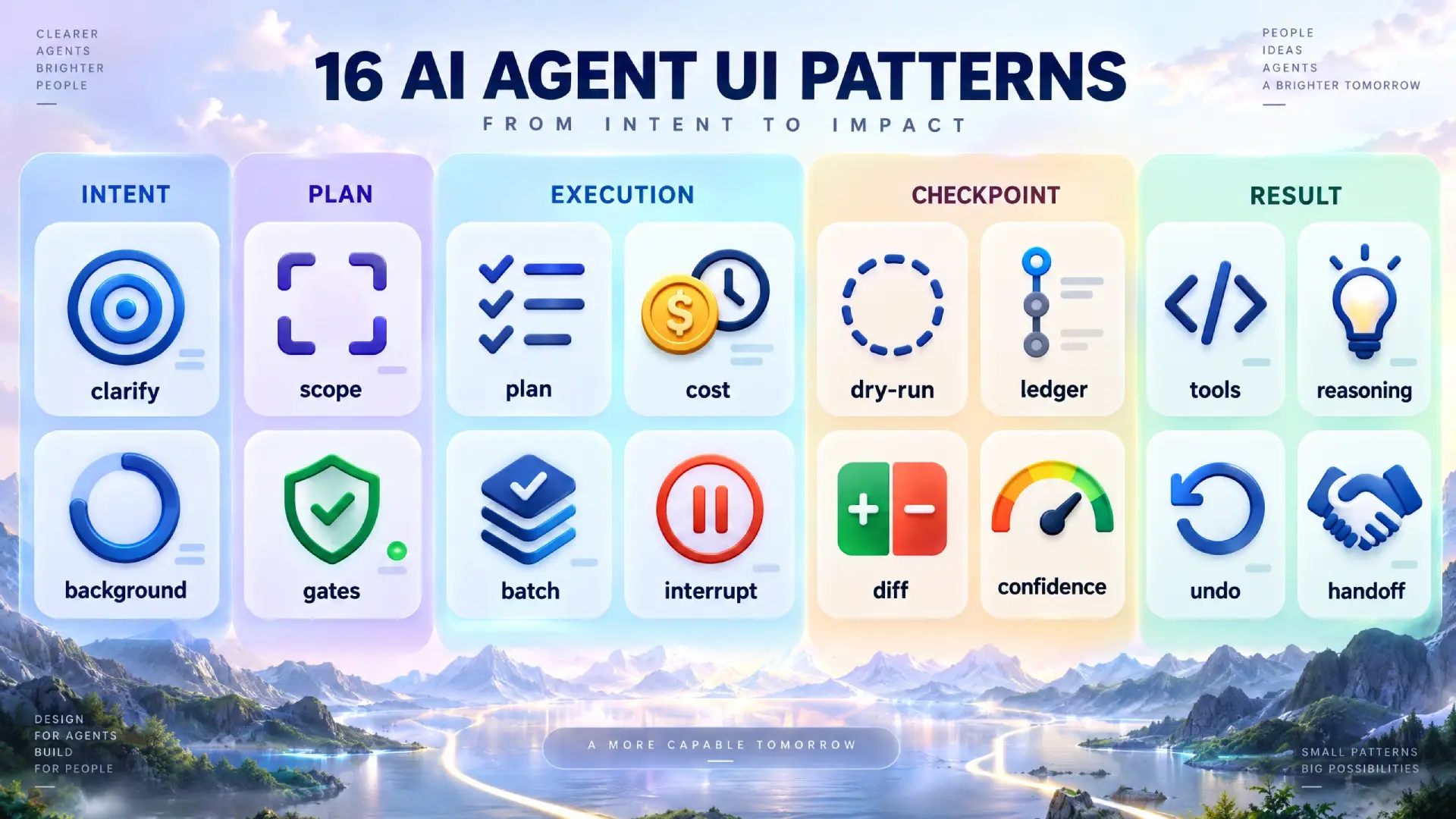
This article is a pattern library for AI agent UI, the second kind of interface: 16 patterns grouped by the six phases of a delegated task, with examples from Cursor, Claude Code, Devin, Manus, ChatGPT Agent and others, six anti-patterns already in production, and a decision rule for how much autonomy to expose.
The library is vendor-neutral. I describe only behavior I have used or watched myself; where I was unsure, I say so.
Why agent UI is not chat UI with extra steps
If you have designed a chat surface, you own about a third of what an agent needs. The AI chat interface guide covers that third: message anatomy, streaming, input design. The rest is new.
| Axis | Chat UI | Agent UI |
|---|---|---|
| Unit of interaction | One turn: prompt in, answer out | One task: goal in, dozens of actions out |
| Time horizon | Seconds | Minutes to hours |
| User attention | Present, watching the reply stream | Absent for most of the run |
| Failure mode | A wrong answer the user can ignore | A wrong action the user has to reverse |
| Trust mechanism | Read the reply and judge it | Audit a trail of actions you did not watch |
Each axis changes a decision. When the unit is a task, the plan becomes the primary object. When the horizon is an hour, the interface must survive a tab switch. When the user is absent, the re-entry summary matters more than the stream. When failure is an action, undo matters more than regenerate. When trust comes from auditing, the log becomes a first-class surface.
All five trace to one tension. More autonomy means fewer interruptions. More oversight means fewer surprises. Every pattern below buys one without giving up too much of the other.
Anthropic's "Building effective agents" makes the same point from the engineering side: start with the simplest loop and add autonomy only where the task earns it. OpenAI's "A practical guide to building agents" agrees. This library is the interface vocabulary for making that trade per task.
The six phases of a delegated task
Every delegated task passes through six phases, whether the agent edits code or answers a support ticket.
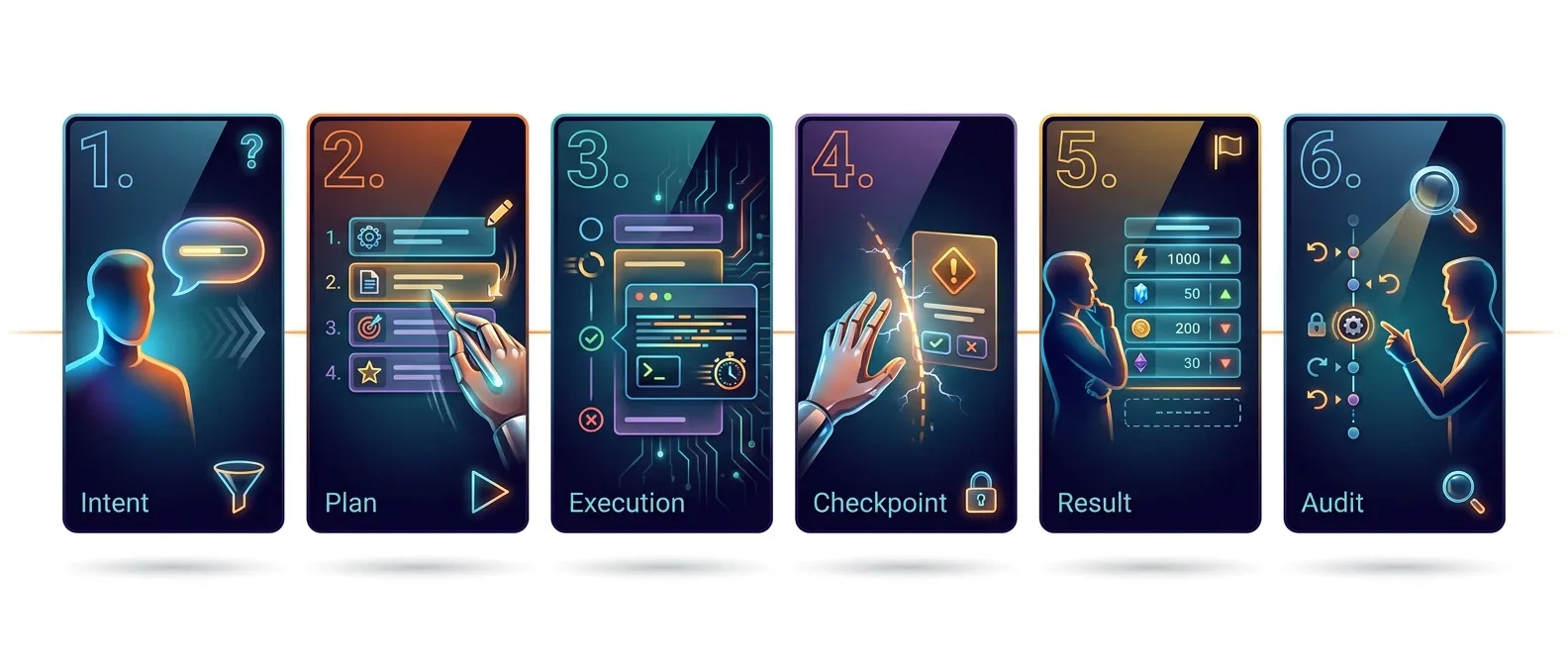
❶ Intent. The user states a goal in a sentence or two. The interface catches the unstated constraints before the agent guesses at them.
❷ Plan. The agent proposes how it will reach the goal. The interface makes the plan legible and correctable before anything runs.
❸ Execution. The agent acts: calls tools, edits files, browses, writes records. The interface shows progress the user can trust without watching.
❹ Checkpoint. The agent pauses for permission or a missing input. The interface makes the pause proportional to the risk and impossible to miss.
❺ Result. The agent presents what changed. The interface leads with the footprint of the work rather than a narration of it.
❻ Audit. The user verifies the work and reverses what went wrong. The interface makes every action findable and, where possible, undoable.
☞ Most agent products in 2026 design phases 1 and 3 well and phases 4 through 6 badly. That imbalance produces the anti-patterns below.
16 agentic UI patterns, by task phase
Sixteen patterns in phase order, each in the same micro-structure, describing product behavior as of late 2025 and 2026.
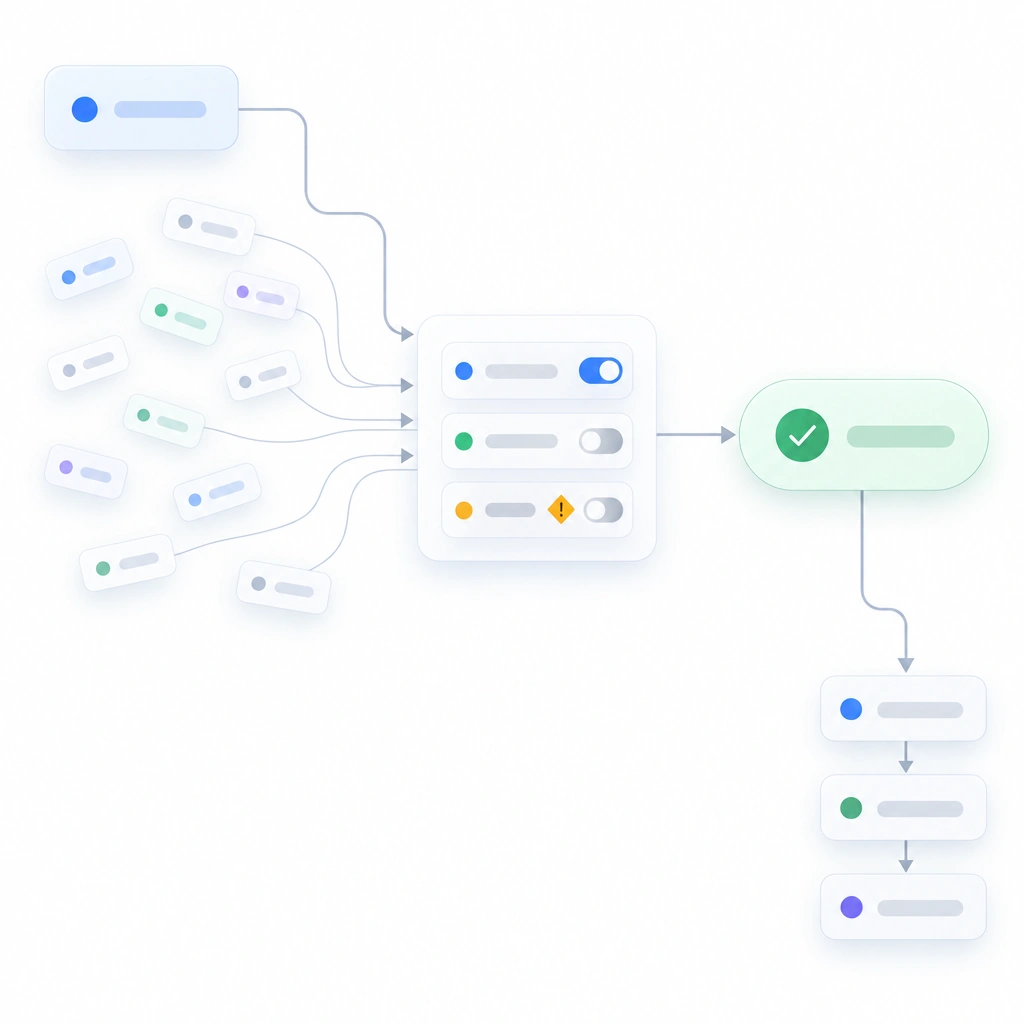
1. Goal clarification prompt (intent)
- Problem: A one-line goal hides a dozen unstated constraints. An agent that guesses spends ten minutes building the wrong thing; the user spends twenty finding out.
- Pattern: Before showing a plan, the agent asks one to three scoping questions in a compact form, each with a default prefilled. "Keep the Firebase project live during migration? Yes / No." One click accepts all defaults.
- Seen in: Devin asks clarifying questions before committing to a plan when the task is ambiguous. Claude Code in plan mode asks before writing when requirements conflict.
- Use when: the task touches more than one system or has a reversible-versus-irreversible fork.
- Avoid when: the goal is a single, contained edit. Questions become friction.
- Design note: cap the count at three. A fourth question reads as stalling, and users answer carelessly. For AI-native products the first clarification prompt is also the onboarding; replacing onboarding with contextual help covers that overlap.
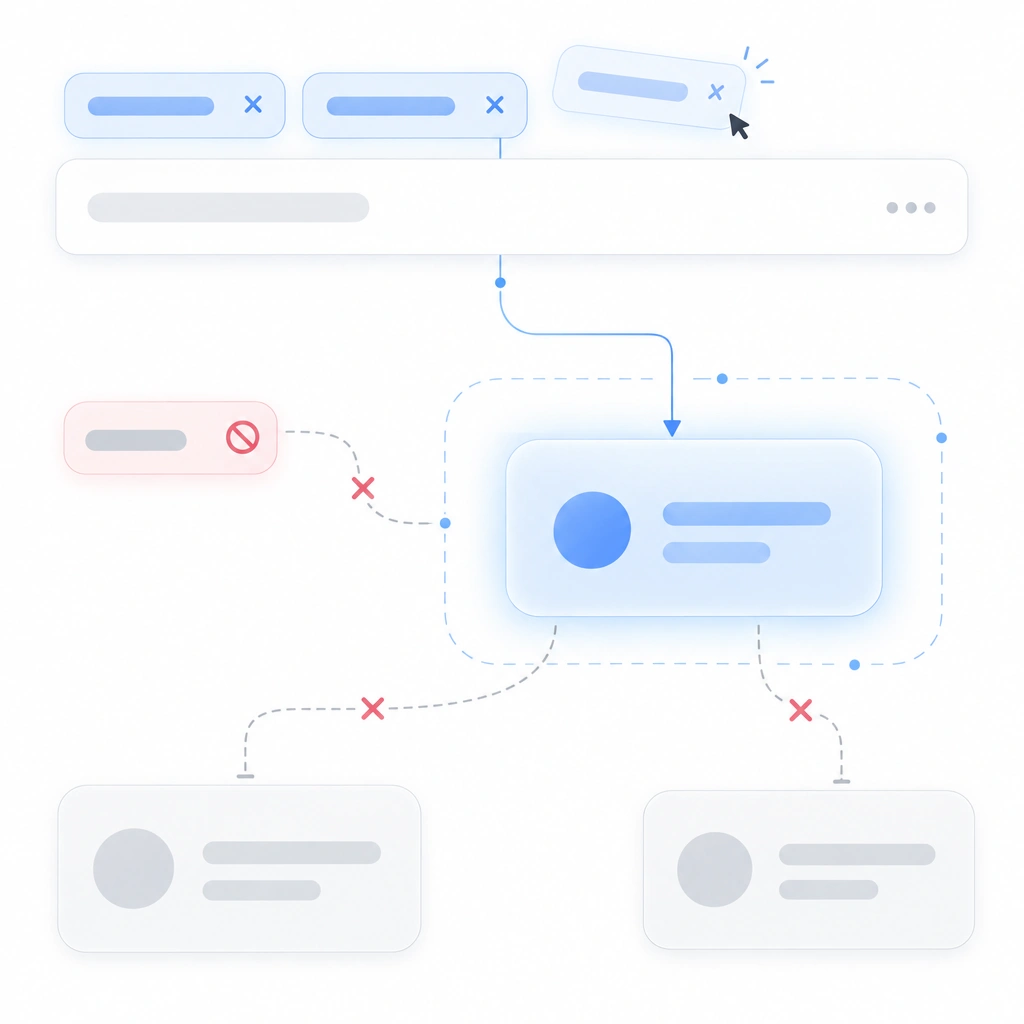
2. Scope boundary chips (intent)
- Problem: Users can't tell what the agent is allowed to touch. They either over-trust it or refuse to delegate at all.
- Pattern: A row of chips above the input shows the active scope:
src/auth/*,staging DB,budget: $0. Each chip is removable. Anything outside the chips is out of bounds until the agent asks. - Seen in: Cursor renders @-mentioned files and context as pills in the composer, the closest shipping analog. Claude Code defines scope through allowed-tools settings but never renders it. ChatGPT Agent shows which sites its browser visits, an implicit boundary.
- Use when: the agent can reach files or accounts beyond the current view.
- Avoid when: the scope is the whole workspace by design and the chips would say "everything."
- Design note: show the negative space too. A chip reading "cannot: send email" earns more trust than three chips listing permissions.
3. Editable plan (plan)
- Problem: A read-only plan forces a binary choice: accept everything or start over. Most corrections are small, and the binary discards them.
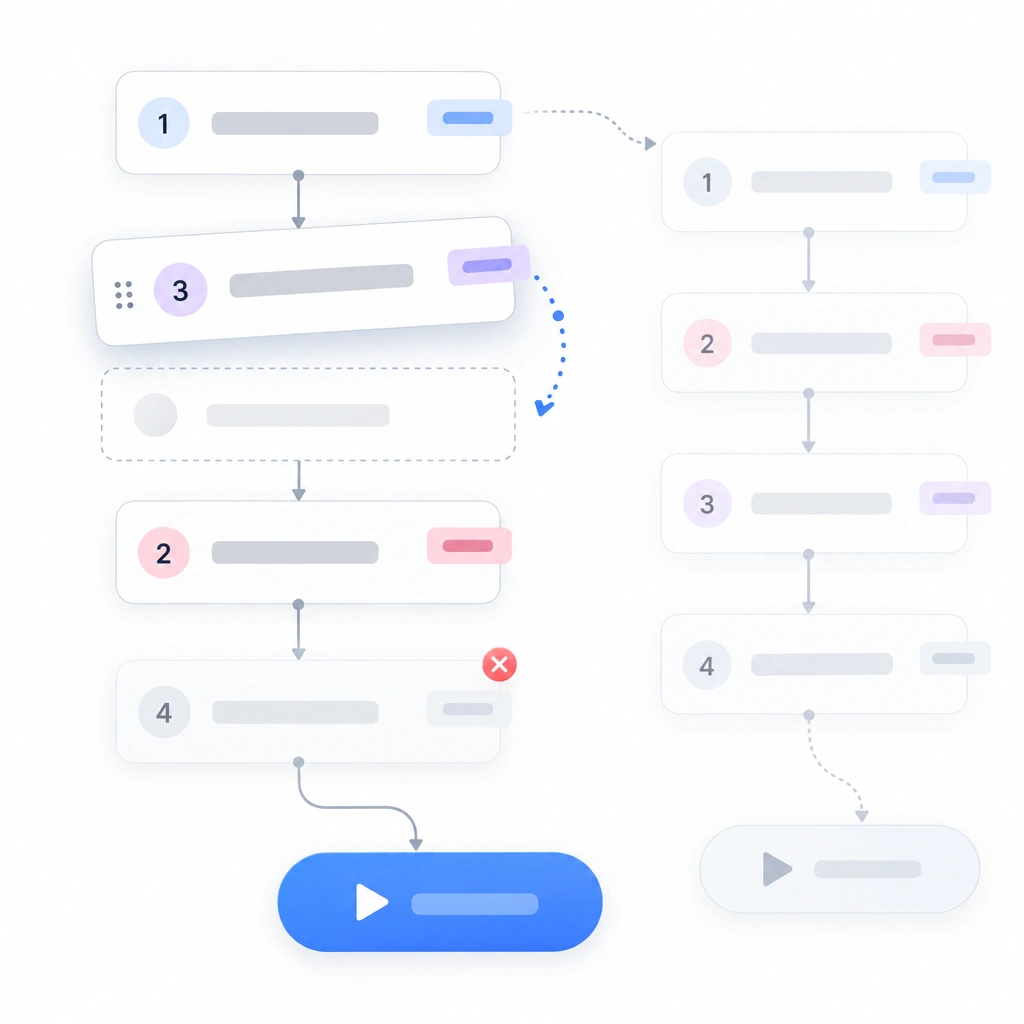
- Pattern: The agent proposes a numbered step list. Each step can be reordered or deleted and carries an inline note. One Run button sits below. The plan stays on screen during execution and becomes the ledger (pattern 6).
- Seen in: Devin lets the user edit its plan before work starts. Claude Code's plan mode presents the approach for approval before any file changes. Replit Agent shows an adjustable plan before it builds.
- Use when: the task has more than three steps or touches production systems.
- Avoid when: the plan would be one step. Run it and show the diff.
- Design note: treat a user's annotation as a constraint and echo it on the relevant step during execution so they can see it was honored.
4. Effort and cost preview (plan)
- Problem: Users can't tell whether they are delegating a 30-second task or a 30-minute one. They watch when they could leave, or leave when they should stay.
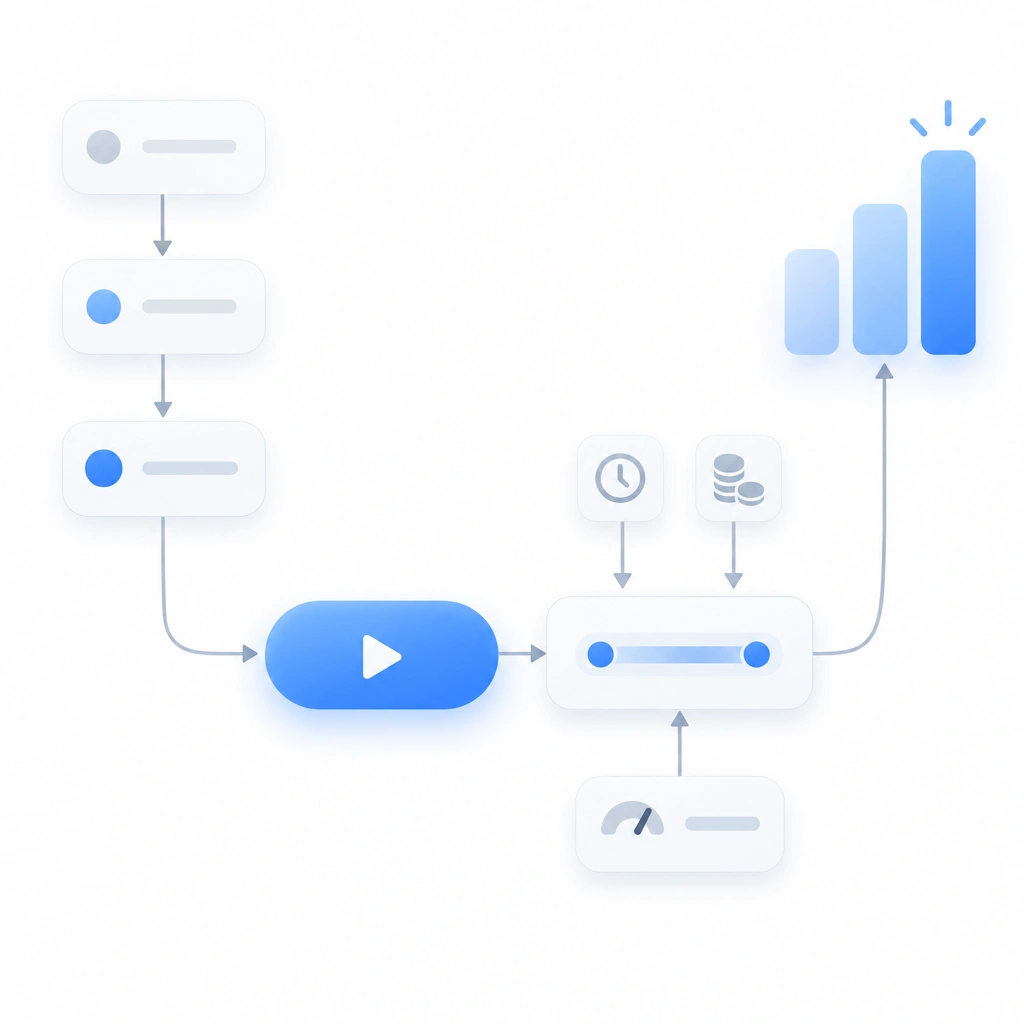
- Pattern: Next to Run, show an estimate in the unit the user pays in, whether that is minutes or credits. Ranges beat point estimates. "8 to 15 min, about 40 file edits."
- Seen in: Manus shows credit consumption per task. Cursor's background agents list each run with its status but give no estimate up front. Most products show cost only afterward.
- Use when: cost varies by more than 3x across tasks, or the user pays per action.
- Avoid when: you cannot estimate within an order of magnitude. A wrong number is worse than none.
- Design note: pair the estimate with a user-set cap. "Stop and ask if this exceeds 20 min" turns a guess into a contract.
5. Dry-run mode (plan)
- Problem: Some actions cannot be undone: sending an email, charging a card, dropping a table. The user needs to see the consequence before it exists.
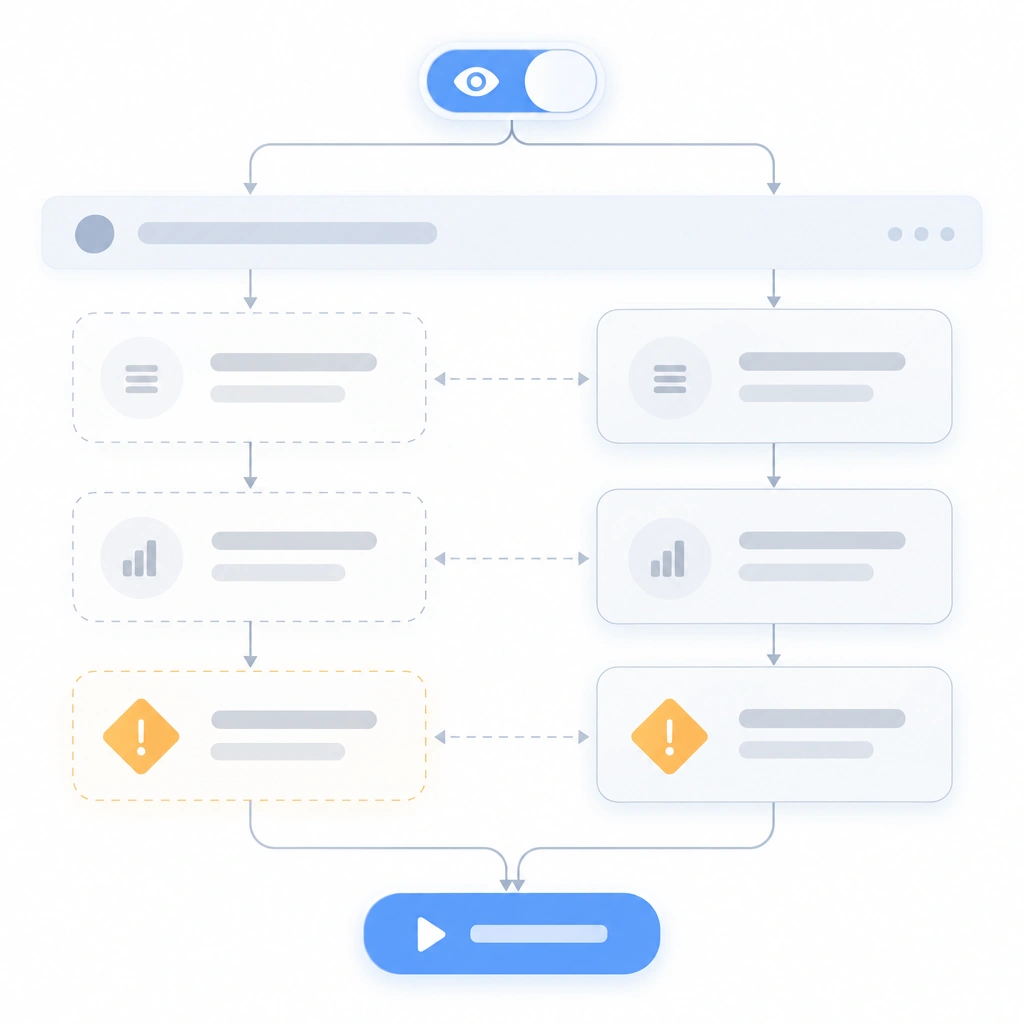
- Pattern: A toggle beside Run labeled "Preview changes." The agent walks the full plan and replaces every write with a description: "Would send 14 emails to…", "Would delete 3 rows." The user then runs for real or edits the plan.
- Seen in: Zapier's Zap test step is the closest mainstream analog. Terminal tools have shipped
--dry-runflags for decades; developers expect the pattern; non-technical users never met it. - Use when: any step is irreversible, or it touches money or outbound messaging.
- Avoid when: all actions are reversible edits under version control. The diff after the fact does the same job.
- Design note: style the dry-run output identically to the real result, with one persistent banner. A preview that looks different cannot be compared to the real thing.
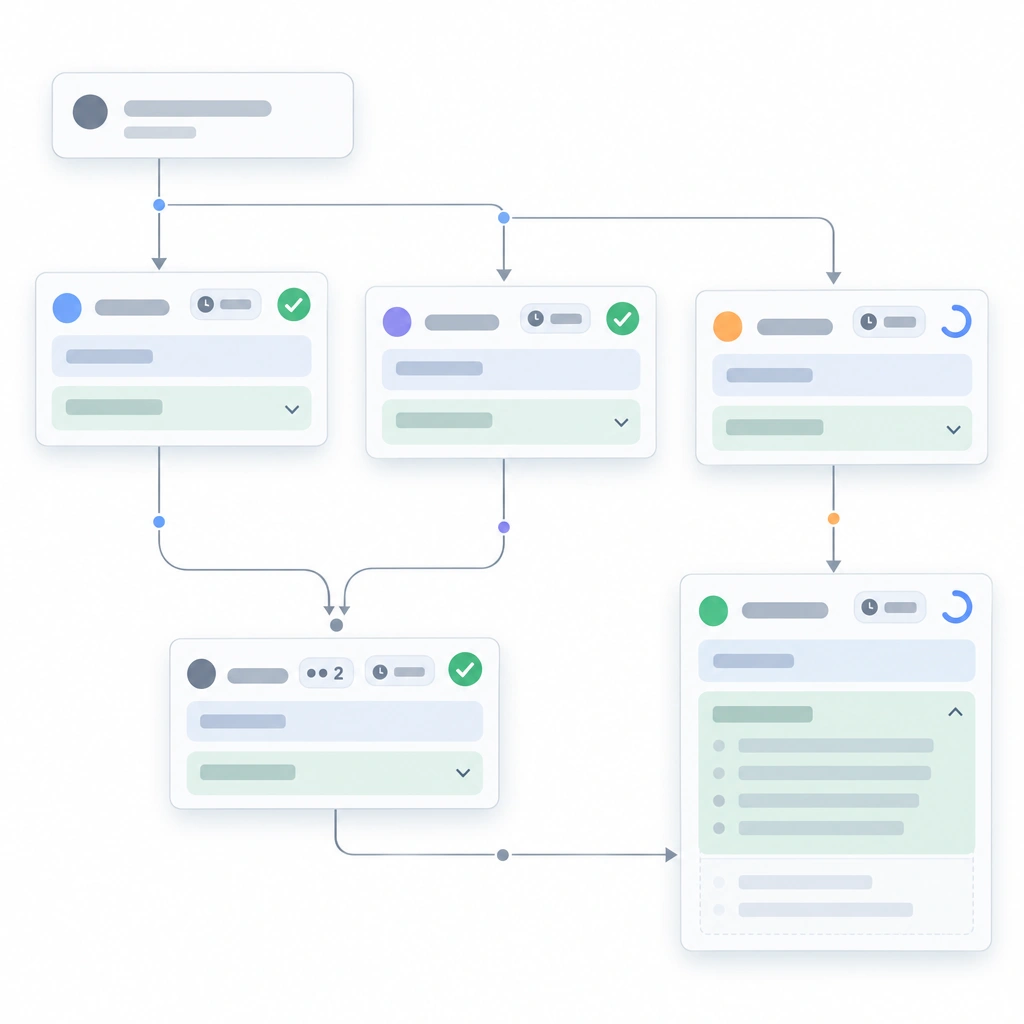
6. Live step ledger (execution)
- Problem: With no visible progress, a two-minute task feels frozen at 40 seconds. Users refresh the page or start a duplicate task.
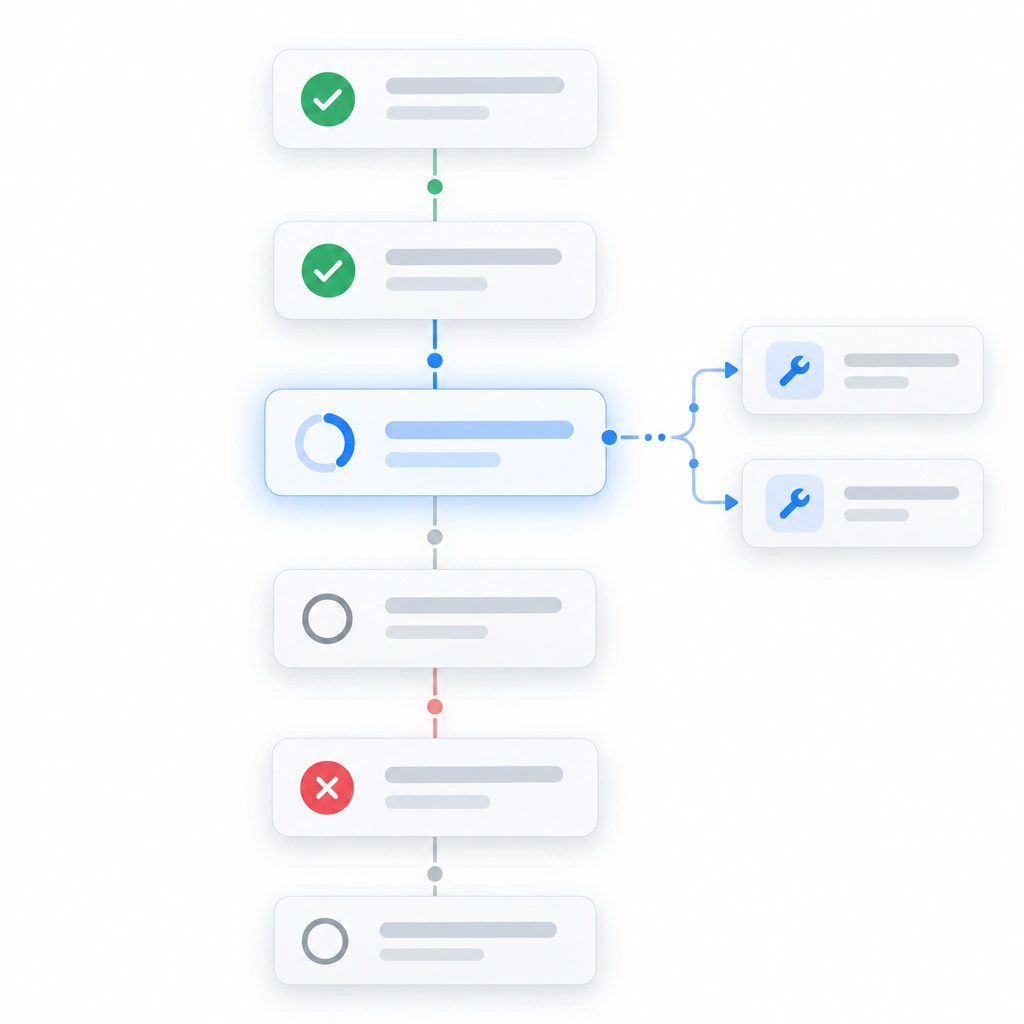
- Pattern: A vertical list of steps with status glyphs: pending (hollow circle), running (animated), done (check), failed (cross). Steps collapse to one line; expanding one reveals its tool calls. The running step is pinned into view.
- Seen in: Claude Code renders a task list that updates as items complete. Cursor's agent mode shows a running list of edits and commands. Manus shows a step list beside a view of what the agent is operating.
- Use when: always. Even a one-step task gets a one-row ledger.
- Design note: keep failed steps in place, marked. A ledger that only shows successes hides the story the user needs for the audit phase.
7. Tool call cards (execution)
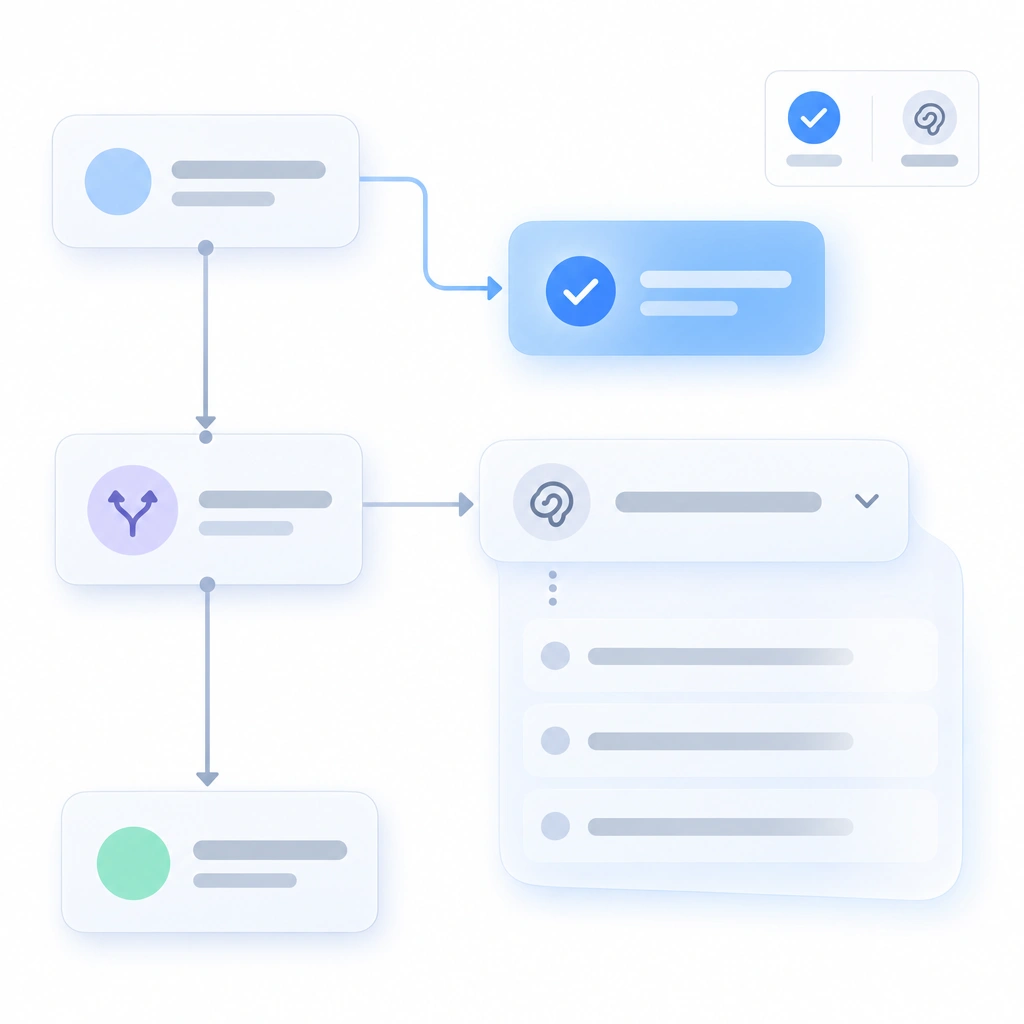
- Problem: "Reading files… running tests… searching the web…" scrolls past as prose. The user can't tell which action produced which result.
- Pattern: Every external action becomes a card: tool name, input, output (truncated, expandable), duration and status. Cards nest inside their ledger step. Identical consecutive calls collapse into one card with a count.
- Seen in: Claude Code shows each tool invocation as a collapsible block with the command and its output. Cursor shows terminal commands and file reads as separate expandable items. ChatGPT Agent shows each browsing action with a page screenshot.
- Use when: the agent calls tools with observable inputs and outputs, which is nearly always.
- Avoid when: the "tool" is internal reasoning. That belongs in pattern 8.
- Design note: put the duration on the card. A 40-second
npm installreads as the agent thinking unless the card says "40s" and names the command.
8. Reasoning disclosure (execution)
- Problem: Users want to know why the agent chose a step, and models produce reasoning text. Dumped inline, it buries the actions.
- Pattern: A collapsed "Thinking" section per step, closed by default, with a one-line summary visible. If it changed the world, it is a tool call card; if it changed the agent's mind, it is reasoning.
- Seen in: Claude Code and Cursor both expose model reasoning behind a disclosure. ChatGPT shows a collapsible reasoning summary for its reasoning models. Manus streams reasoning in a hideable panel.
- Use when: the agent makes non-obvious choices and the audience is technical enough to read them.
- Avoid when: the audience is non-technical and reasoning text would read as noise.
- Design note: never put a decision the user must act on inside the collapsed section. A skipped step belongs in the ledger, in the open.
9. Background mode with progress surface (execution)
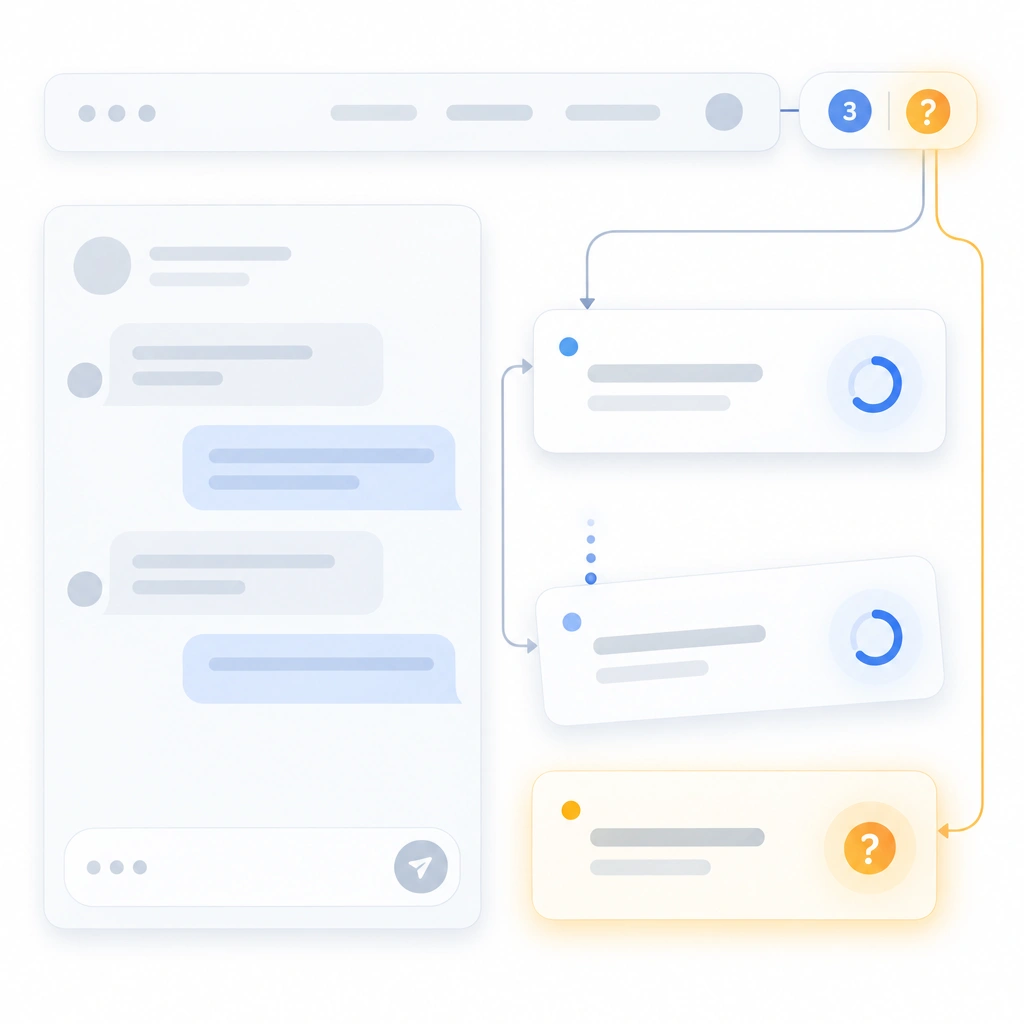
- Problem: The user leaves the tab and returns an hour later to find the task stalled on a question at minute two.
- Pattern: Delegated tasks run detached from the chat view. A persistent pill in the nav shows the count of running tasks and turns amber and swaps its icon to a question mark when one needs input. Clicking it opens the task list with ledgers.
- Seen in: Cursor's background agents run remotely and list in a sidebar. GitHub Copilot coding agent writes its session log into the pull request timeline while it works. Devin posts updates to Slack. Manus notifies on completion.
- Use when: tasks exceed a minute or the user has more than one running.
- Avoid when: the task is interactive by nature and needs the user every ten seconds.
- Design note: the pill must distinguish "working" from "waiting on you." Most implementations render both identically, and the second one costs hours.
Patterns 10 to 12 are the human-in-the-loop layer: the places where a person reviews before the agent proceeds.
10. Tiered permission gates (checkpoint)
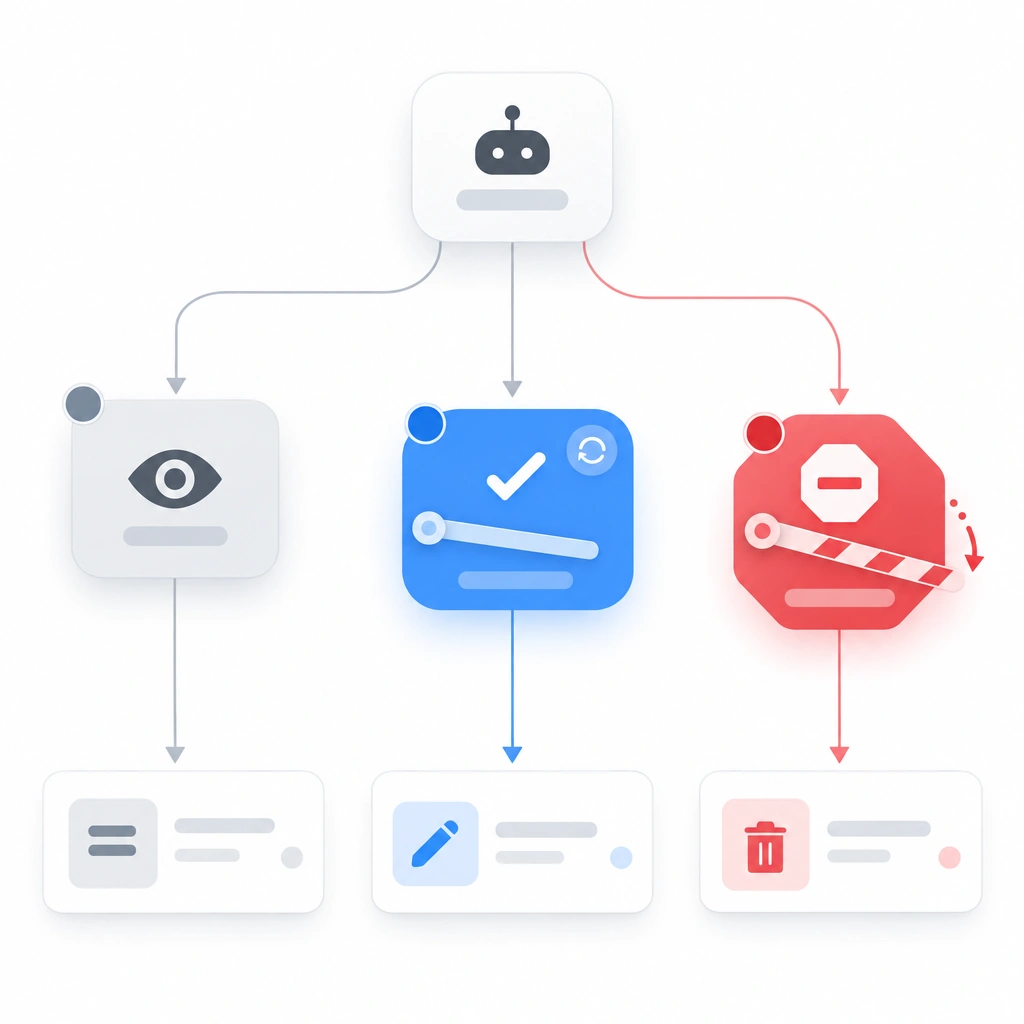
- Problem: Asking permission for everything trains users to click Allow without reading. Asking for nothing is how a branch nobody wanted deleted gets deleted.
- Pattern: Three tiers, each visually distinct. Each tier gets its own color and its own icon. Read: grey, no prompt. Write: blue, ask once per session per scope, "always allow" available. Destructive: red, ask every time, no always-allow. The tier badge appears on the tool call card and in the dialog.
- Seen in: Claude Code prompts per tool with allow-once or don't-ask-again options and supports allow and deny lists per command. Cursor asks before terminal commands and supports an allowlist. ChatGPT Agent pauses before purchases.
- Use when: always. This is the baseline checkpoint pattern.
- Avoid when: never. Adjust the tiers instead of removing them.
- Design note: give the destructive dialog a different layout, beyond a red color swap. A different shape breaks the muscle memory always-allow builds.
11. Batch approval (checkpoint)
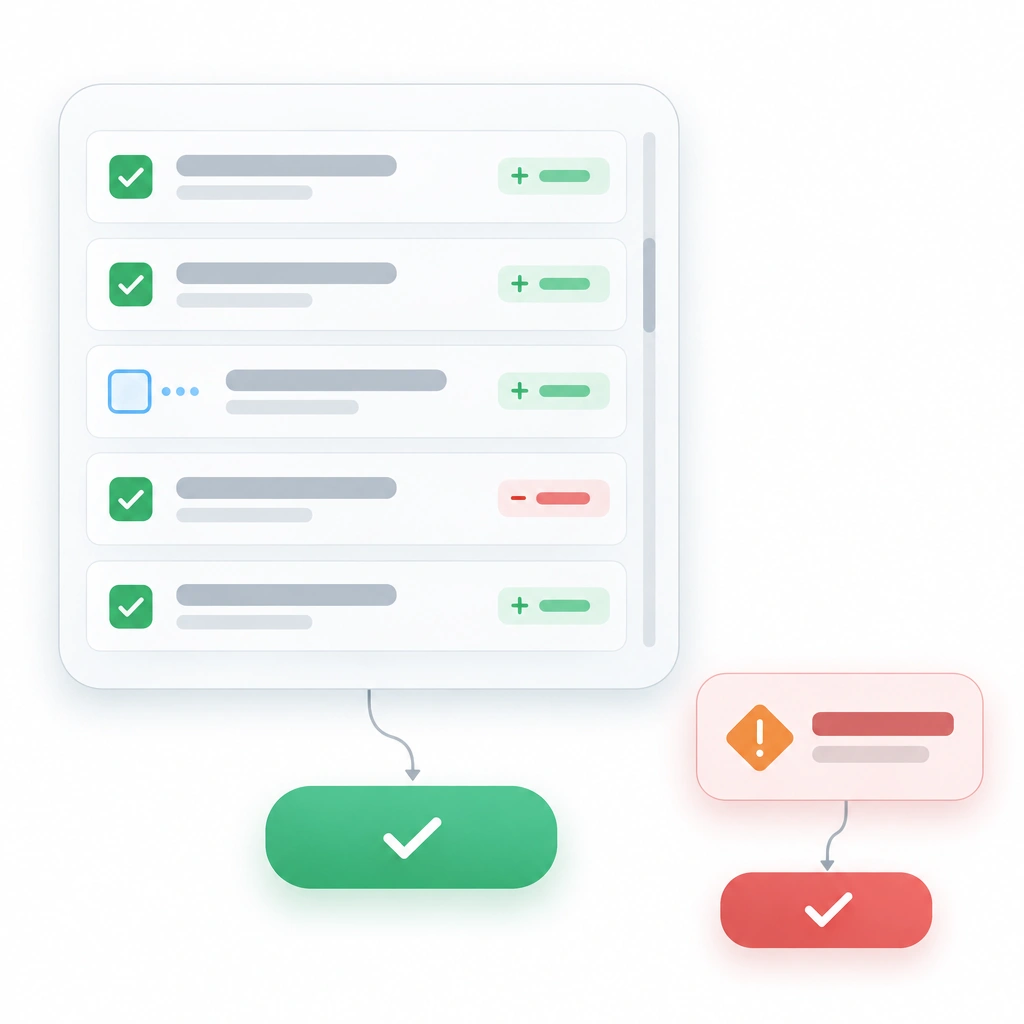
- Problem: A migration touches 40 files. Forty modals is 40 chances to click wrong, and the user stops reading by the fifth.
- Pattern: Group same-tier actions into one approval surface: a scrollable checklist, all checked by default, one Approve button. Destructive items surface alone.
- Seen in: Cursor's review flow accepts all edits in one action or steps through file by file. Claude Code's "allow for this session" batches in time rather than in space. GitHub Copilot coding agent batches everything into one pull request.
- Use when: more than three same-tier approvals would fire within a minute.
- Avoid when: the actions differ in tier or in blast radius.
- Design note: show per-item consequences in the batch. "Edit auth.ts (+40, −12)" lets the user spot the one outlier in 40 names.
12. Interrupt and redirect (checkpoint)
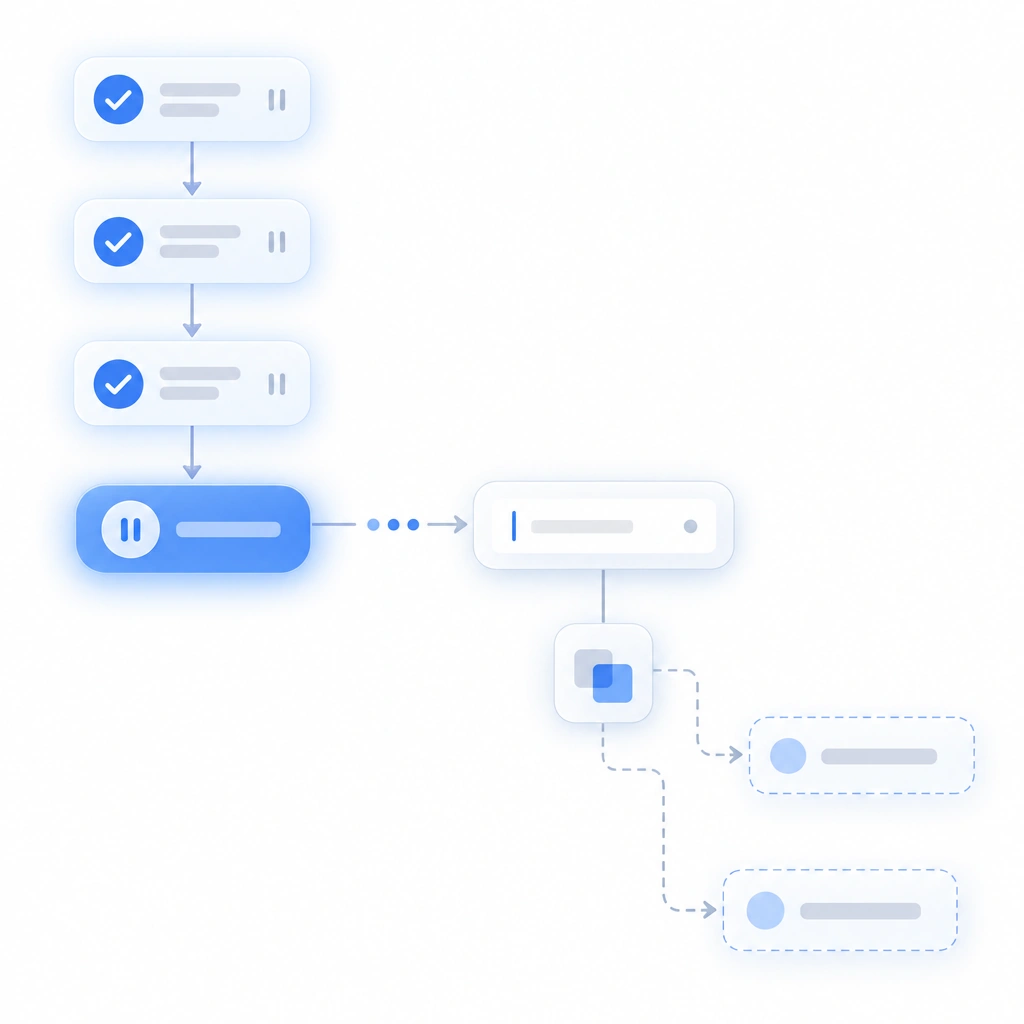
- Problem: The user spots a wrong turn at step 4 of 12. The only control is Stop, which discards steps 1 through 3.
- Pattern: A Stop button that pauses rather than kills. The ledger freezes with completed steps intact. An input appears: "What should change?" The agent revises the remaining plan and shows the diff before resuming.
- Seen in: Claude Code stops on Escape and accepts a redirecting instruction. Cursor lets the user stop generation and continue in the same context. ChatGPT Agent lets the user take over the browser mid-task and hand control back.
- Use when: tasks run longer than about 30 seconds.
- Avoid when: a step cannot be paused mid-flight. Then stop at the next step boundary and say so on the button.
- Design note: label the button Pause when that is what it does. Users hesitate to press Stop because they expect to lose work.
13. Diff-first summary (result)
- Problem: The agent finishes and writes four paragraphs about what it did. The user reads all four to learn it changed two files.
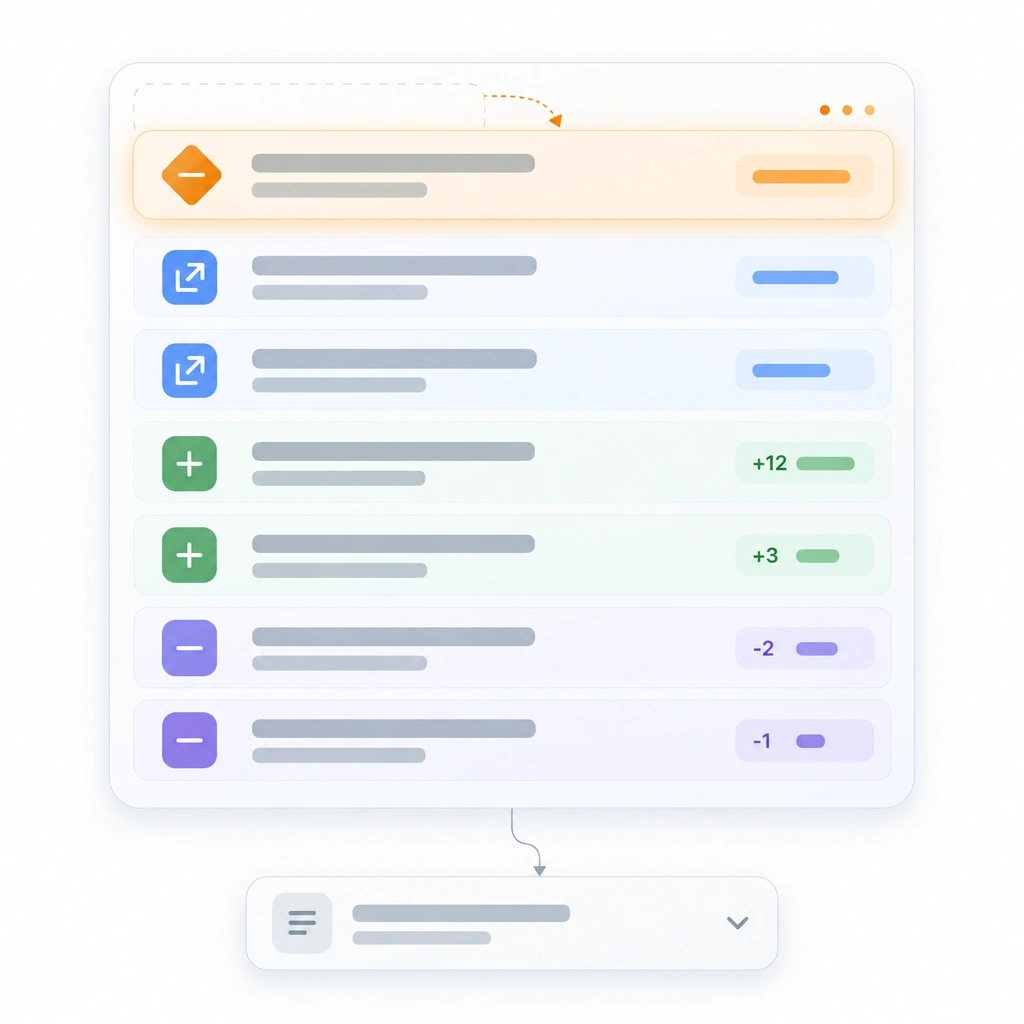
- Pattern: The result view leads with a structured block: files changed with line counts, and every other resource type in the same count-and-delta shape. Prose sits below, collapsed if longer than three lines.
- Seen in: Cursor and Claude Code both end with per-file diffs. GitHub Copilot coding agent delivers a pull request, a diff by definition. Lovable and Bolt show a changed-files list and a live preview.
- Use when: the task changed anything with a countable footprint.
- Avoid when: the task was research with no writes. Then the prose is the deliverable and the block lists sources consulted.
- Design note: sort the block by risk. Deletions first, then external writes, then local edits. Alphabetical order hides the one line that matters.
14. Confidence and gaps statement (result)
- Problem: Agents report success in the same tone whether they ran the tests or assumed they would pass. The user can't tell which.
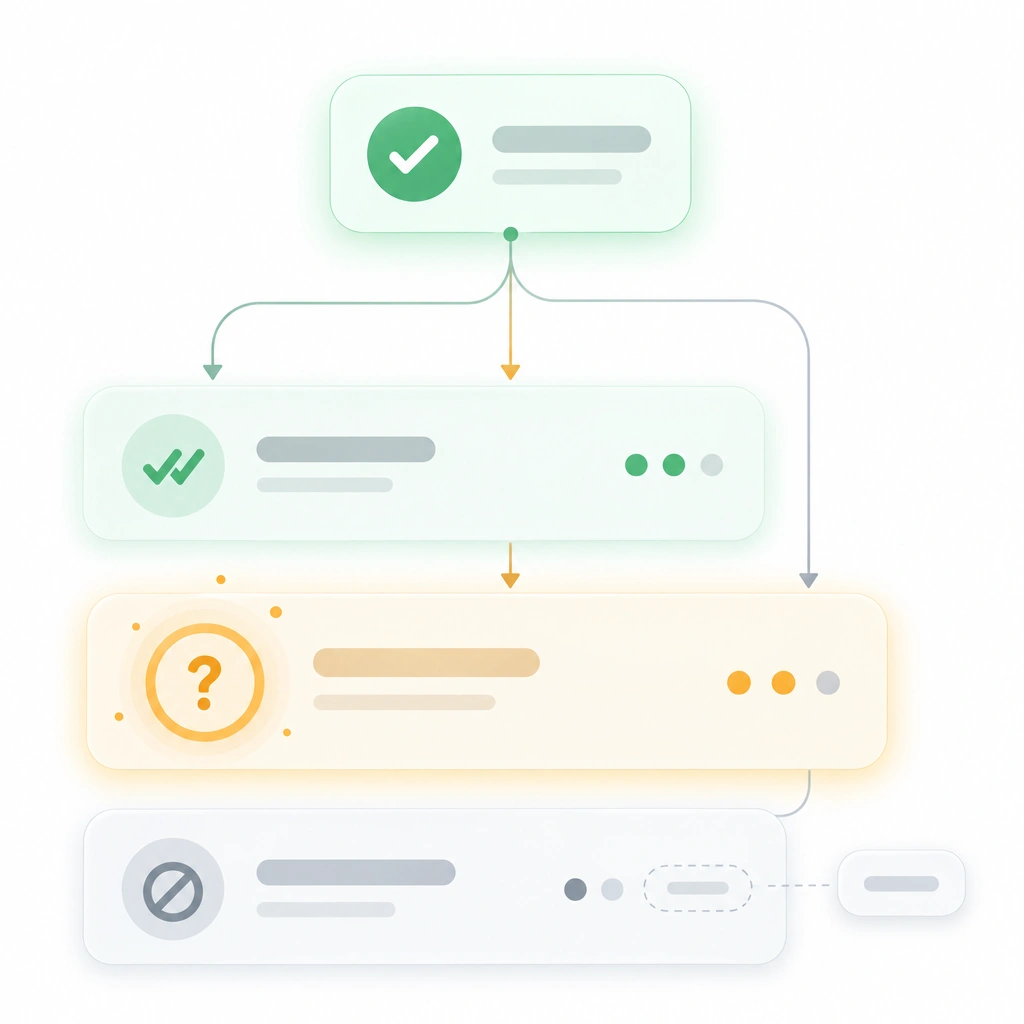
- Pattern: A three-part footer on every result. Verified: what the agent checked and how. Assumed: what it took on faith. Could not do: what it skipped and why. Empty sections read "none."
- Seen in: Devin reports blockers and what it could not complete. Claude Code and Cursor surface test results when tests were run. Most products leave "assumed" implicit, which is the gap this pattern closes.
- Use when: always, on every completed task.
- Avoid when: the task made no claims, such as a pure file rename. Then the footer collapses to one line.
- Design note: the Assumed section is where trust is built or lost. One "assumed the staging DB matches production" earns more trust than silence.
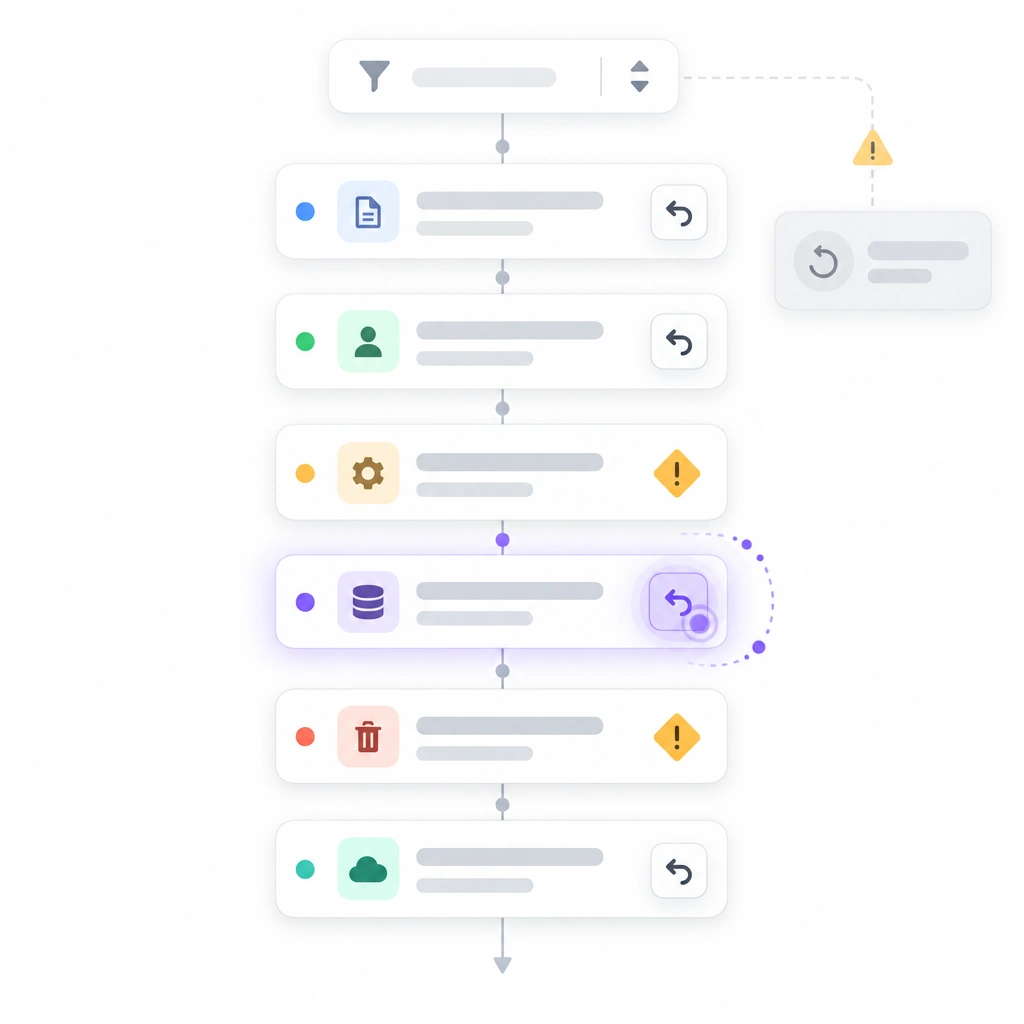
15. Action trail with undo (audit)
- Problem: The user finds a problem the next day. The chat has scrolled away and nobody knows which of 60 actions caused it.
- Pattern: A persistent, filterable log of every action, sortable by time and target. Reversible actions carry an Undo control that works after the session ends. Irreversible actions get a distinct glyph when proposed, and it persists in the trail.
- Seen in: Replit Agent and Cursor both ship checkpoints or version history you can roll back to. That is the baseline. Per-action undo is the bar, and no coding agent has cleared it yet. Products with browser or payment actions cannot undo those and should say so.
- Use when: always, for any agent that writes.
- Avoid when: never.
- Design note: undo must be per action. A global "restore to 3pm" throws away 58 good actions along with the two bad ones.
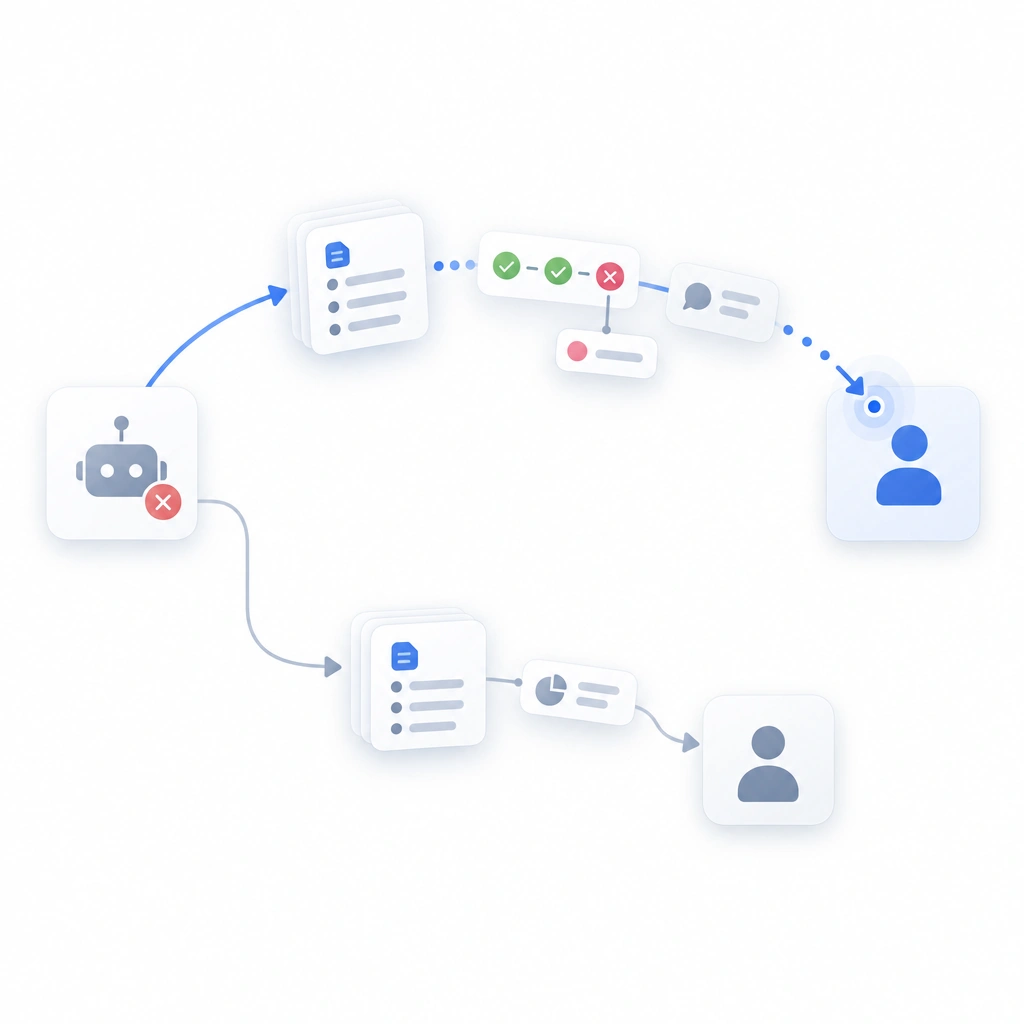
16. Handoff to human (audit)
- Problem: The agent is stuck, or the user no longer trusts it with this task. The only path is to abandon the session and start by hand.
- Pattern: A "Take over" control hands the current state to the user with full context: plan, completed steps, the failing step and its outputs. For support agents, the same control routes to a teammate with the transcript and the pattern 14 summary.
- Seen in: Intercom Fin escalates to a human agent with the conversation history attached. ChatGPT Agent lets the user take control of the browser at any point. Devin lets the user step into its environment and continue manually.
- Use when: the agent can fail in ways it cannot recover from, which is every agent.
- Avoid when: the agent has no environment to hand over. Then the control exports the ledger and plan instead.
- Design note: handoff carries the ledger first, the chat second. The human picking up needs what was done more than what was said.
Anti-patterns already shipping in 2026
Every one of these is live in a product I have used this year. Some are in products I otherwise like.
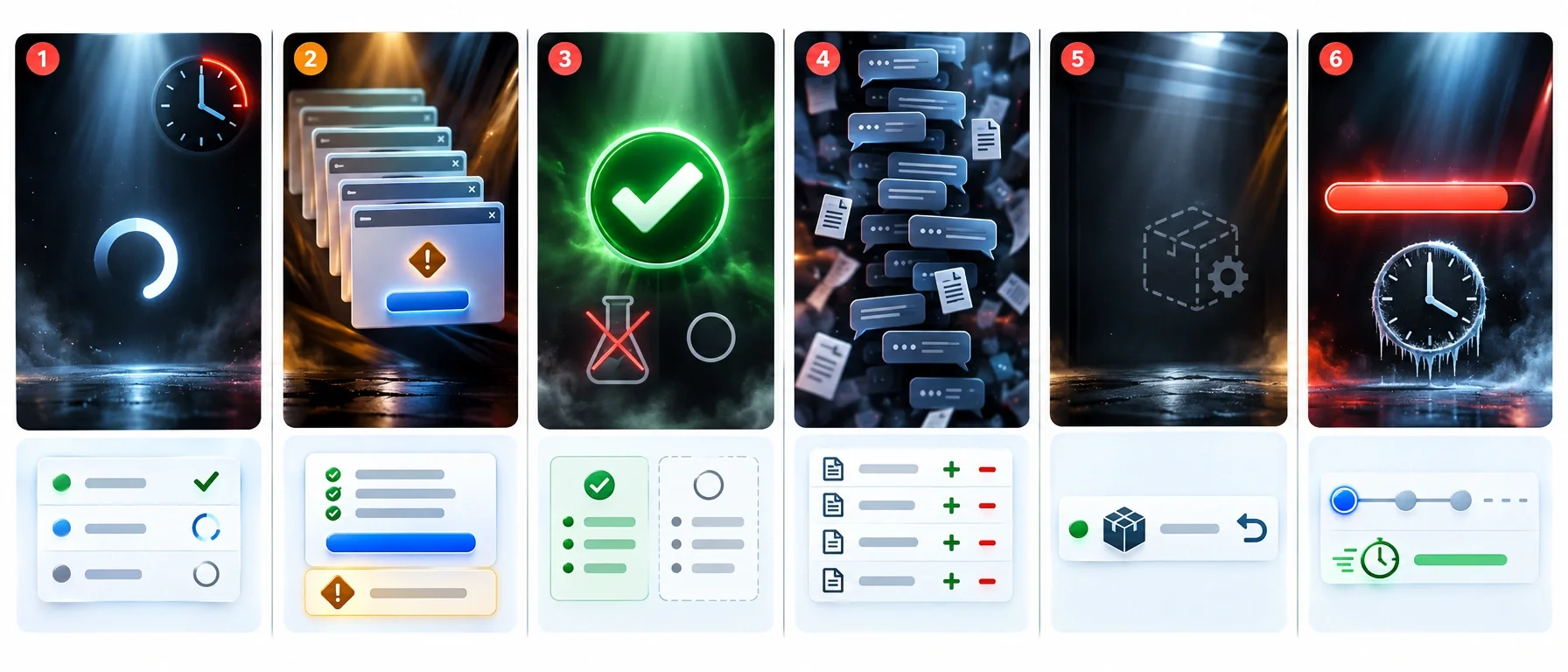
The infinite spinner. An agent runs for four minutes behind one animated dot and "Working on it." No ledger, no step names, no elapsed time. The user can't tell a slow task from a hung one, cancels at minute two and loses the work. This is pattern 6 deleted. The fix costs one list component.
Approval fatigue. A modal for every file write and every shell command. By the sixth dialog the user clicks Allow on reflex, and the one destructive action in the sequence gets the same reflex. The product believes it is careful; it has trained its users to be careless. Patterns 10 and 11 end this.
The confident wrong result. "Done! Your auth migration is complete and all tests pass." The tests were never run; the agent inferred they would pass. Nothing in tone or layout separates verified from assumed, and the user finds out in production. Pattern 14 is a footer that takes an afternoon to add.
Chat log as audit trail. The task changed 23 files. Finding which ones means scrolling 400 lines of narration and tool output, then compiling a list by hand. The information exists, formatted as a conversation instead of a record. Patterns 13 and 15 fix this.
Hidden autonomy. The agent installed a dependency, created a config file or sent a test message, and nothing on screen mentioned it. The user finds the artifact a week later and can't tell whether a teammate or the agent did it. Users forgive this least. Every action goes in the trail, including the boring ones.
Fake progress. A percent bar on a task whose length nobody knows. It reaches 90% in ten seconds and sits there for three minutes. An honest "step 4 of an unknown number, 2m 10s elapsed" costs less. Reserve percentages for tasks with a known denominator.
A decision framework for the autonomy level
You do not have to ship all 16 patterns on day one. Which ones are mandatory depends on two properties of the agent's actions: reversibility and cost of error. Plot them on a 2x2.
| Low cost of error | High cost of error | |
|---|---|---|
| Reversible actions | Full autonomy. Ledger (6), diff summary (13), action trail with undo (15). | Supervised autonomy. Add editable plan (3), tiered gates (10), gaps statement (14). |
| Irreversible actions | Confirmed autonomy. Dry-run (5), destructive-tier gates (10), diff summary (13), trail with irreversible marks (15). | Gated autonomy. Patterns 3, 5, 10, 12 and 15 are non-negotiable. Add 1, 2 and 14. |
The top-left quadrant is where most coding agents live when the work is under version control. A bad edit is a git checkout away, so the interface can run fast and show its work afterward. Cursor and Claude Code sit here by default and move down when the agent gains shell access.
The bottom-right quadrant is a browser agent buying tickets, an ops agent touching production data, or a support agent issuing refunds. Here the plan must be editable, the dry run must exist, destructive actions must ask every time, and the trail must mark the point of no return before it is crossed.
☞ The mistake I see most is a product that starts top-left, adds a payments integration, and never revisits the quadrant. An interface built for reversible edits now moves money with the same one-click Run button.
Microsoft's HAX Toolkit and Google's People + AI Guidebook both frame this as calibrating trust to capability. The 2x2 adds a rule: reversibility and cost decide the patterns, taste decides the rest.
What this means for your design system
Most design systems in 2026 have a chat bubble and a spinner. Neither is the right primitive for an agent. If agentic features are on your roadmap, these six components need to exist before the first design review.
→ Step status indicator. One glyph set covering every step state from pending through skipped, sized for a dense list.
→ Tool call card. Header with tool name and duration, collapsible body with input and output, tier badge in the corner. Must survive 2,000 lines of output.
→ Permission tier badge. Three tiers that survive color-blindness testing: shape or icon differences, not color alone.
→ Plan editor list item. A draggable row with a step number and an editable label, plus a delete affordance and an inline note field.
→ Background progress pill. A compact nav element with a count, a working state and a needs-attention state, visible on every screen.
→ Diff summary block. One row per resource type the agent touched, each with a count and a delta, sorted by risk.
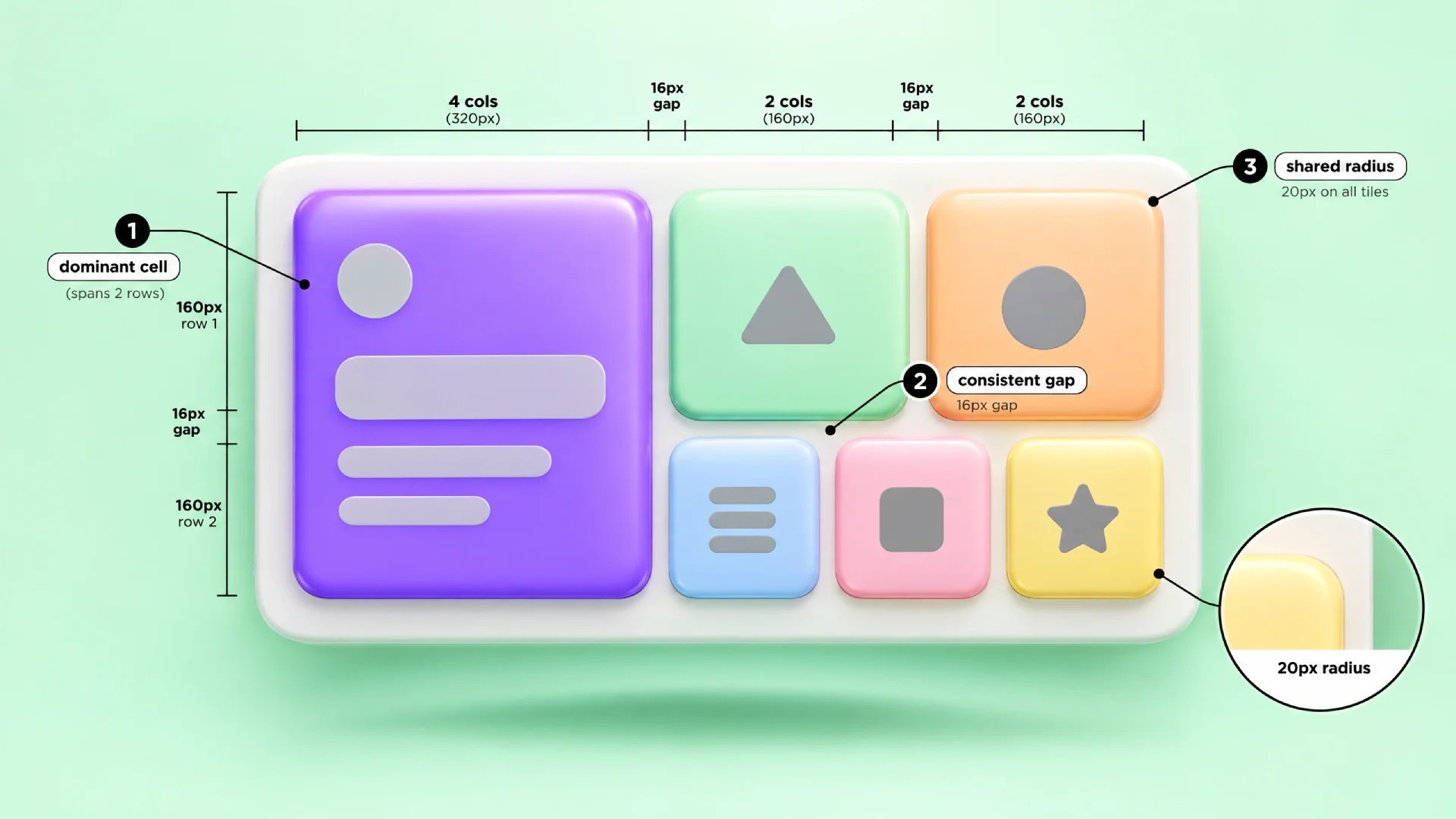
When I built Nocra, the AI-product kit, the streaming component came first because that is what chat needed. The six above are what the next revision adds. If the agent gets its own dashboard surface, the bento grid guide covers how to size a ledger cell against a preview cell.
For the reverse case, where the agent is the builder and your product is the thing being built, the rules-file approach in the AI-editable landing template case study constrains scope (pattern 2) from the repo side.
FAQ
What is agentic UI?
Agentic UI is an interface for delegating a goal to an AI system that plans, acts over time and reports back, instead of answering one message at a time. Its core objects are a plan, a step ledger, tool call cards, permission checkpoints, a result summary and an action trail with undo.
How is agent UI different from chatbot UI?
Chatbot UI handles one turn at a time while the user watches. Agent UI handles a task that runs for minutes or hours while the user is away, so it needs a visible plan with live progress, plus permission gates and an audit trail. A wrong chatbot reply is ignored; a wrong agent action has to be reversed.
What is human-in-the-loop design?
Human-in-the-loop design places deliberate checkpoints where a person reviews or approves an automated system's decision before it takes effect. In agent interfaces this means permission gates on write and destructive actions, editable plans before execution, and a handoff path when the agent is stuck.
Should AI agents ask permission for every action?
No. Asking for everything produces approval fatigue, and users click Allow without reading. Tier the actions instead. Reads need no prompt and writes ask once per session per scope. Destructive or irreversible actions ask every time with no always-allow option. Batch same-tier low-risk actions into one approval.
How do you show an AI agent's progress?
Use a live step ledger, a vertical list of steps with a status glyph per step, collapsed to one line each. Nest tool call cards inside each step so input and output stay attached to it. Avoid percent bars when total length is unknown; show elapsed time and completed steps instead.
How do you design for AI agent errors?
Keep failed steps visible in the ledger rather than hiding them. End every result with a footer that separates verified claims from assumptions. Log every action in a trail with per-action undo where possible and mark irreversible actions before they run. Provide a take-over control that preserves context for a human.
Conclusion
Back to the coffee. The user returns after eleven minutes and the screen has one job: answer three questions. What did you do? What do you need from me? What can I undo?
The diff summary answers the first. The amber pill and the checkpoint dialog answer the second. The action trail answers the third. Everything else in this library makes those three answers trustworthy without making the user watch the run.
Add the six primitives to your design system before the agent ships. Retrofitting them into chat bubbles is how every anti-pattern above was born.
Building an AI product with an agent inside: put its design story in front of 11,000 designers and founders. The guest post guidelines cover what we publish, and you can publish on Setproduct → directly.