

Roman Kamushken
Part of: Dashboard UI design: From KPIs to layouts that convert — the complete reference to dashboard design on Setproduct.
A good dashboard answers one question fast. That is the whole job, and every choice below follows from it.
This guide covers 3 dashboard types, 11 real screens and 7 Figma templates from Setproduct. Each example earns its place by solving a specific problem.
TL;DR
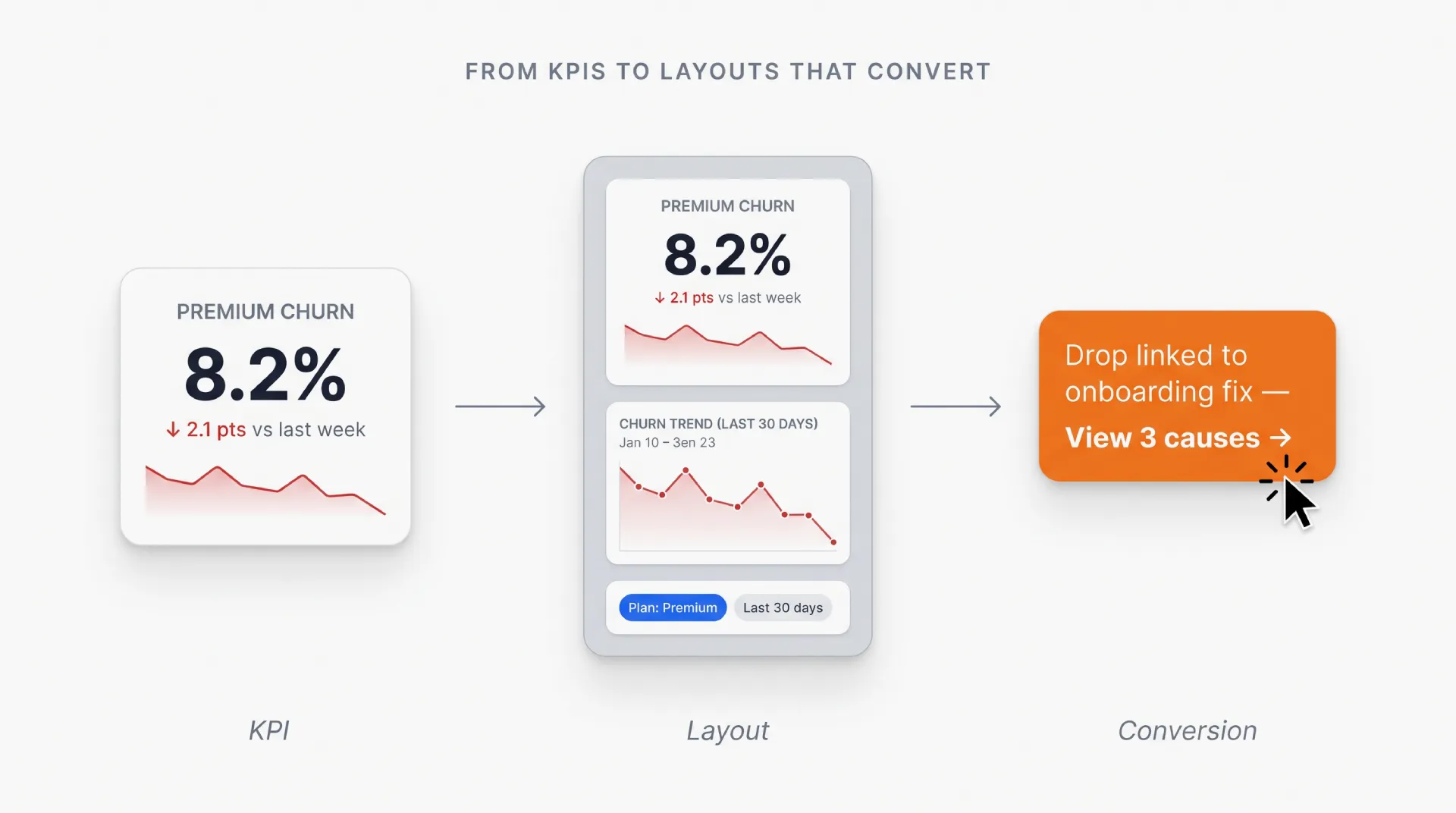
→ Operational, analytical, strategic dashboards answer different questions. Pick the type before you pick the charts.
→ Keep 3 to 7 KPIs above the fold. Past that, the eye has nowhere to land first.
→ Layout beats styling. Group widgets by the decision they support.
→ The 7 templates below are working Figma files, not static mockups.
→ In a hurry? The best examples start further down the page.
Purpose of dashboards
Dashboard templates serve several key purposes within organizations:
- Historical Data Aggregated: Summarized historical data provides a single view of this information allowing stakeholders to see how the numbers are changing over time.
- Dynamic Data: Unlike traditional reports that are static, dashboards provide users the ability to view current business metrics and conditions.
- Visualization of Selected Information: They extract large quantities of heterogeneous data from multiple sources and present the data in an integrated format (e.g. create graphs, charts and other forms of visual representation).
- Objective Performance Insights: Dashboards consolidate data into practical metrics, enabling informed decision-making across all levels of an organization.
They provide a snapshot of the most important insights about your business, helping you keep an eye on KPIs, trends, and how you are performing against your strategic goals. They enable users to view data effectively, make data informed decisions and improve business agility. These examples of dashboard layout examples can be modified to present chosen metrics and information most useful for teams, departments, or processes - which in turn helps improve operational efficiency and supports the achievement of organizational goals.
Dashboards act as central command centers. They let companies use their own data to find the insight that matters, and that habit compounds into an edge across industries.
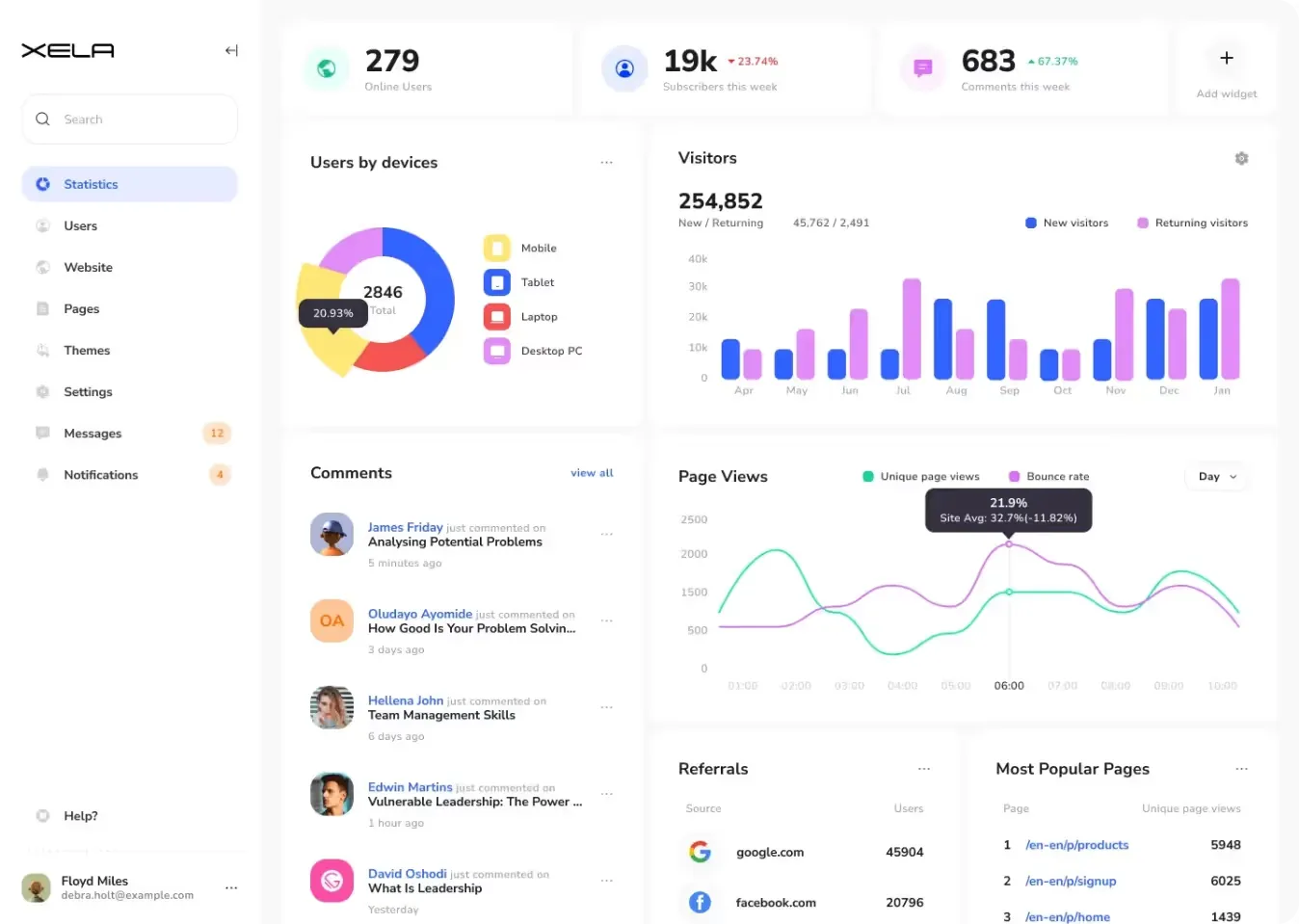
Source: Xela UI Kit for Figma
Dashboards benefits
Good dashboard templates change how a team works. Here is what actually improves when the screens are built right, starting with great dashboard designs:
Business Performance and Trends: Dashboards visualize complex data in a manner that enables stakeholders to gain clarity and know how the business is performing. Dashboards analyze specific data, presenting them in charts or graphs or as summaries on a single screen to help filter information that provides insights for decision-making. If you are still looking for dashboard inspiration, it is a powerful example on how to convert data in a valuable visual representation.
Improved Decision-making: The use of dashboards provides managers and decision-makers with real-time data and historical information needed to make decisions in a timely manner. You are able to quickly see how you are performing against your goals, even at a very high-level view of the data (e.g. KPIs and metrics), and ensure that the right focus can take place at any level or area in the organization where necessary to make proactive changes or strategic plans.
Increased Responsiveness: Responsive dashboard embedded with real-time data functionality allow companies to respond faster to market changes, customer needs, and internal issues. This level of agility is essential to remaining competitive and efficient as a business.
Facilitated Collaboration: Dashboards bring data and performance metrics into a single place, to keep everyone on the same page-even if that page is about user-reported bugs. This allows for clear communication around the company's goals and metrics, providing transparency in terms of where everyone is on the mission and vision.
Forecasting Capabilities: Effective dashboards do two jobs. They show what happened, and they project what comes next. Reading historical patterns and performance trends together lets teams predict behavior and prepare the next move before the quarter forces it.
Increased User Engagement and Accessibility: Interactive dashboards encourage users to explore data with filters, drill-down capabilities, and views. That interactivity keeps the experience smooth for every role, from executives to operational staff. Good UX dashboard examples show how intuitive design raises both engagement and how accessible the data is.
Operational Efficiency: Dashboards enable organizations to quickly surface data and result in significant time reductions in manual report generation and data discovery efforts. This enables teams to spend more time on strategic initiatives and profit-driven tasks, rather than data processing.
Strategic Alignment: Real-time tracking of KPIs and performance metrics to align business activities with strategic goals via dashboards. By this alignment, we are ensuring that resources are not wasted and the efforts encase into organizational objectives.
To sum up, dashboard templates sit at the center of how a business decides. They speed up decision-making, tighten collaboration, and keep strategic goals in view. Better visualization pulls analytics and real-time insight into the layout itself, so teams can draw on dashboard UI design inspiration and stay ahead of a market that keeps moving.
Common dashboard components
A dashboard is made up of a few core elements that work together, so users can read data fast. Business intelligence, operational monitoring and strategic analysis all improve when these modules are in place:
Charts and Graphs: Bar charts, line graphs, pie charts and scatter plots are the meat of the dashboards. They show trends, comparisons, and distributions within data sets in order to turn the complex information much more digestible and actionable.
Tables: When you need detailed, raw data, in a systematic way then tables are the best to represent that. These methods are useful for displaying data points over different categories or dimensions, thereby providing a complete view in conjunction with visualizations.
KPIs & Metrics: Key Performance Indicators (KPIs) are essential metrics to gauge the achievement of certain objectives, or tactics. Metrics are essentially additional measurements around KPIs, which give you more context, and detail a deeper sublevel of what the most important data those measurements pertain to provide.
Filters & Controls: allow users to interact with your dashboard in real time, selecting filter values, entering URLs, choosing selection ranges for date fields in Date Pickers and more. This provides the ability to dynamically explore data and focus on certain segments or time periods useful for the analysis.
Navigation: Navigational ease is important with minimal clicks for users to get the desired answer. Customers should be able to tip and switch between screens with intuition.
Widgets and Cards: Dashboards typically use widgets or cards as modular components that encapsulate each type of information, from summaries, alerts and featured data points. These modules encourage an organized visual layout which in turn increases attention and visibility.
Data Alerts: Automated alerts notify users of significant changes or anomalies in data trends, ensuring timely responses to critical developments without requiring constant monitoring.
Annotations: Adding annotations to charts and graphs provides additional context or explanations, helping users interpret data accurately and make informed decisions based on contextual insights.
The goal for a dashboard is to turn many data sources into a few insights a person can act on. Designers use these components to build interfaces that make the data usable inside daily operations and strategic planning. Below are the dashboard UI ideas that show how that plays out on real screens.
Main dashboard types
Dashboards split into categories by the objective they serve and the level of insight they carry. Each of the three types has a job in a company, and they differ in how much detail and function they offer:
| Type | Who uses it | Question it answers | Update speed |
|---|---|---|---|
| Operational | Frontline staff, shift managers | What is happening right now? | Live |
| Analytical | Data analysts, product teams | Why did this happen? | Daily or weekly |
| Strategic | Executives, founders | Are we on track for the quarter? | Monthly |
For a wider taxonomy of dashboard categories beyond these three, see types of dashboards.
Operational dashboards
Real-time dashboards are essentially operational dashboards and they help in the real-time monitoring, tracking of operations processes and activities. They normally present Key Performance Indicators (KPIs), and daily operation metrics. So, an operational dashboard is quite critical for the day-to-day operations of frontline workers and managers that depend on immediate insight into current performance to make timely decisions and intervene when necessary. Some UI dashboard examples may include checking call center metrics, even traffic in e-commerce, or efficiency in production lines at manufacture.
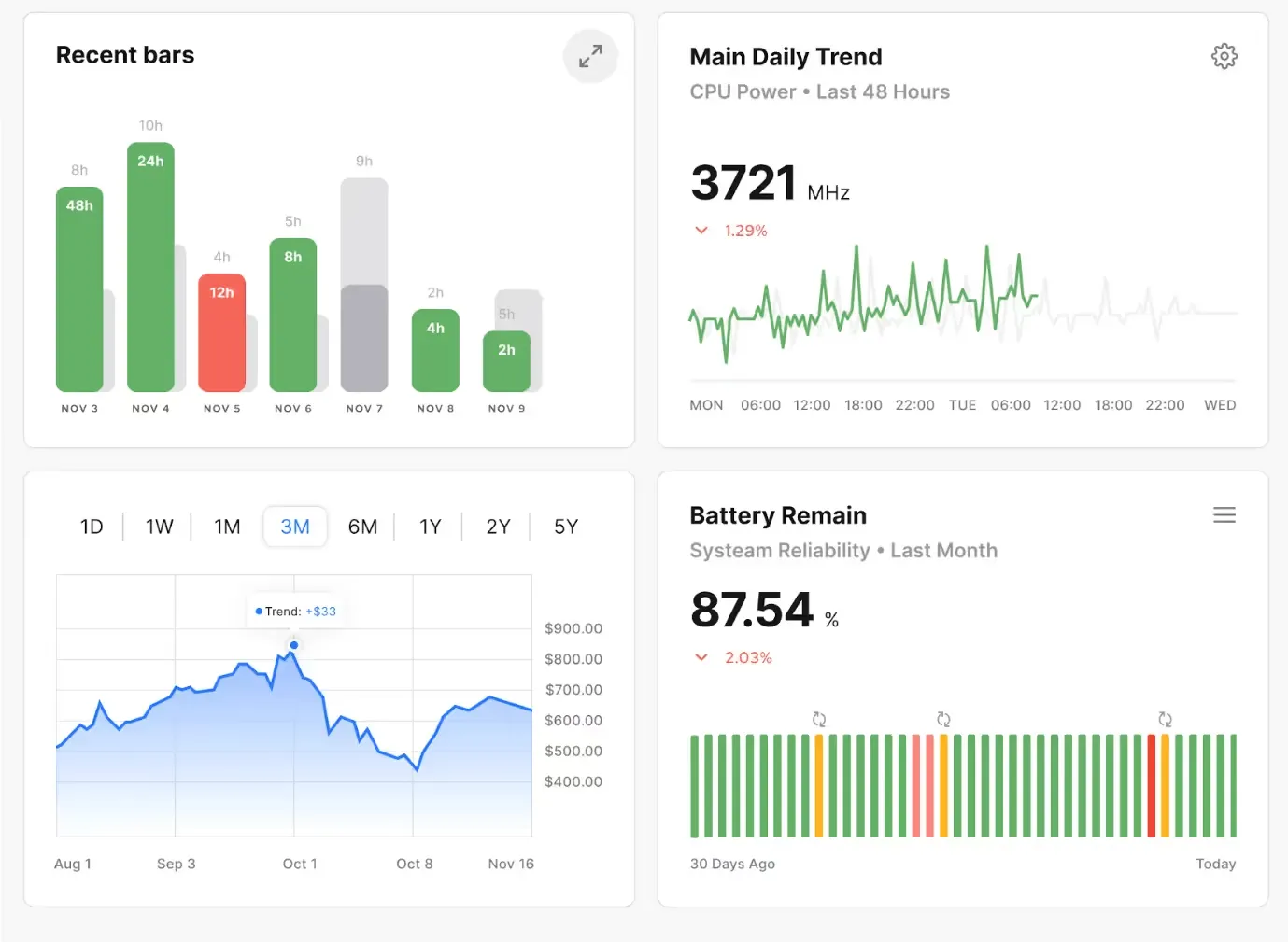
Source: S8 Figma Dashboard
Strategic dashboards
Strategic Dashboards provide a futuristic picture of what is happening in an organization. They deliver a bird's eye view of top performance metrics that are linked to strategic objectives, business goals. Strategic dashboards focus on past trends and future forecasts, rather than real-time data which is more common with operational dashboards. Executives and senior management use them to understand the production process, evaluate trends, and make strategic decisions. These dashboards track key metrics around market share growth, revenue targets, customer satisfaction trends, and competitive analysis. You can take a look at different dashboard UX examples for inspiration, and see how a strategic dashboard is designed to make better user experience that helps in decision-making.
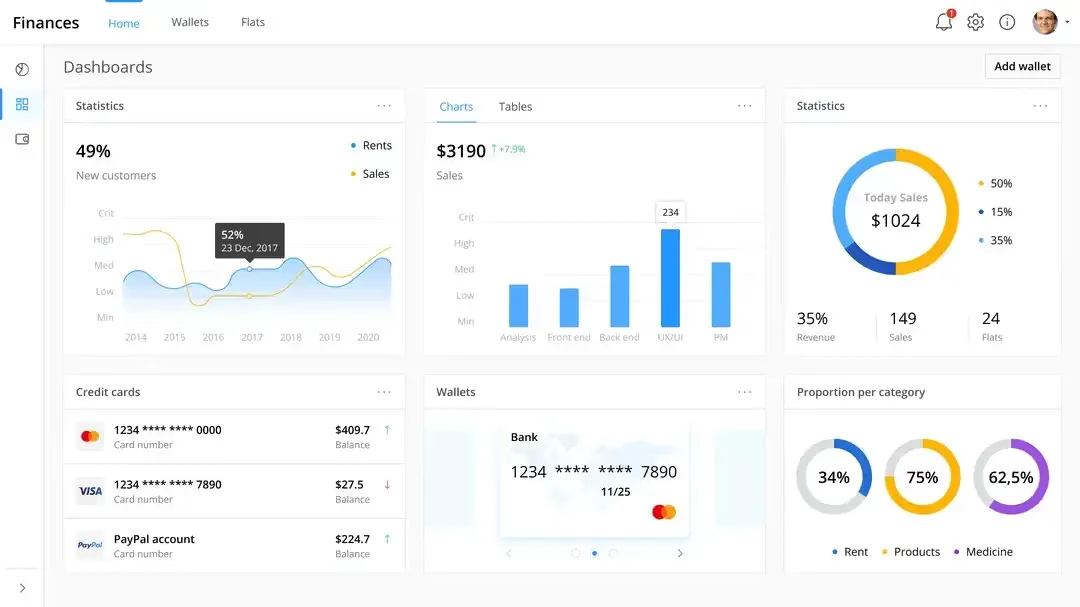
Source: OE Enterprise Figma Design System
Analytical dashboards
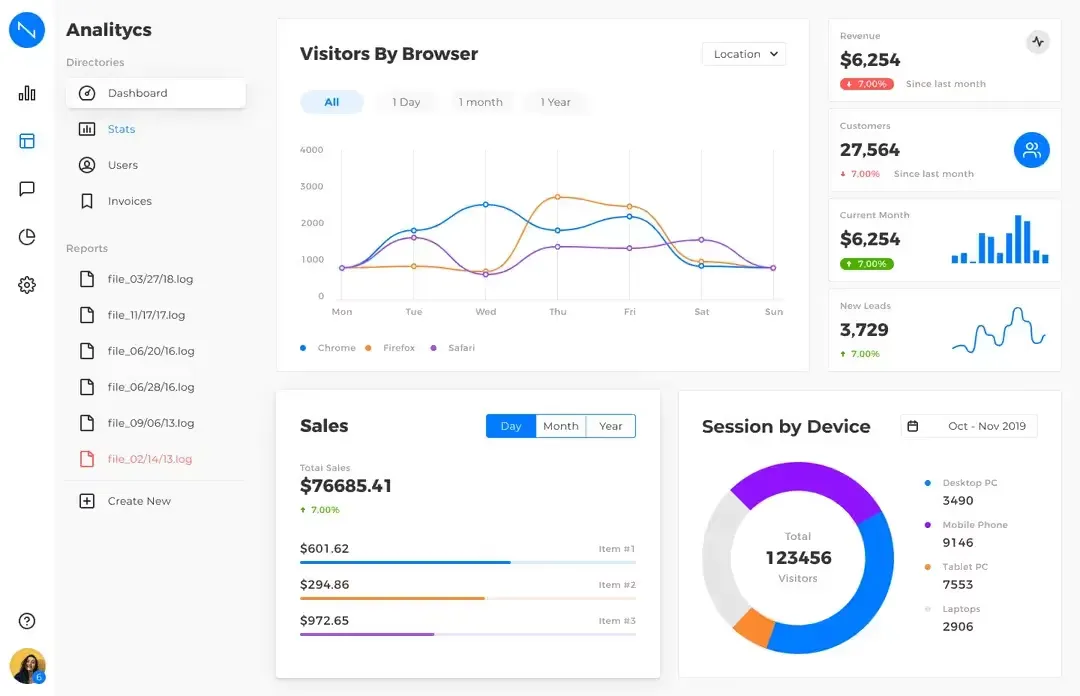
Analytical dashboard aimed to provide some complex data analysis and discovery. These can be used to extract insights, correlations & patterns that will lead to data informed decisions. These analytical dashboards will frequently use very specialized data visualization and analytics techniques that can perform complex queries, test hypotheses and more. Data analysts, as well as business analysts and data scientists use these dashboards to explore data, investigate the root cause behind business performance and discover rich insights from complex datasets.
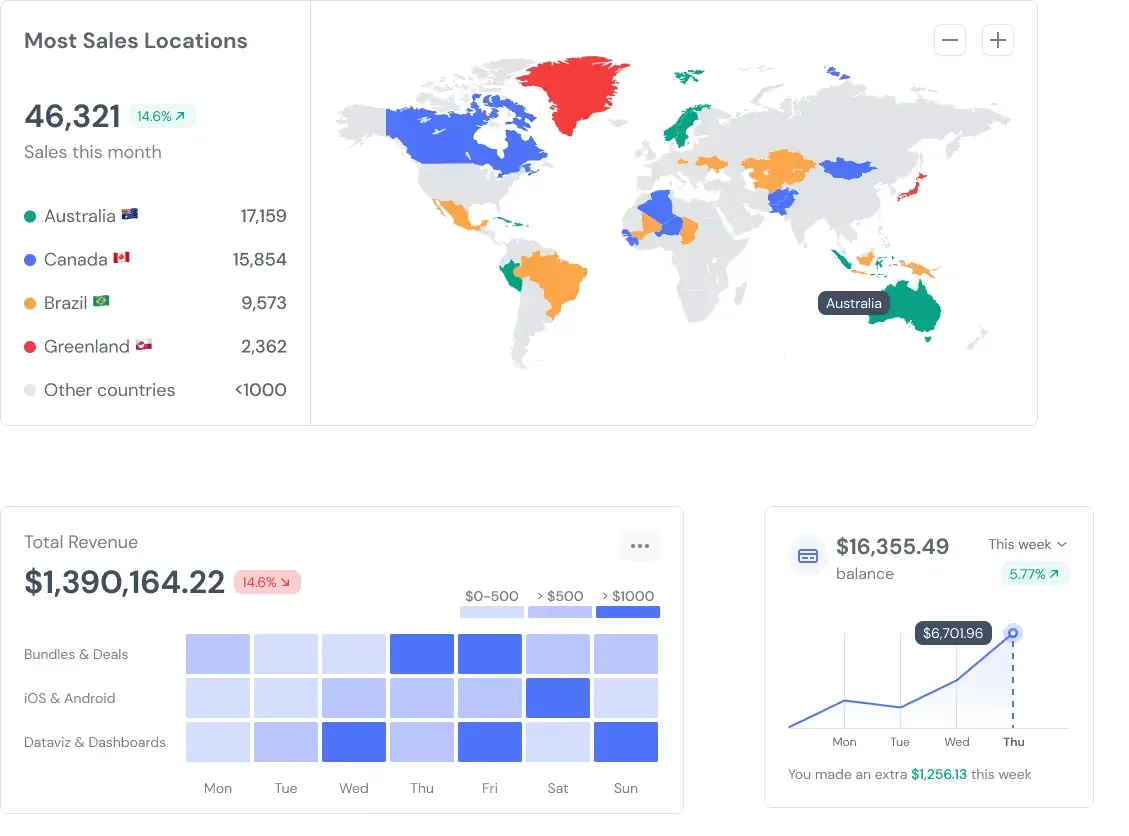
Source: Rome UI kit
Key features across types
- Customization: Dashboards are customizable, allowing them to reveal role- and organization-specific information.
- Visualization: Charts, graphs and other visual elements so that data can be understood at a glance.
- Interactivity: Most dashboards build interactivity in with filtering, sorting and drill-down, so users can go deeper into the data on their own.
- Alert & Notification: Automatic alerts and notifications keep users informed when an important metric changes.
- Data Integration: Dashboards combine data from databases, spreadsheets and third-party apps into one view of your business transactions.
Once you understand how operational, strategic and analytic dashboards each serve a unique role, you can use them to monitor performance, drive strategic initiatives, and act on data. Looking for some dashboard inspo also helps, since the best ideas often come from screens someone else already shipped.
How to choose a dashboard
This is also necessary to pick the right dashboard, which as you know would be custom tailored to satisfy the needs and objectives of organizations. So, in order to assist you in making the correct choice, we have compiled a checklist of the most important steps that are used throughout this selection process:
- Define Objectives and Requirements: Begin by setting out in detail your criteria and expectations when planning the dashboard. Define the primary questions you answer and KPIs by which performance is measured. Talk to all your stakeholders working in different departments, and get input on what kind of functionalities & data visualizations you need.
- Evaluate Data Sources & Integration: Compare the data sources that exist within your organization. So, find out if the solutions of your dashboards could be compatible backed by databases, spreadsheets, CRM systems and other apps. Make sure it is compatible before working with the type of data that has any secondary consequences leading to compatibility and then application data silos.
- Consider User Needs and Accessibility: This is the bit where you need to look at a map of users of your dashboard and also at their coolness. Develop the dashboard interface and navigation in such a way that users can quickly access their required data while having a better understanding and application as per their role. Use interactive filters, drill down and custom views for great usability and ease of use.
- Select the appropriate dashboard: Pick operational, strategic or analytic based on who will use it. Operational dashboards speed up daily decisions with live data. Strategic dashboards track long-term trends against goals. Analytical dashboards let a user explore data and test a hypothesis.
- Assess Visualization Options: Identify data visualization techniques best suited to convey insights and trends Some visualization tools include charts, graphs, heatmaps and regional or geographical maps. Design the dashboard carefully to look visually appealing yet should highlight the information very clearly and relevant.
- Ensure Scalability and Flexibility: scalability is very important to evaluate the solution by future point of view as the company will grow and so as the data volume. Select a platform that can scale to add more users or sources, as well as deploy new analytical capabilities by design. Flexibility in configuration and customization options are equally but also important to meet growing business demands.
- Test and Validate: Ensure testing and validation is completed before freezing the dashboard solution. Approve or recommend work on improvements/adjustments to the process based on feedback around usability, accuracy of data and performance.
Following these steps helps a team pick a dashboard that matches its strategic goals, sharpens data-driven decisions, and gives users the insight they need to act.
7 best dashboard examples by choice of the client
Dashboards are powerful tools of displaying comprehensive data swiftly that enable users to take rapid decisions based on the information provided. Widely used in business analytics, through SEO, web development, and project management. There is an incredible collection of the best types of the dashboards list available on Setproduct, and we want to demonstrate Figma dashboard examples with awesome features and functionalities for different applications, including some of the best web dashboard designs in the market today.
Purpose and Benefits: Material You Dashboard uses Material design by Google, offers a visual and an interactive system for data representation. It does so with a range of options like variable color scheme to bring a personalized and intuitive component that meets any branding styling. If you are seeking to present variety data more concisely and clearly, this dashboard template is the best choice for creating applications.
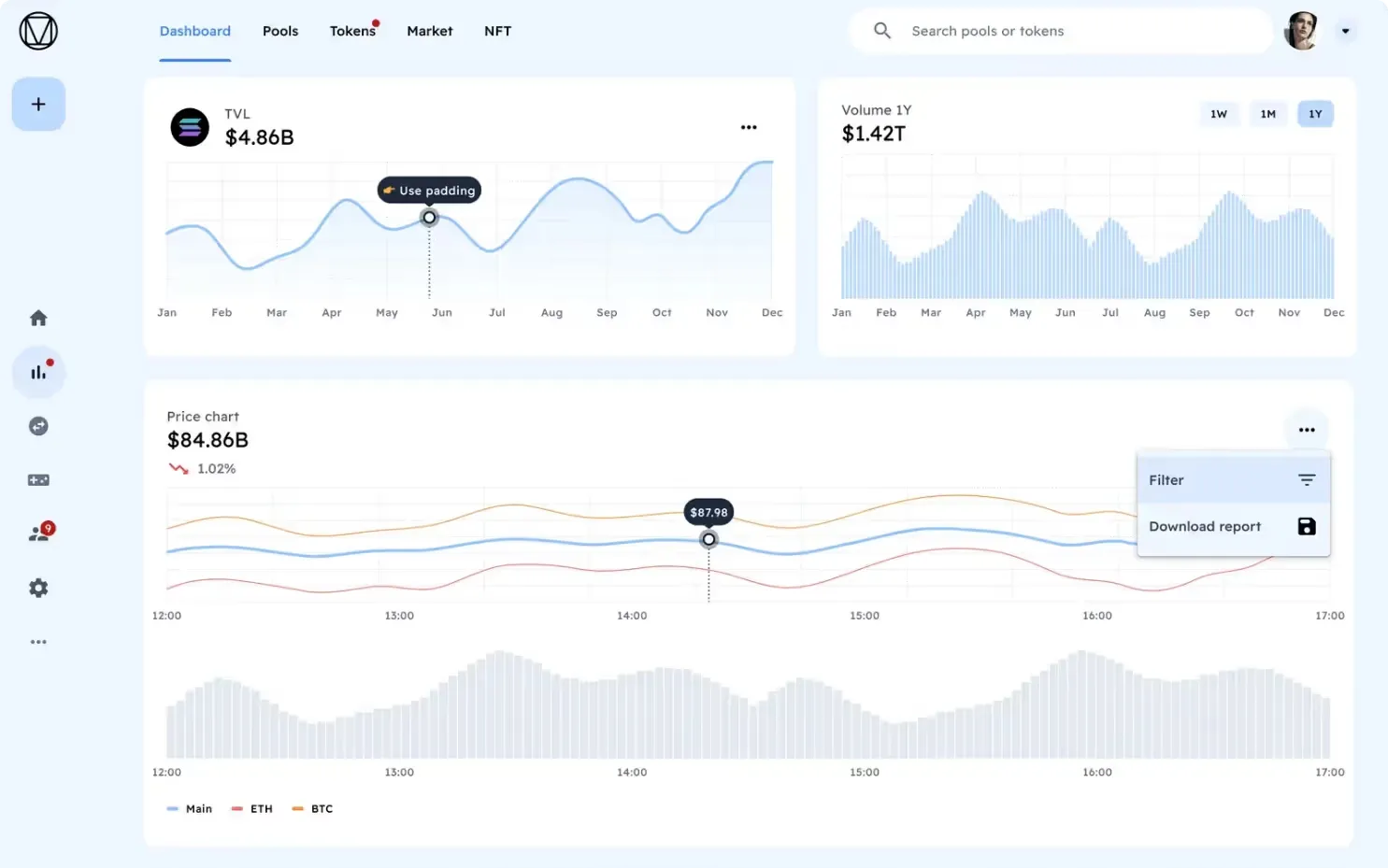
Source: Material You Dashboard
Key Features:
- Customizable color schemes, components.
- Interactive charts, graphs, and data tables.
- Responsive design for best use cases between devices.
Who Can Use: Developers, UX/UI designers, product managers who need the capabilities to include modern, customizable dashboards in web and mobile applications.
Type of Device: Compatible with the desktop version, as well as mobile devices to offer an unvaried customer experience from all different platforms.
Other Uses: Perfect for any startup or enterprise looking to standardize data visualization, built around user-centric design principles.
Purpose and Benefits: Material X Dashboard is made for simplicity and clarity, using bold typography and white space to provide a great overview. To simplify app development, it provides a set of built-in components and widgets. This is an ideal template for any form of deployment, whether low or light weight, and can be designed to the needs of your project without constraint.
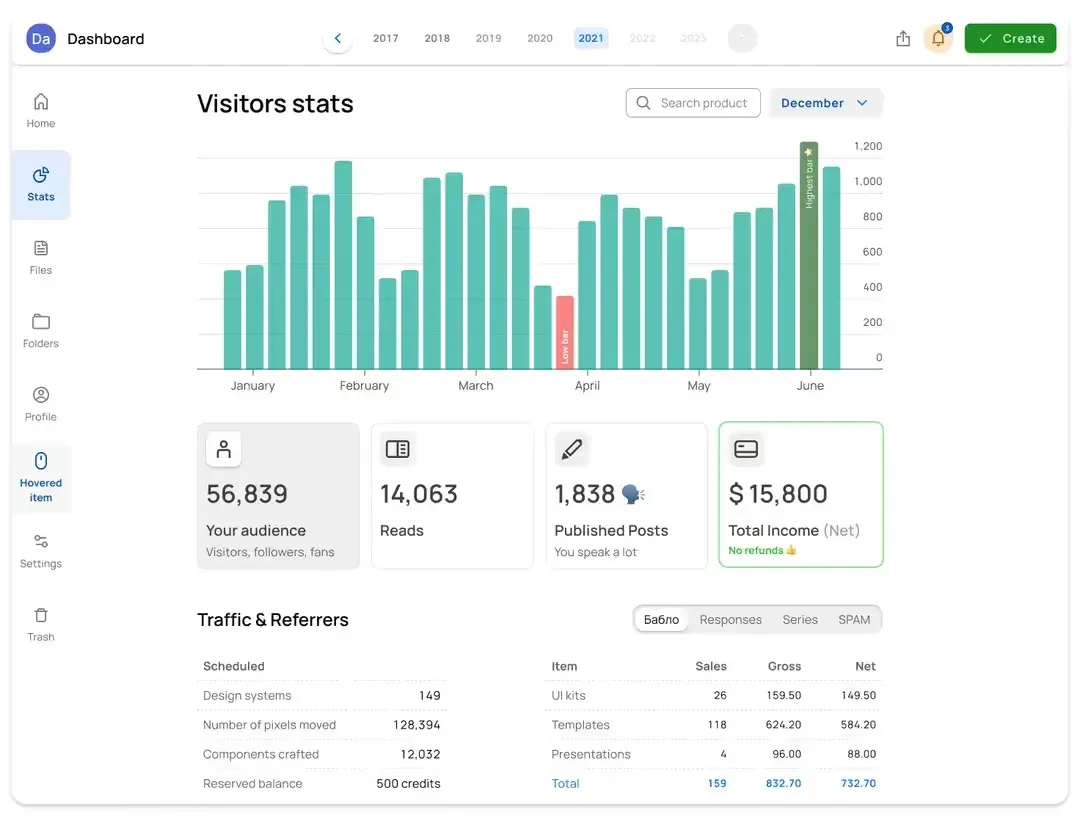
Source: Material X Dashboard
Key Features:
- Minimalist layout, with heavy typography.
- Pre-built components and widgets.
- Support for APIs updating of real-time data.
Who It's For: Software developers, startups, and IT departments looking for a simple yet powerful dashboard solution catering for data-driven applications.
Device Type: Flexibility in deployment that includes desktop and mobile devices.
Other Use Cases: Agile project management, data monitoring and executive reporting.
Purpose and Benefits: Material Desktop Dashboard is designed for desktop applications with respect to the use of screen space, and offers an exhaustive set of data visualization features. It comes with user configurable navigation with multi-panel layouts, which makes it perfect for large, desktop-oriented enterprise solutions that need to integrate responsive dashboards.
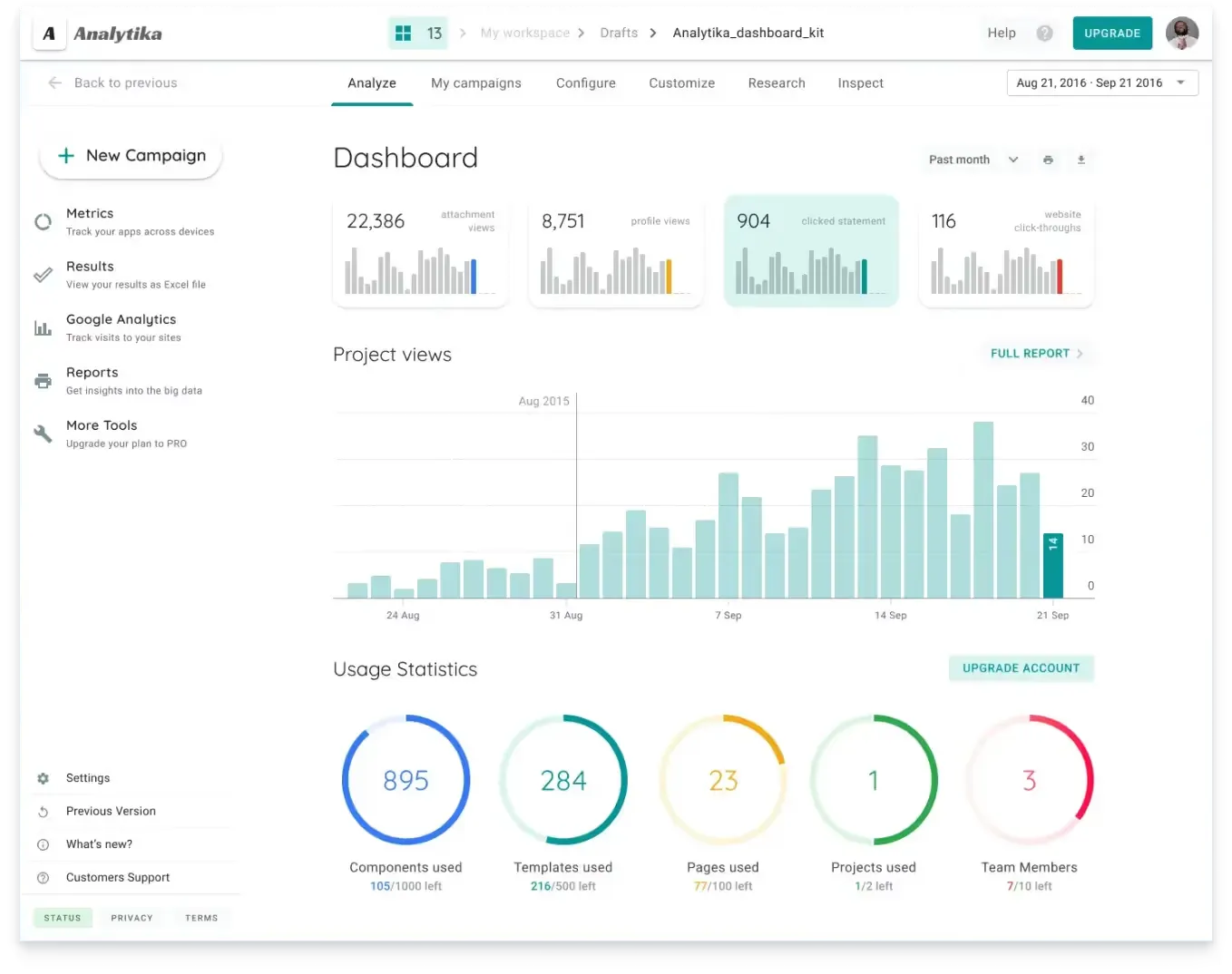
Source Material Desktop Dashboard
Key Features:
- Desktop layout tuned for wide screens, with multiple panel configurations.
- Extensive data visualization capabilities, including heat maps and geographic maps.
- Drag-and-drop to offer interactive smooth user experience.
Who Can Use: Enterprise IT departments, BI analysts and project managers seeking powerful desktop dashboards used for depth of data analysis, charts, and reporting.
Device Type: It comes with advanced functionalities and features designed specifically for a desktop environment.
Other uses: Well-suited for logistics, finance, and healthcare sectors benefiting from sophisticated analysis and operational details.
Purpose and Benefits: Neolex Dashboard represents a bold step towards a more futuristic and modern visual aesthetic with bright colors and neat animated elements. React provides a collection of UI components that work with the same APIs, tested and polished with backend services in addition making it handy for tech startups and corporate giants displaying a shining dashboard interface.
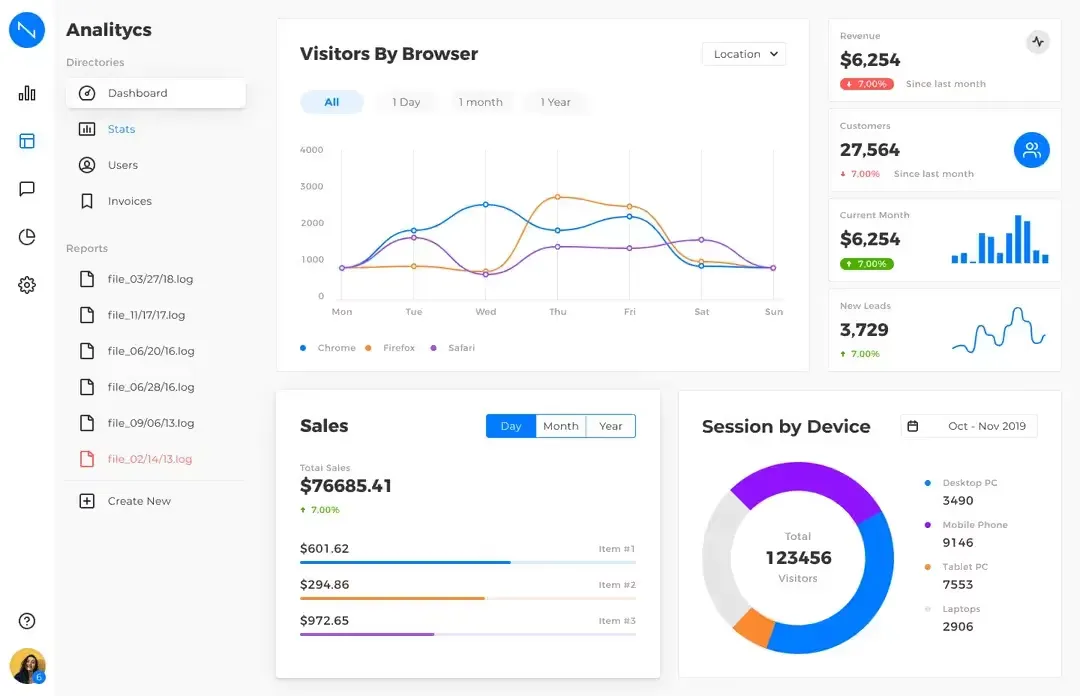
Source: Neolex Dashboard
Key Features:
- Looks futuristic with vibrant transitions.
- Comprehensive UI components for customization.
- Separate RESTful APIs to exchange data.
Who Can Use: Ideal for tech startups, digital agencies or software development teams looking for appealing and interactive dashboard solutions.
Device Type: Both desktop and mobile, a hybrid solution built to work across device types.
Other Use Case: For IoT (Internet of Things), project management tools, real-time analytics dashboards.
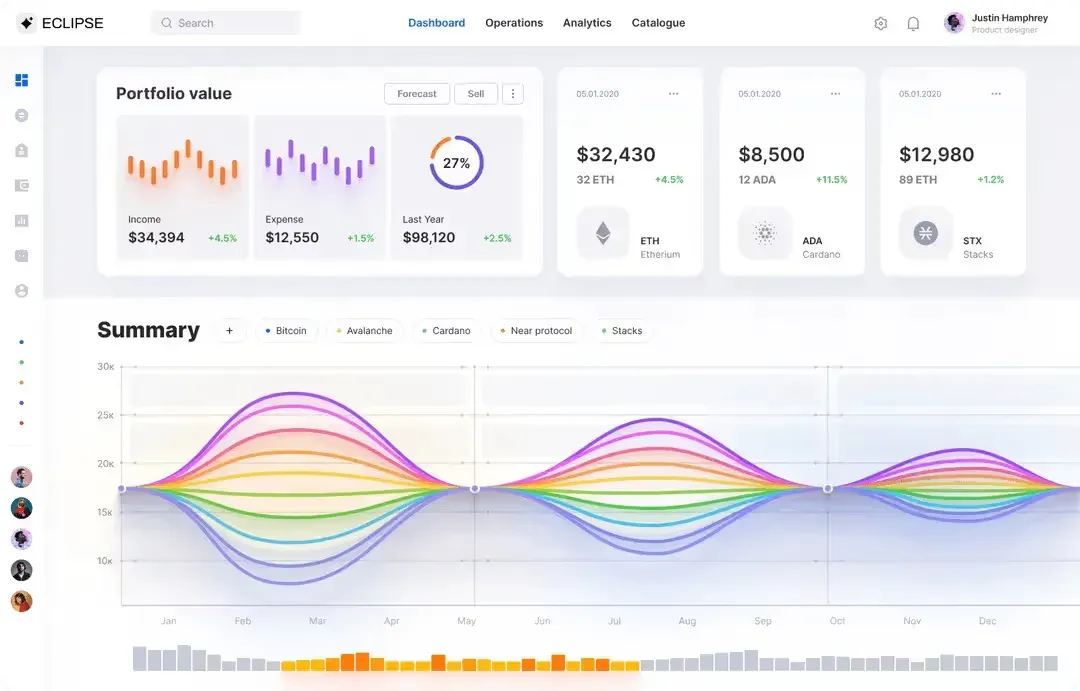
Purpose and Benefits: The unique dark theme of Eclipse Dashboard makes it readable and fashionable. It uses high-contrast color palettes for improved readability and modular components designed to be easily used across different applications with varying needs.
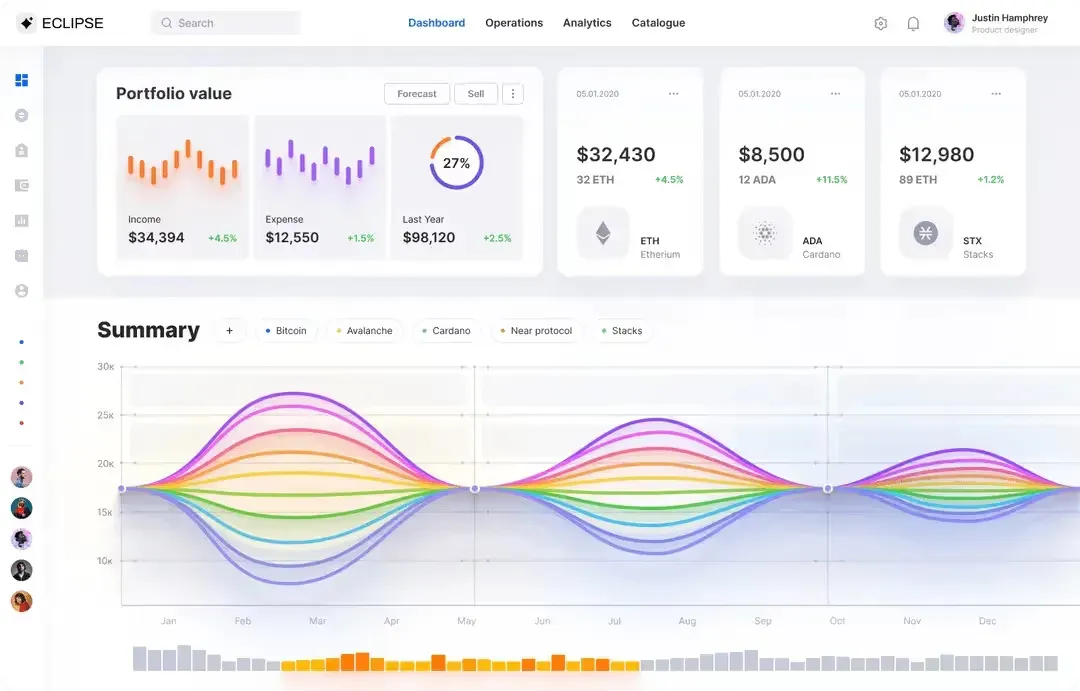
Source: Eclipse Dashboard
Key Features:
- Professional interface in dark themes.
- Modular components and grid-based layouts.
- Support of third-party plugins & extended functionalities.
Who Can Use: Banks, marketing companies and data science looking for a better look to a dashboard tool for visualizing and data analysis.
Type of Device: Functional on desktop and mobile devices for usability on all platforms.
Other Uses: Perfect for corporate environments, company research, sales monitoring and executive dashboards.
Purpose and Benefits: Material Dashboard follows Google's Material Design specifications and provides consistency in usage through application. It has a responsive design with plenty of UI components and different data visualization you need to use to build any type of dashboards or panel, thus making it perfect for the developers wanting a strong and charming dashboard solution.
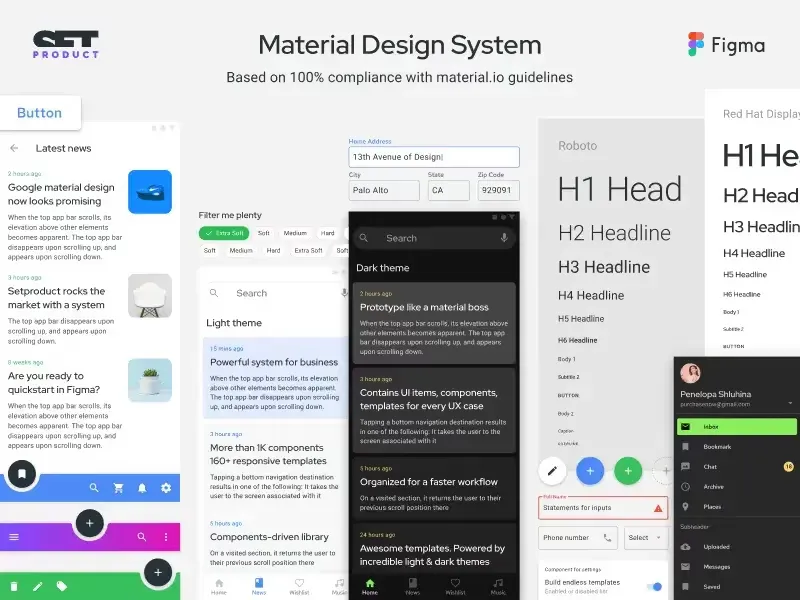
Source: Material Dashboard
Key Features:
- Google Material Design with responsive layout.
- Rich Built-in UI components and visualization options.
- Support for interactive charts and statistical widgets.
Suitable for: Developers, Software engineers, UX/UI designers, and product managers searching for a flexible and versatile example of a dashboard template that works with different types of applications.
Device Type: Responsive and scalable for all the platforms (Web and mobile).
Other Uses: E-commerce apps, customer analytics dashboards, and SaaS app applications.
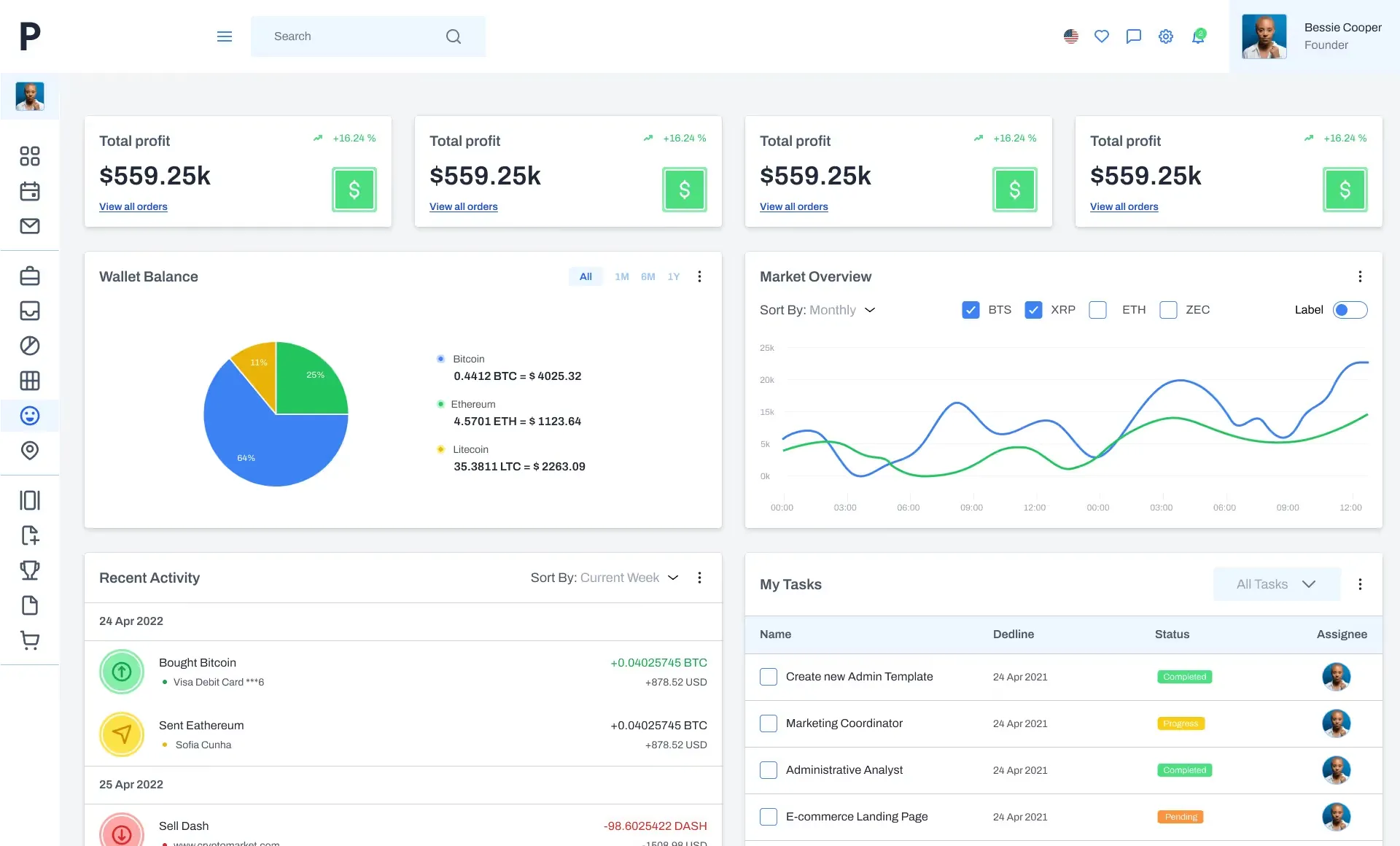
Purpose and Benefits: Panda Dashboard is made based on a user's design style with a touch of soft color gradients and rounded elements. This lightweight wonder focuses on ease of use, while offering custom themes and responsive design elements for better mobile viewability.
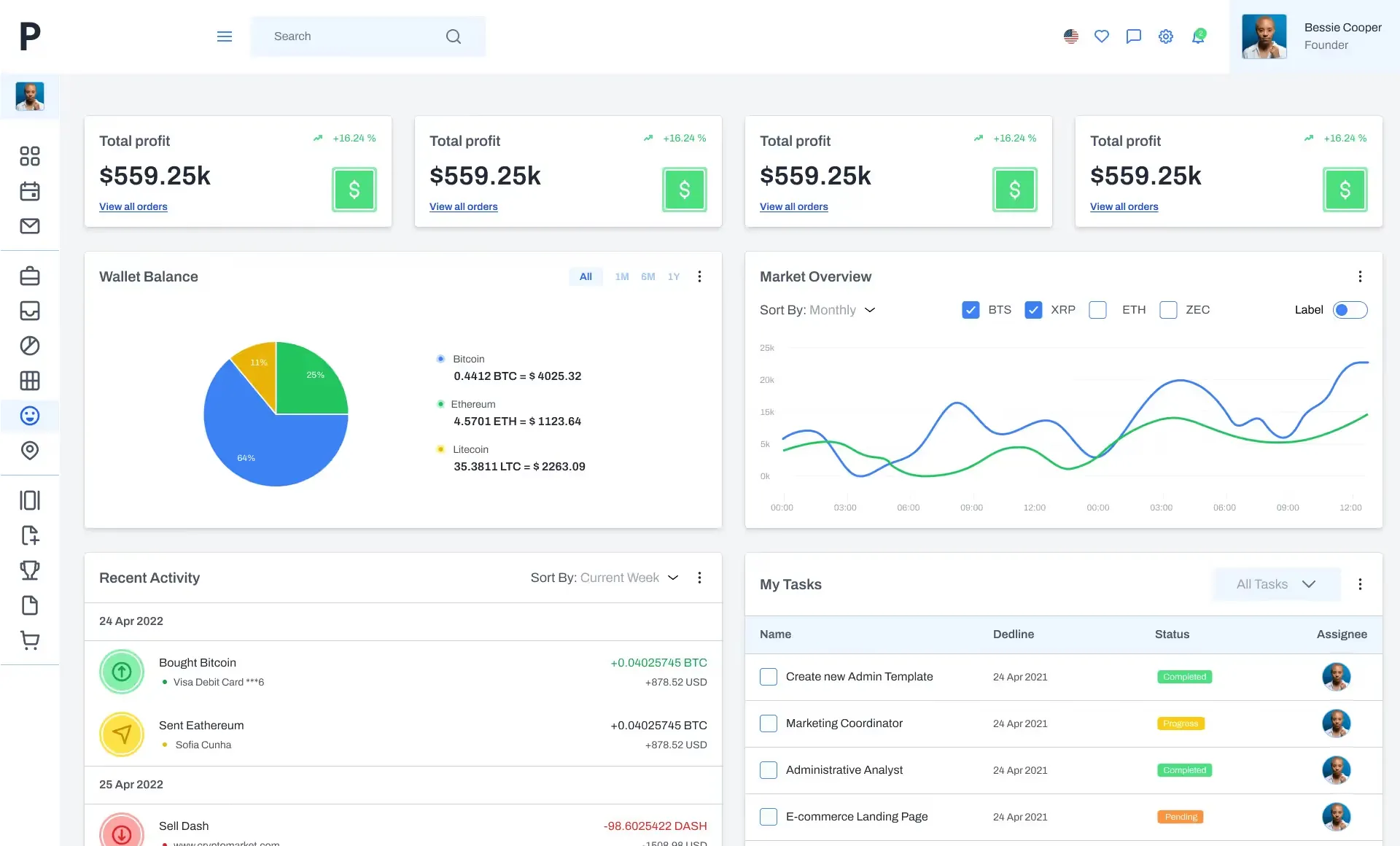
Source: Panda Dashboard
Key Features:
- User-friendly interface with soft gradient colors.
- Adjustable themes and layout.
- Responsive design for mobile access.
For Whom: Marketing teams, startups and small business looking for dashboard solution that is beautiful, functional to track core performance metrics
Device Type: Built to be a mobile-first experience and delivers high-speed websites tailored for smartphones and tablets.
Other Uses: Great for conducting social media analytics, campaign monitoring, performance tracking in digital marketing environments.
Our dashboard templates from Setproduct cover different design tastes and needful things, allowing developers and businesses to have a variety of tools that can be used for data visualization in apps and web-services. Every template comes with special features to help easy crafting of dashboards and detect powerful insights out of your data. These are the top dashboard designs that come with a high-quality design and excellent functionality to cover all business requirements.
Dashboard design best practices
The best dashboard templates are those that are designed with usability, visual clarity, and functionality in mind so that they can assist users to the fullest extent. If you are building a dashboard for business analytics, task tracking or monitoring key performance indicators (KPIs), following best practices helps make your dashboards user-friendly and provides cleaner insights. Given the above backdrop, here are some core tips to consider when designing dashboard templates and improving their functionality:
- Define the Goals: Before creating your dashboard, lay out clear and concise goals and objectives that you would like to achieve with your dashboard. From keeping tabs on sales performances to up-to-date KPIs and trends, the goals should be absolutely clear as it will eventually help in obtaining pertinent dashboards.
- Design to be Simple and Intuitive: Do not clutter things with complexity, give priority to design simplicity. Clean layouts, minimalistic visuals and intuitive navigation provide a framework for the information hierarchy within the dashboard.
- Unified Layout & Visual Design: Ensuring accurate use of layout, typography and color schemes from one dashboard screen to another. It provides consistency so that it is easier to absorb data and navigate the system efficiently.
- Focus on Data Visualization: Wet in on how data will be represented, through which charts, graphs and heatmap as per the nature of data and kind of insights that are needed. Use interactive elements and layers wisely so there is room for users to play and not too many in the intuitive interface.
- Responsive and Scalable Design: Make your dashboard responsive and scalable for different devices, screen sizes, etc. Building responsiveness supports the best user experience on a desk, tablet or phone.
- Effective use of white space: Use white space (negative space) to cut visual noise and highlight key data points. Enough of it separates elements and makes the screen easier to read.
- Context & Insights: All the data should be interpreted, contextualized, translated into the story about something meaningful and fit for some kind of action. Annotate, tooltip and legend, present relationships in the data credible.
- Interactive filters, dropdown and drill-down: Let people control the level of detail. Filters and drill-downs raise engagement and let users follow the data to the depth they need.
- Performance and loading time: Keep large datasets fast. Use caching and aggregation to stay close to real time without sacrificing speed.
- Continuous User Testing and Feedback: Provide regular user-level testing and real user feedback about pain points, usability issues, and areas for improvement. Continue to improve the dashboard by user feedback both in usability and impact
Following these dashboard design best practices raises user satisfaction and engagement, and it gets more out of the data visualization itself. When the design stays clear, simple and action-oriented, the dashboard conveys insight accurately and moves people to act on it.
Frequently asked questions
These come up in almost every dashboard review I run. Short answers first, deeper guides where they exist.
What makes a dashboard design good?
Speed of the first answer. A good dashboard lets someone read the single most important number in under three seconds, without hunting. Visibility of system status is the first of Nielsen's ten usability heuristics for exactly this reason. What you need on screen is a clear visual hierarchy. Show 3 to 7 KPIs above the fold. Label each one with the comparison it belongs to. Effective dashboard design principles covers the full set.
How many charts should a dashboard have?
As few as the decision needs. The working range for a primary screen is one to five visuals, because each one competes for the same attention. Push secondary data into tabs or a drill-down. If a chart does not change a decision, it is decoration.
What is the best dashboard layout for a SaaS product?
Lead with one primary metric, then a short trend line, then a breakdown table. SaaS teams check activation and retention first, so those sit above the fold. The SaaS dashboard examples show how this plays out across real templates.
Where can I find dashboard design inspiration?
Start with the 11 screens in this guide, then study the analytics dashboard examples for data-heavy patterns. The point is to borrow layout logic rather than colors. A palette is easy to copy and easy to forget. A hierarchy is what makes your dashboard readable.
What is the difference between a dashboard and a report?
A report documents what happened and is usually a static file. A dashboard is a live surface built to prompt the next action. One is archived, the other is opened daily. That difference drives every layout choice, including how many KPIs you show and how the filters behave.
Conclusion
Dashboards, when designed effectively, serve their purpose the best. So, understanding these purposes & then choosing the right components and developing in a way that communicates & clarifies ideas to the end-users is what make dashboard templates very important. Dashboards are meant to help users make informed, actionable insights across many different areas. This list of 10 best practices for designing dashboards that businesses can use to create dashboards to circumvent any operations and view the essential KPIs to get success-oriented goals accomplished.