

Roman Kamushken
Part of the dashboard cluster: Dashboard UI design, layout patterns and examples that convert covers the full system behind these screens.
A good SaaS dashboard answers one question before anyone scrolls: is the business healthy right now? Everything else follows from that answer.
This guide shows five dashboard examples that get the answer onto the screen fast. Then it covers the metrics worth tracking and the layout rules that keep them readable.
TL;DR
→ Start with the decision, then choose metrics. A churn-triage screen and a board report share almost no layout.
→ Four metrics carry most of the weight: MRR, churn, CAC, CLV.
→ Keep three to seven KPIs above the fold. More than that, and the eye has nowhere to land first.
→ One card, one question. Label each number with the comparison it belongs to.
→ Test with someone who did not build it. If they ask what a number means, the label failed.
What a SaaS dashboard is for
A SaaS dashboard is a destination for one job: showing whether a software business is on track and where to act next. It pulls live data from billing, product analytics and support into a single view, so a decision does not require three browser tabs and a spreadsheet export.
I keep a simple test for any screen that claims to be a dashboard. Can a teammate read the single most important number in under three seconds, without asking a question? If not, it is a report wearing a dashboard's clothes. Reports document what happened. A dashboard prompts the next move.
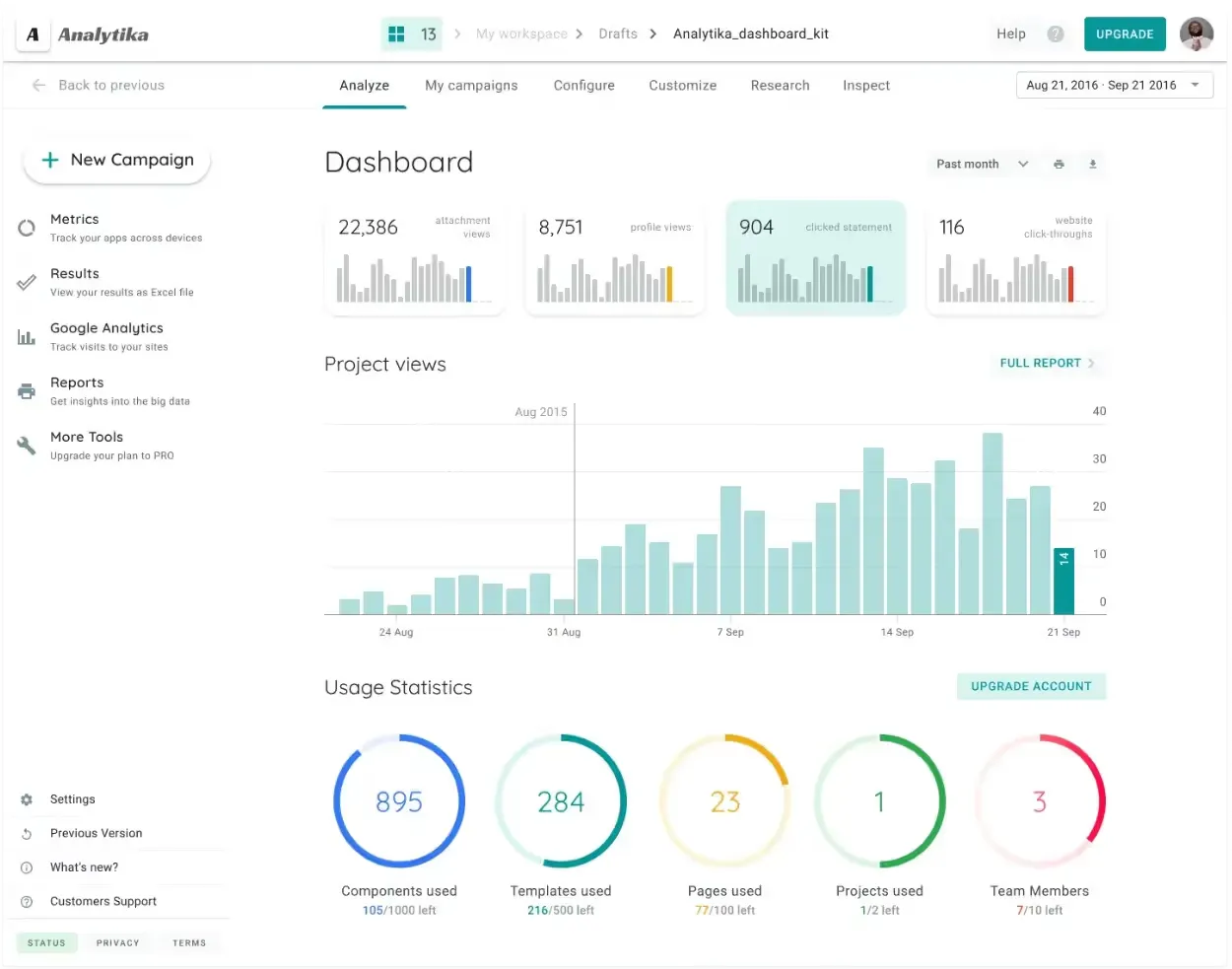
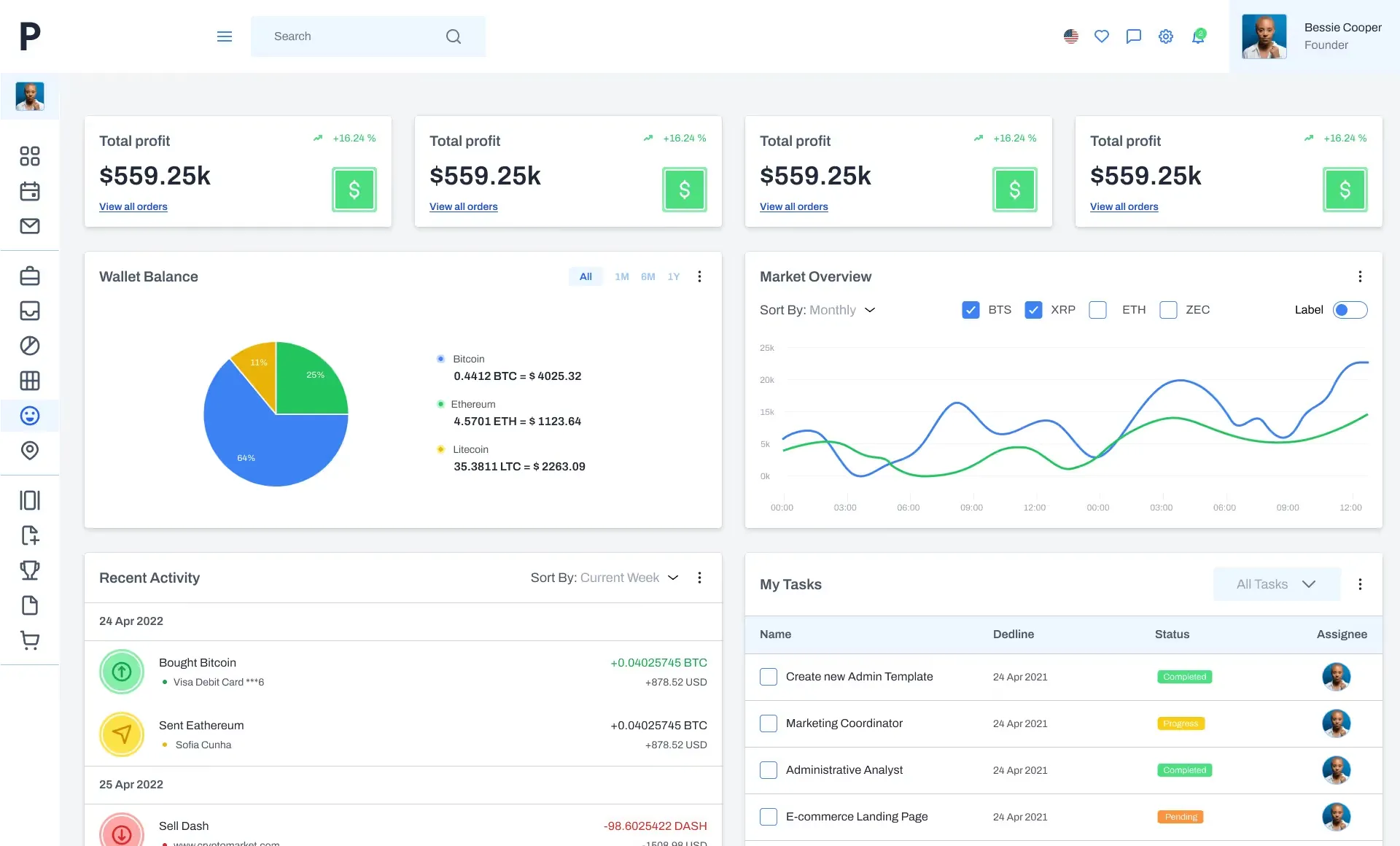
Source: Material Desktop UI Kit
This matters more in SaaS than almost anywhere else, because the business model runs on a subscription loop. Revenue that looks healthy this month can hide a churn wave that shows up in eight weeks. A dashboard that surfaces retention next to growth catches that early.
What to track, and what to ignore
Every SaaS team asks the same question first: which metrics go on the screen? The honest answer is that most of them do not.
Four metrics do the heavy lifting.
→ Monthly recurring revenue (MRR) sets the direction. It is the number leadership checks before a meeting.
→ Churn rate shows whether that revenue holds. Growth on top of heavy churn is a treadmill.
→ Customer acquisition cost (CAC) prices the growth. Without it, a rising MRR line tells you nothing about whether you can afford another step.
→ Customer lifetime value (CLV) closes the loop. Compare it against CAC, and the ratio tells you if the model survives.
Beside those four, usage and support metrics give context. Daily active users, feature adoption, average resolution time. Useful, but secondary. They explain a movement in the headline numbers rather than lead the screen.
☛ If a metric cannot change a decision this week, it belongs in a report, not on the primary screen. That single filter clears most of the clutter.
There is a second trap. Teams often track a metric because it is easy to pull, not because it drives anything. A metric with no owner and no threshold is decoration.
Layout rules that keep a SaaS dashboard readable
A dashboard fails through layout far more often than through missing data. The data is usually there. Nobody can find it.
❶ Lead with the decision. Put the metric the audience acts on top-left, where the scan starts. A finance lead wants MRR and churn. A support manager wants queue depth. Same data, different first card.
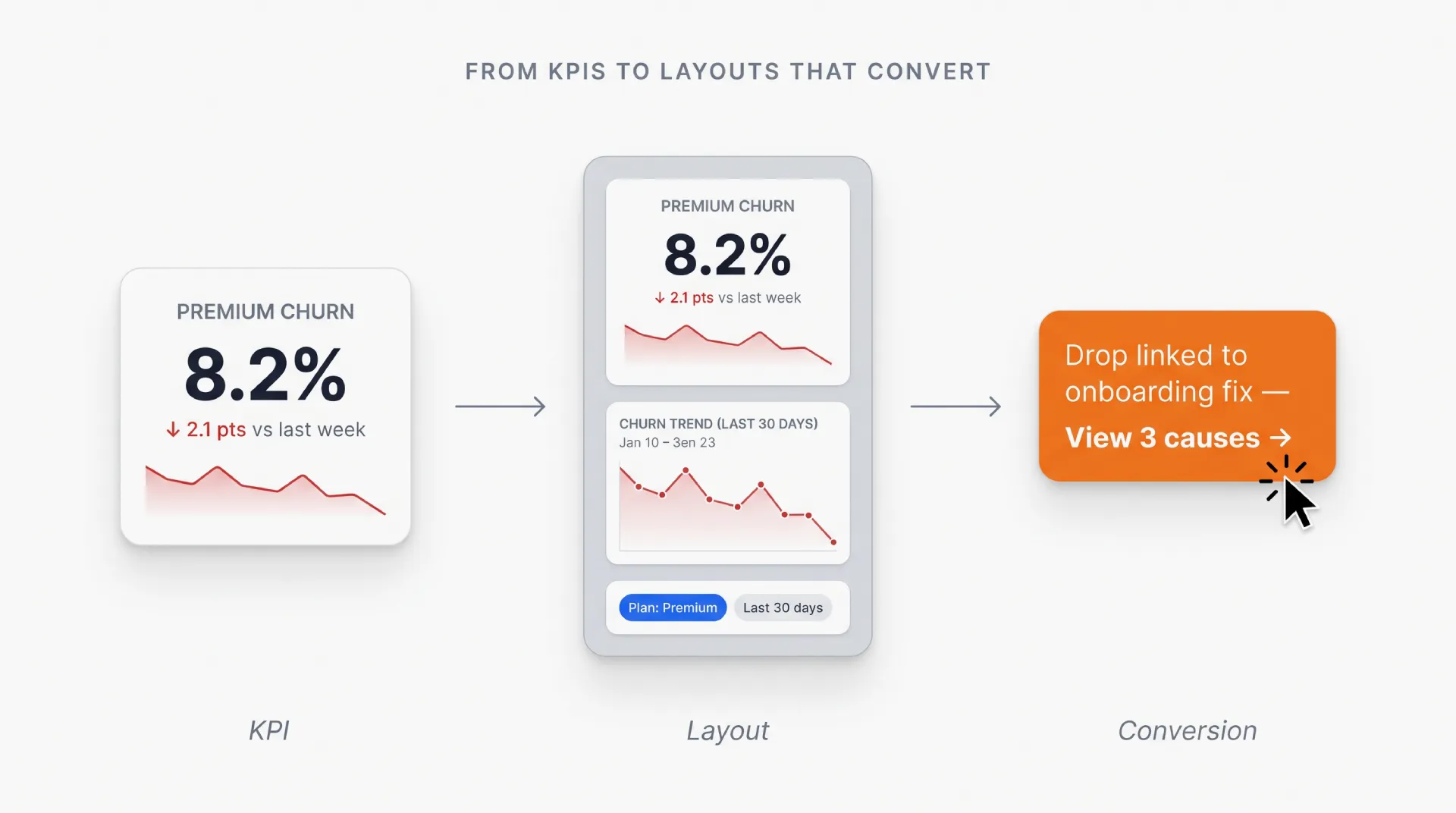
❷ One card, one question. Group a metric with the comparison it belongs to: this month against last, or this cohort against the previous one. A number without a reference point is trivia.
❸ Cap the headline row at seven. Three to seven KPIs is the range most people can scan without effort. Beyond that, the grid turns into wallpaper.
❹ Separate live from periodic. A live queue and a monthly churn figure do not belong on the same refresh cycle. Mixing them makes the whole screen feel unreliable.
☞ The label does more work than the chart. "Churn" is a topic. "Churn, 30-day rolling, vs. last quarter" is a reading. Every number needs the second kind.
If you want the deeper version of these rules, the dashboard UI design guide walks through anatomy, layout patterns and mobile behavior in detail.
Five SaaS dashboard examples worth copying
The templates below are the ones I reach for when a team needs a working screen in days rather than a prototype in weeks. Each one maps to a different audience, which is the reason each exists.
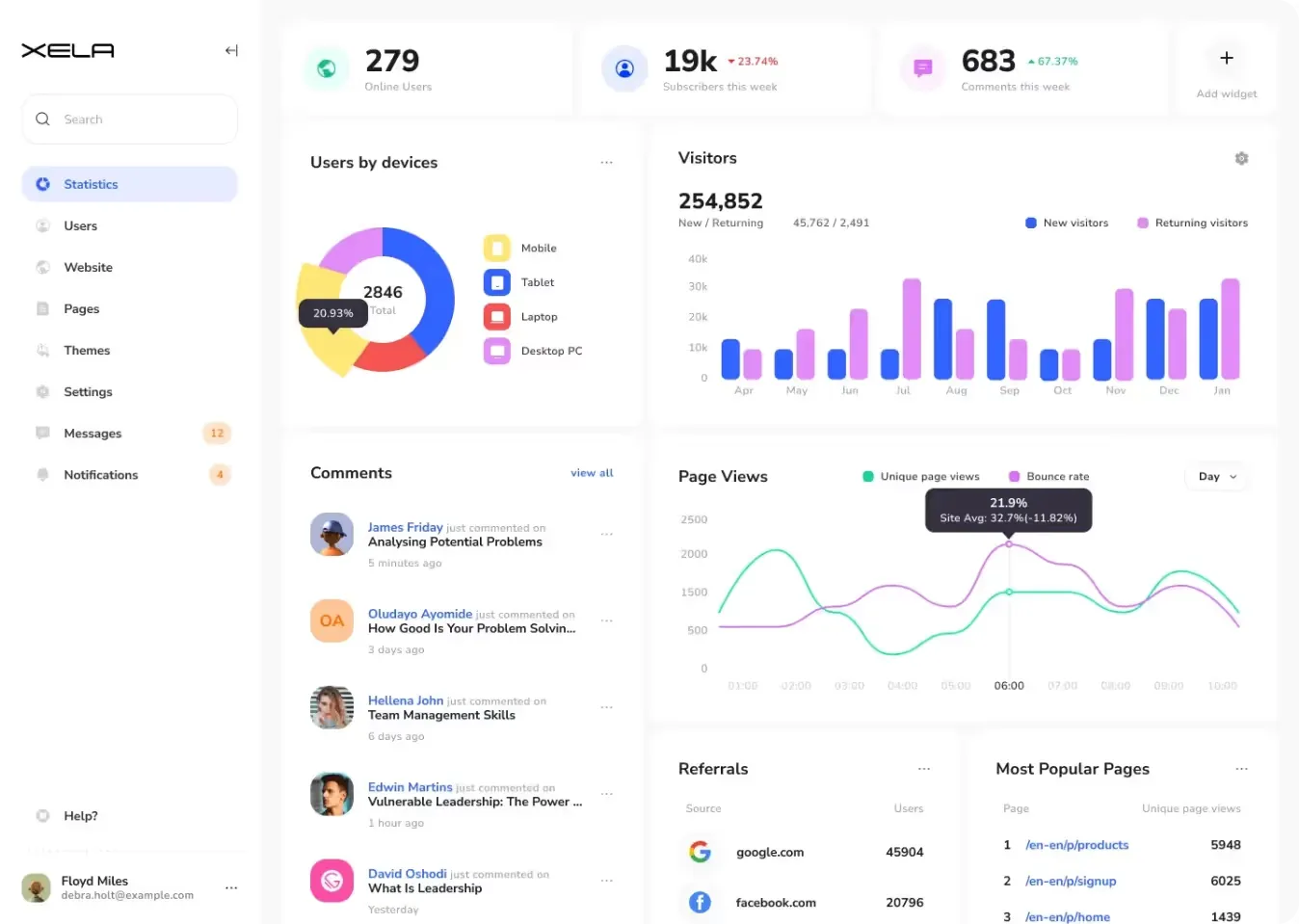
Material-X
Material-X is built around performance tracking across mixed business requirements, which makes it a good base when the audience is not final yet.
Key features:
- SaaS metrics and reporting: structured around MRR, churn and acquisition cost rather than generic charts.
- Customizable components: each block adapts to a reporting goal instead of forcing data into a fixed frame.
- Live data updates: keeps numbers current so a decision does not wait on an export.
- Interactive visualizations: supports trend and comparison charts without a custom build.
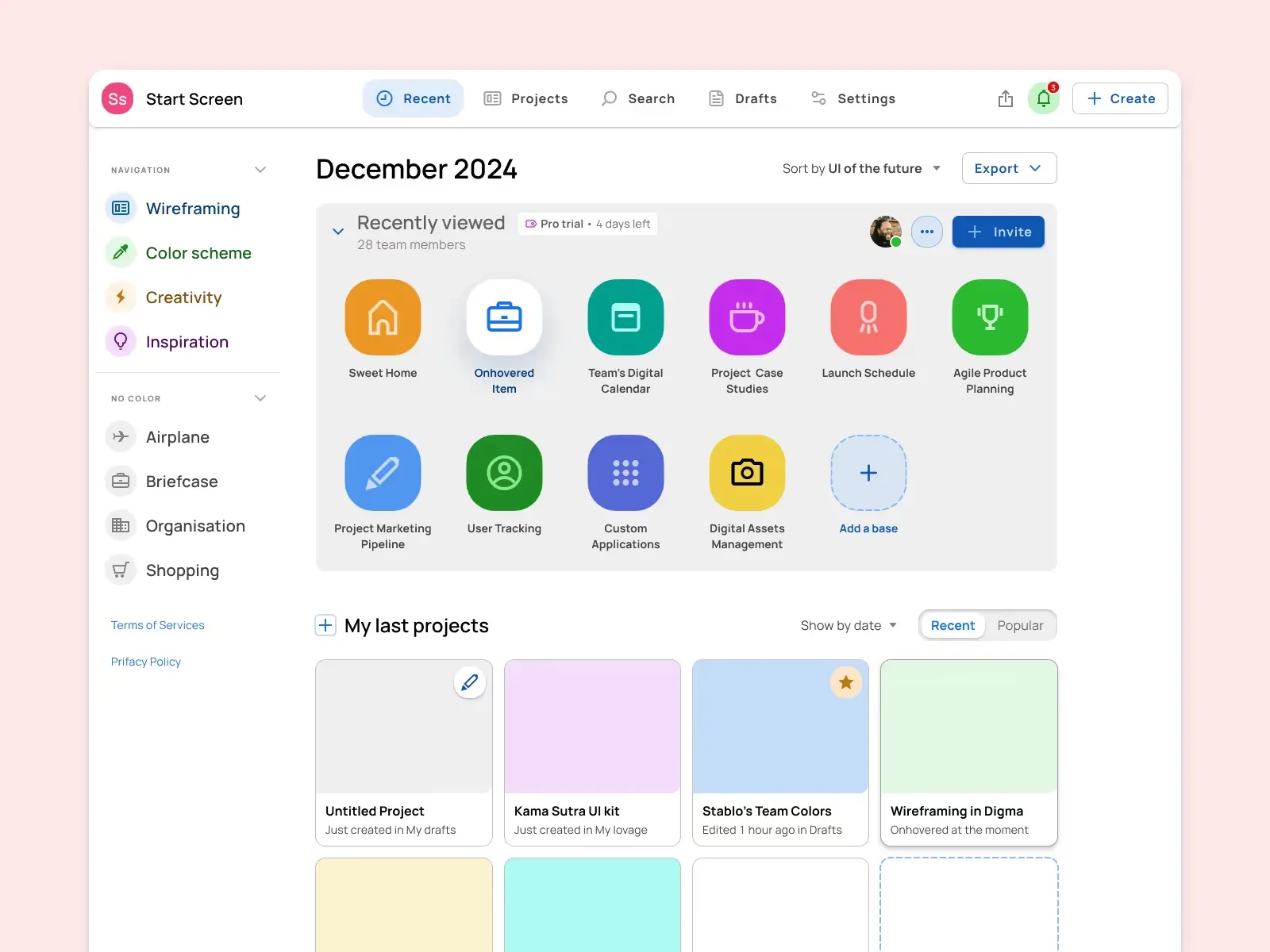
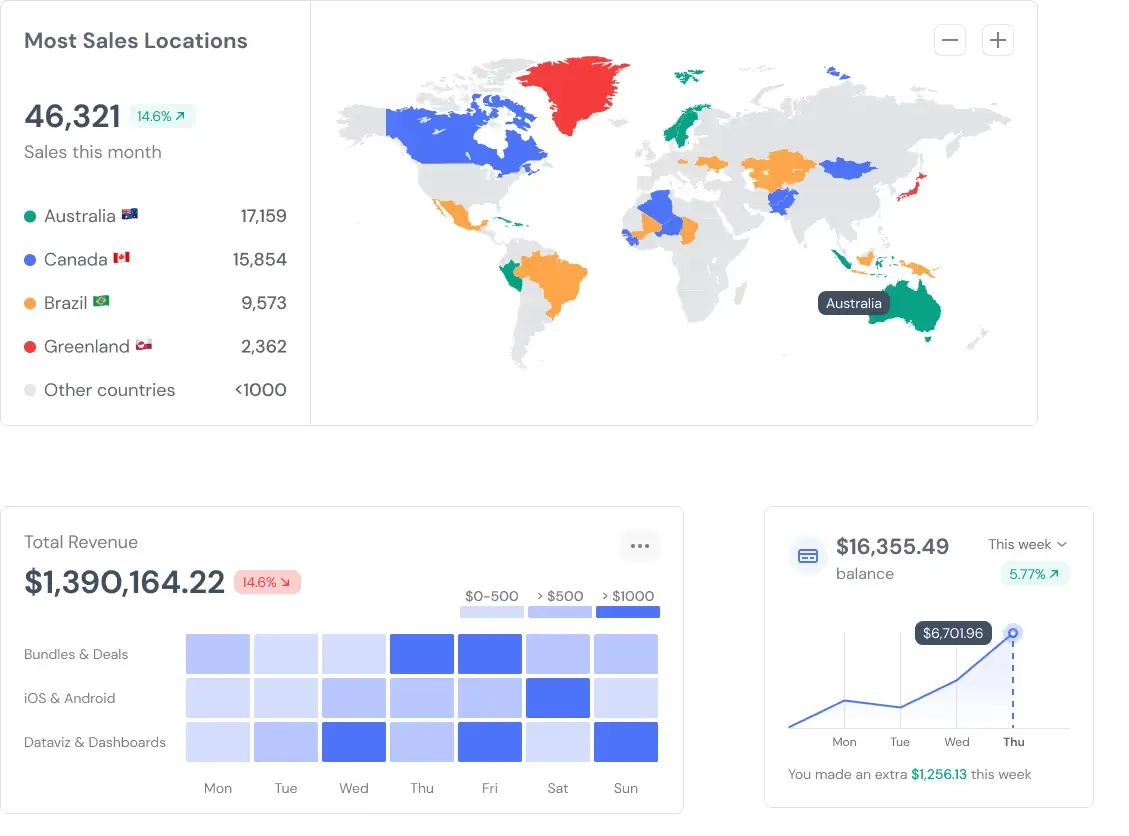
Material Desktop UI kit
Material Desktop UI kit suits teams that need a SaaS application shell and its dashboards from one source.
Key features:
- SaaS application components: a broad set of UI blocks built for subscription products.
- Simple to use: a clear interface that holds up for users at any experience level.
- Responsive design: behaves across desktop, tablet and mobile without separate builds.
- Data visualization tools: charts that make dense data readable for stakeholders outside the product team.
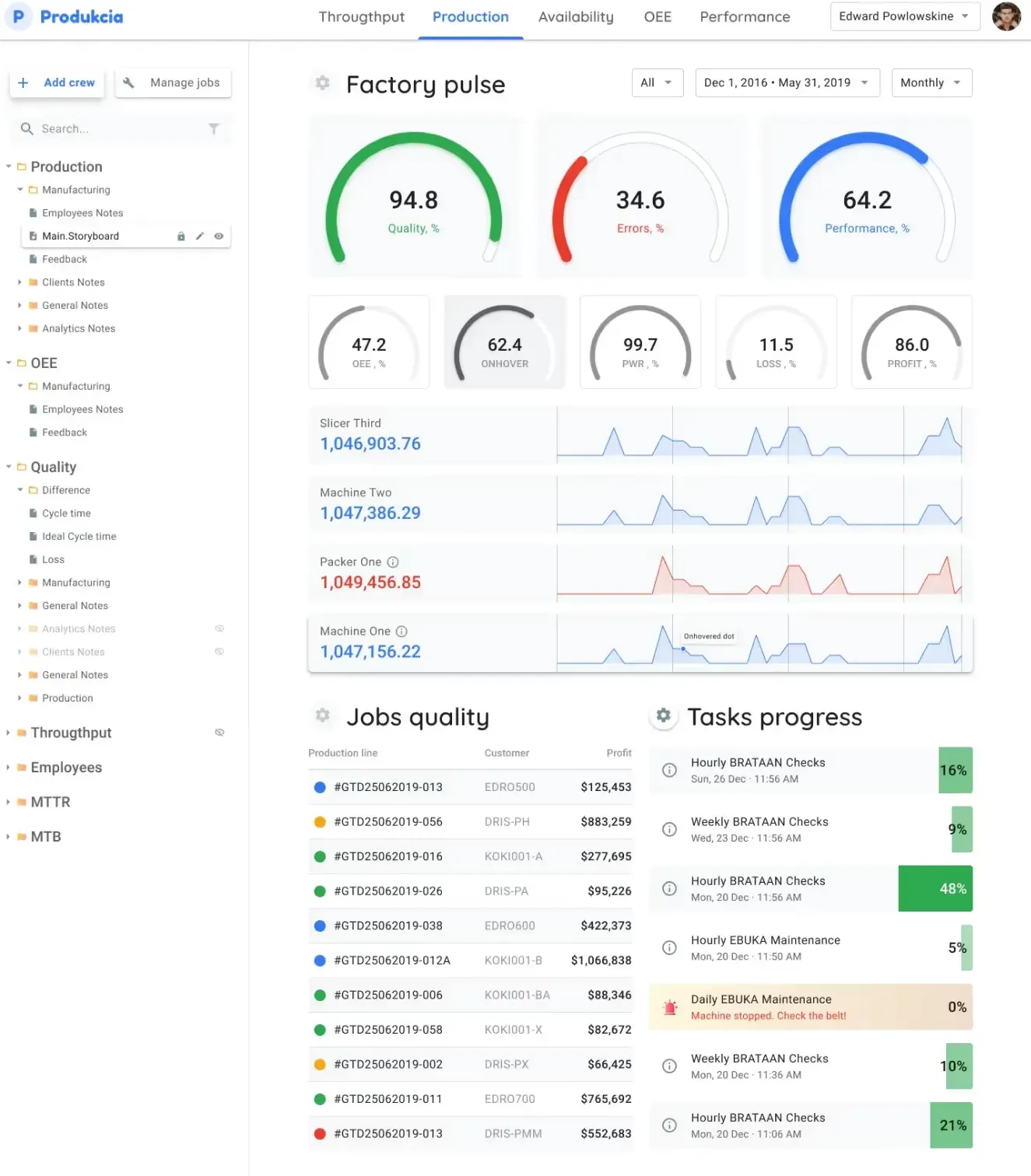
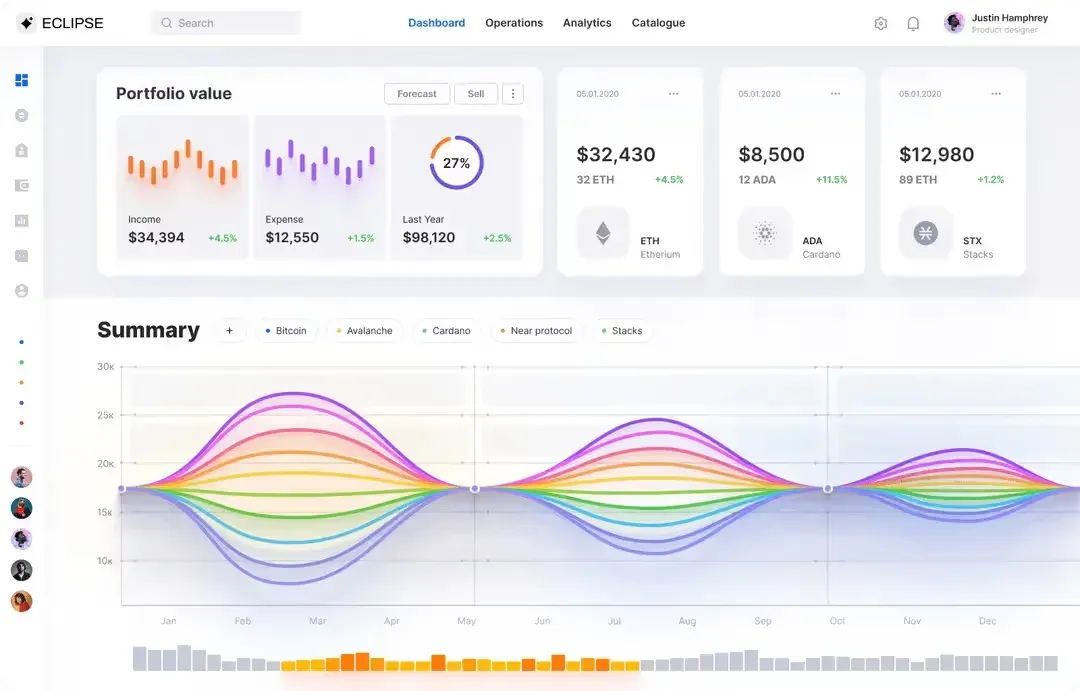
Eclipse UI kit
Eclipse UI kit leans on user-centric metrics and scales with the business, which helps when the dashboard has to serve more than one team.
Key features:
- SaaS user metrics templates: ready screens for engagement, conversion and behavior analysis.
- Scalable architecture: handles growing data volume without a redesign.
- Custom dashboard modules: module-based layout for reporting needs that change often.
- Integration capabilities: connects to common SaaS platforms and data sources for one collection point.
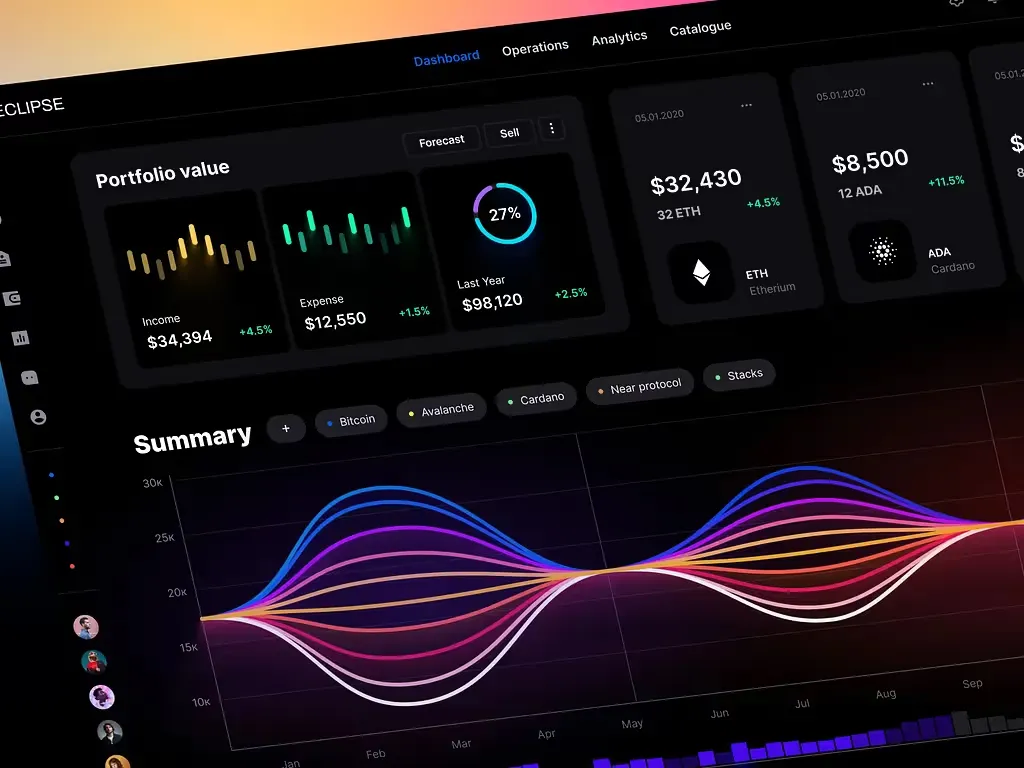
Rome UI kit
Rome UI kit is the analytics-heavy option, aimed at teams that need forecasting beside day-to-day reporting.
Key features:
- Detailed analytics: deep performance analysis and reporting for SaaS analytics screens.
- Predictive analytics tools: forecasting features for spotting trends before they arrive.
- Collaboration features: shared analysis so teams read the same numbers.
- Data security measures: controls that support compliance requirements.
Material Design system
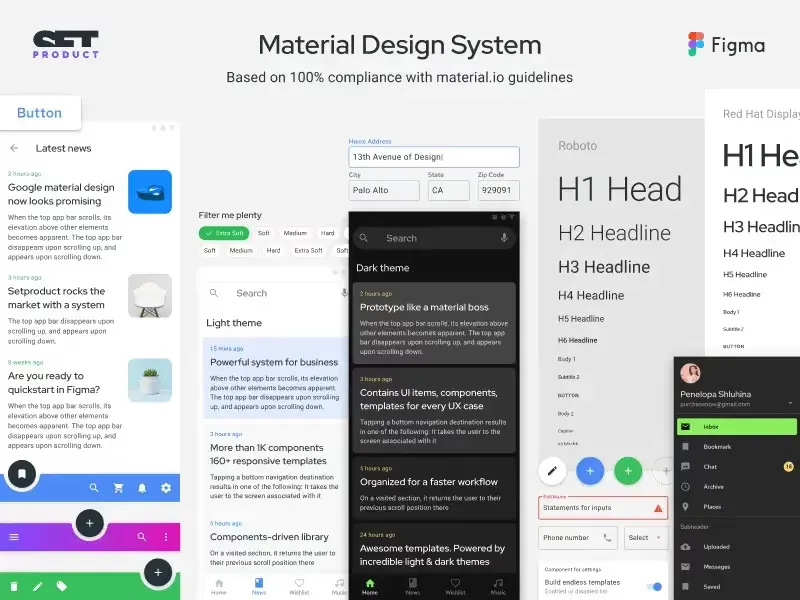
Material Design system is the most flexible of the five, and the right pick when a SaaS product spans several surfaces.
Key features:
- Complete SaaS templates: coverage from marketing pages to in-product screens.
- Modular design: components that adapt as requirements shift.
- Cross-platform compatibility: consistent behavior across operating systems and devices.
- API integration: connects external systems and data sources for continuous data flow.
If none of the five fits, the types of dashboards guide maps the broader categories first, and best analytics dashboard examples covers the exploratory end of the range.
How to test a SaaS dashboard before you ship it
A dashboard that only its builder can read has failed, no matter how clean the grid looks. Test it before anyone depends on it.
❶ Run the three-second test. Hand the screen to a teammate and ask for the most important number. If they hesitate, the hierarchy is wrong.
❷ Check the numbers against the source. Confirm the dashboard agrees with billing and analytics before launch, then again a week later. A dashboard that is quietly wrong is worse than one that is missing.
❸ Break one card on purpose. Hide a data source and watch what the screen does. A silent zero is the most dangerous failure mode on a dashboard.
❹ Watch a real session. Sit beside someone using it for a task. Where they hover, where they pause, where they scroll past. That tells you more than any survey.
→ Ship only after a stakeholder who did not build it can act on the screen alone.
→ Recheck the metric set after 30 days. The first version is rarely the right one.
For the accessibility side of the same work, the Nielsen Norman Group's guidance on usability heuristics is the reference I return to most.
Frequently asked questions
What is a SaaS dashboard?
A SaaS dashboard is a single screen that pulls live product and revenue data into one view, so a team can read the health of the business without opening five tools. It usually tracks subscription metrics such as MRR and churn next to usage and support signals. It is built for repeated checking, not for filing away.
What metrics should a SaaS dashboard track?
Four carry most of the weight. Monthly recurring revenue shows the direction of the business, churn rate shows whether it holds, customer acquisition cost shows what growth costs, and customer lifetime value shows whether that cost pays back. Usage and support metrics sit beside them as context, not as headlines.
How many KPIs should a SaaS dashboard show?
Three to seven in the above-the-fold area is a workable range. Past seven the eye loses its landing point and the screen turns into a data dump. Push secondary metrics into cards lower down or behind a drill-down, where they stay reachable without competing for attention.
What is the difference between a SaaS dashboard and an analytics dashboard?
Audience and job differ. A SaaS dashboard answers questions for a product, growth or finance team about one business, on a repeating rhythm. An analytics dashboard is exploratory, and an analyst uses it to hunt for patterns across many data sets. The interface patterns overlap; the purpose does not.
Should a SaaS dashboard be real-time or daily?
Match the update speed to the decision behind it. A support queue or an incident view needs live data. Revenue and churn are usually read daily or weekly, and forcing them to refresh live adds noise rather than clarity. Real-time is a cost, not a default.
Conclusion
A SaaS dashboard earns its place by answering one question fast and staying honest about the numbers behind it. Pick the four metrics that drive decisions, cap the headline row, label every number with its comparison, and test the screen with someone who did not build it.
Start from an example rather than a blank canvas, then strip it to the cards your audience actually reads.