
Roman Kamushken
Ask an agent for a Three.js product scene and you get one from a single prompt. It runs. It also looks like every other generated scene: an ambient wash, plastic materials, the subject dead centre, no shadows, no idea behind the camera.
What is missing is Three.js art direction: the decisions about look and light that normally get made before anyone opens an editor. This article takes one scene past that default in nine stages, until the frame reads as directed. Every stage is a live page you can open and orbit, with its measurements published in the lab notes.
Four disclosures before the first stage.
→ The object is a manual burr coffee grinder built from procedural geometry. It is illustrative and copies no specific product.
→ The lab is a separate Netlify deployment with its source in a public repo. It does not live on setproduct.com.
→ The workflow follows open-3d-skills, eight MIT-licensed agent skills by exploraX (@exploraX_ on X). Four never ran here because they need a paid generation API: motion-assets, alpha-cutout, cursor-rig, plus the generation step of scroll-film. Each is marked DOCUMENTED-NOT-RUN wherever it appears.
→ The final stage fails to start on one real phone. That defect has its own section near the end.
What you need to follow along
Node 22.20 or newer, Python 3.9 or newer with Playwright and Pillow, ffmpeg on the PATH, and a clone of the repo. No npm install and no build step anywhere in it. Four skills also want a paid image or video API and are marked DOCUMENTED-NOT-RUN below.
Why generated 3D looks generated
Four causes, and the model is to blame for none of them.
❶ No direction before code. The prompt names an object and the agent fills every other choice from the statistical middle. Nobody wrote down what the picture should feel like, so it feels like nothing.
❷ Default lights. One white AmbientLight reaches every surface equally, so form disappears. Without a key light there is no shadow side, and without a shadow side there is no volume.
❸ Uniform materials. Every part gets the same MeshStandardMaterial() with stock roughness. Steel answers light exactly like rubber, which is why the result reads as plastic.
❹ No composition. The camera keeps its default field of view and aims at the origin. A centred subject at eye level is a specification drawing.
Train the eye on flat work first. Open the AI inspiration gallery and ask what each screen decided and what it left at default, the habit behind what AI-generated UI can teach you about real design.
Stage 0, the baseline on purpose
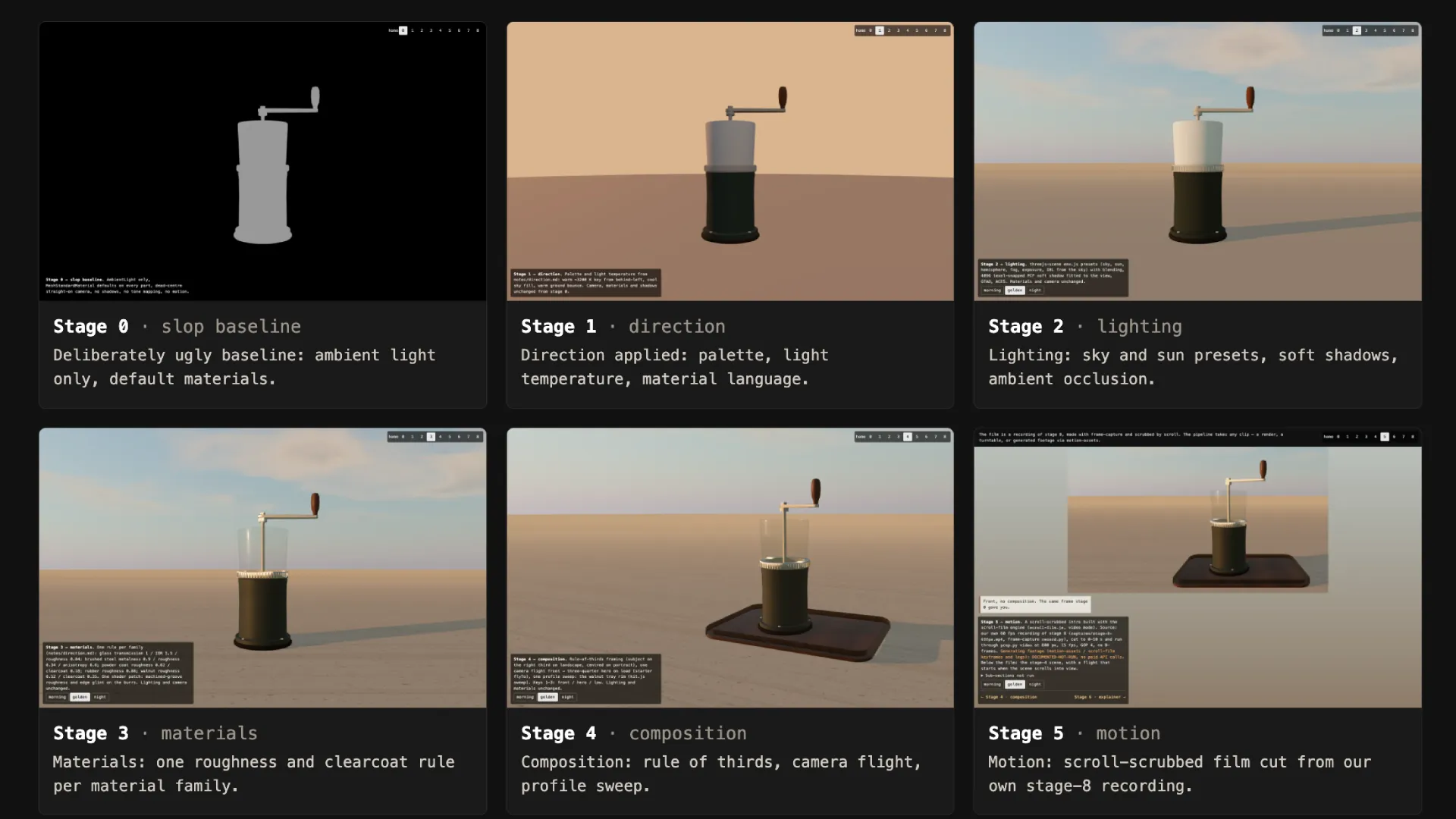
Stage 0 is the slop baseline, built ugly on purpose. It has one AmbientLight(#ffffff, 1) and default materials on every part. The 50° camera aims straight at the centre, with tone mapping and shadows off.
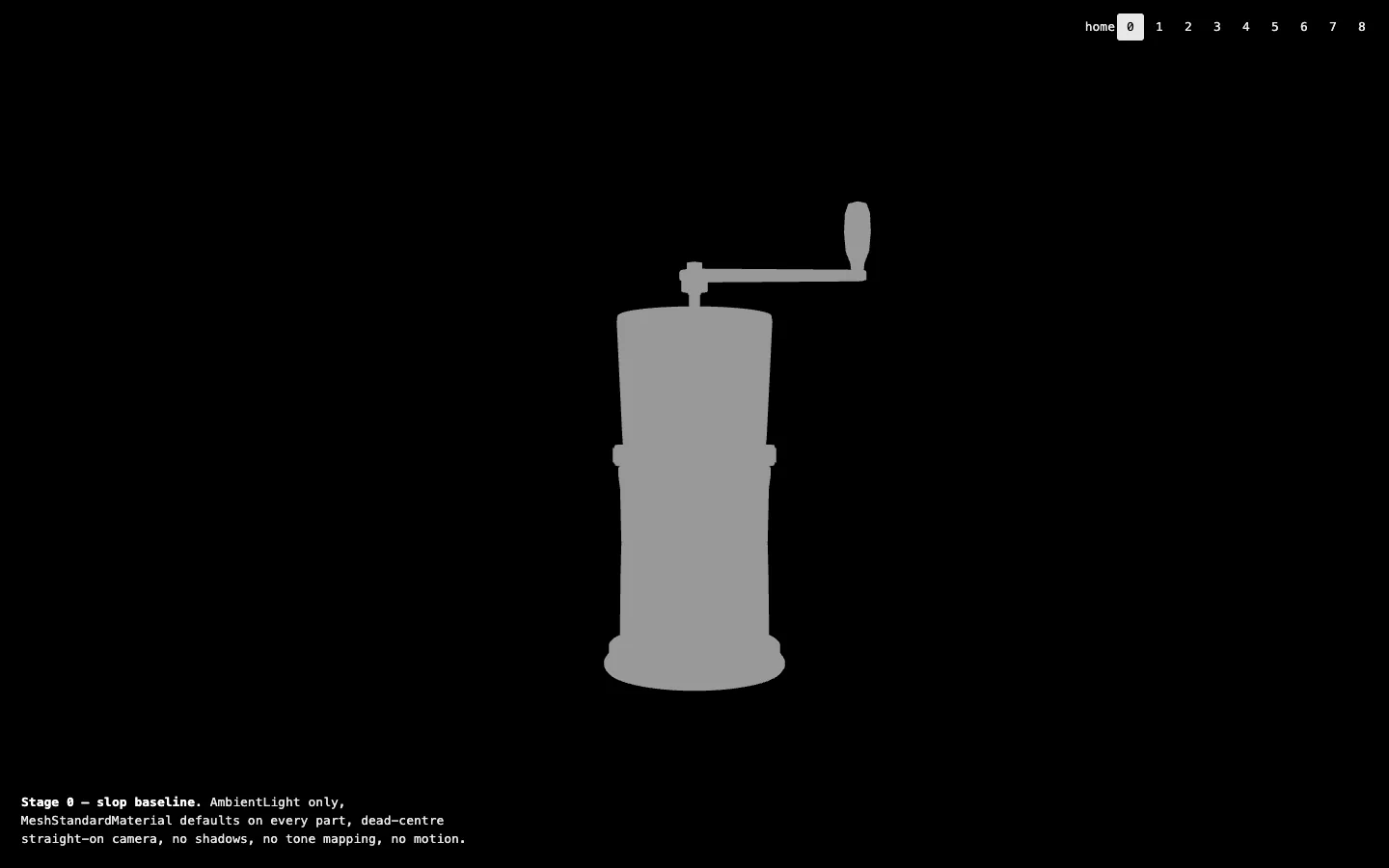
The numbers are excellent, which is the trap: 32 draw calls and 21,876 triangles at 1.29 ms a frame. A scene this cheap passes every performance check and fails the only test a visitor runs, which is looking at it.
Stage 1, Three.js art direction before code
Stage 1 adds no technique. It adds a one-page direction document, and the scene only swaps flat colours and three lights to match it.
❶ One look in one line. "First coffee on a stone terrace, ten minutes before sunset." Every later choice gets tested against that sentence.
❷ A palette with roles. Seven colours, each with a job, such as powder-coat body #2f3a33 and brushed steel #c8c4bc. A hex without a role is a guess.
❸ Light temperature in Kelvin. A warm key near 3200 K against a cool sky fill near 7000 K.
❹ A lit-to-shadow ratio. The shadow side should read cooler and 2 to 3 stops darker.
It is the cheapest stage in the lab: 34 draw calls and 1.40 ms a frame.
☞ An agent follows a direction document closely. It does not write one unless asked.
The same discipline drives how to use AI UI inspiration to design faster without copying blindly.
Stage 2, light as drama
Stage 2 is where the scene stops looking generated. The sun sits 9° above the horizon, behind the grinder and to its left, so the shadow runs long toward the camera. The key is 3200 K (#ffb066) against a cool sky fill, so the lit side reads warm and the shadow side cool.
Soft shadows need a fitted frustum. The lab fits a 4096² shadow map to a frustum 1.02 m across, or 0.249 mm per texel, and snaps it to whole texels so the edges do not shimmer.
☛ Occlusion radius is measured in scene units. The skill's starter radius of 0.9 suits a 10 m pavilion, and a grinder with 0.1 m features needs 0.03.
The price shows up here: 166 draw calls and 6.87 ms a frame, inside the skill's budget of 10 ms and 300 calls.
Stage 3, a material rule beats a roughness slider
Stage 3 replaces per-part tweaking with one rule from the direction document. Steel is the only metal and glass is the only smooth surface. Clearcoat goes only where a real finish would carry lacquer.
| Material family | Settings in the lab |
|---|---|
| Glass hopper | roughness 0.04, transmission 1, IOR 1.5, 2.5 mm thick |
| Brushed steel | metalness 0.9, roughness 0.34, anisotropy 0.6 |
| Powder coat | roughness 0.62, clearcoat 0.18 |
| Rubber gasket | roughness 0.88 with sheen |
The burr is the one place a shader patch earns its keep. A lathe leaves fine concentric grooves, so patchBurr() hooks onBeforeCompile and varies roughness in the fragment shader at a 0.9 mm pitch.
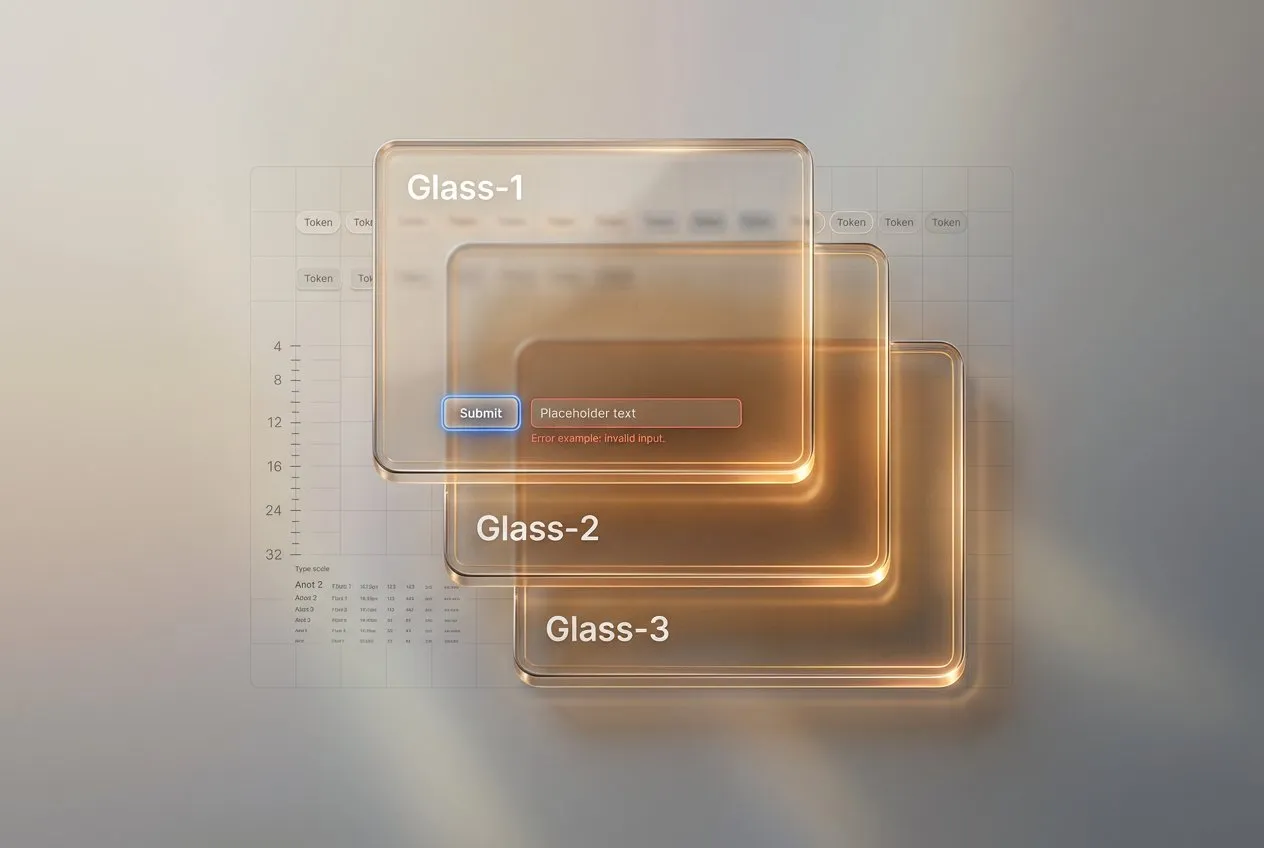
The flat-screen cousin of the glass hopper is covered in liquid glass design.
Stage 4, compose the frame before animating it
Stage 4 touches no light and no material. It moves the camera.
→ Field of view narrows to 38°, down from the default 50°, which calms perspective distortion on a small object.
→ On wide screens the subject sits on the right third through camera.setViewOffset. On portrait screens it returns to centre.
→ There is one camera flight, front to hero, in 2.8 seconds.
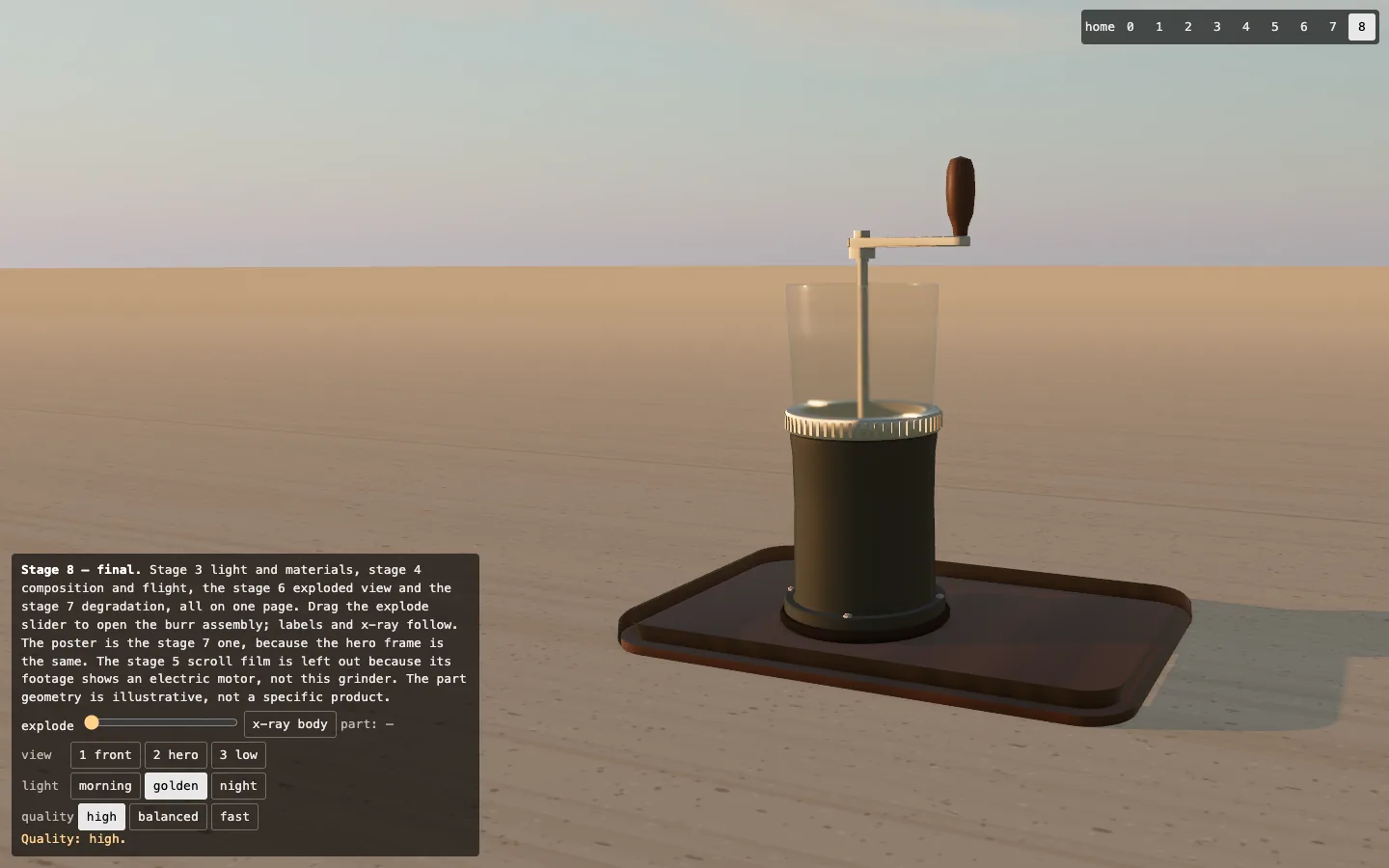
The lab deviates from its skill, which suggests a hero direction of (0.42, 0.34, 1). At that pitch the horizon sat in the top tenth of the frame and the sky disappeared, so the lab uses 0.17 and backs the camera off to 0.74 m.
Still layouts follow the same logic, covered in layout tricks for static prototypes.
Stage 5, motion from a recording
Stage 5 is a scroll-scrubbed film. The footage is the lab's own 60 fps recording of stage 8, cut to 10 seconds and encoded at 800 px and 15 fps: 150 frames in 1.1 MB.
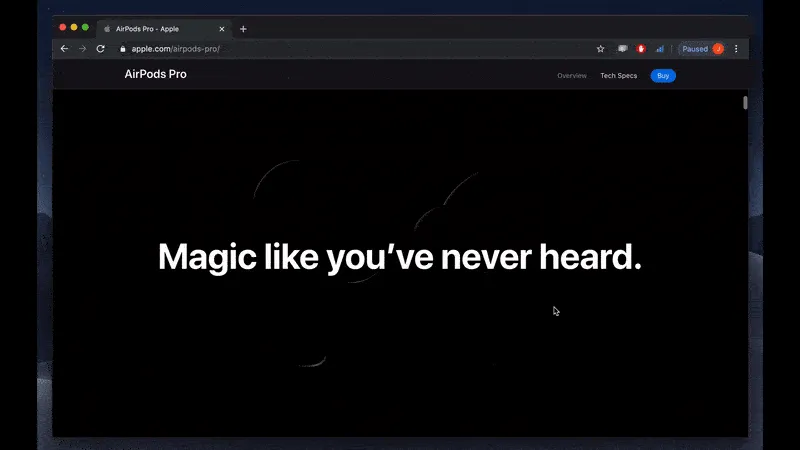
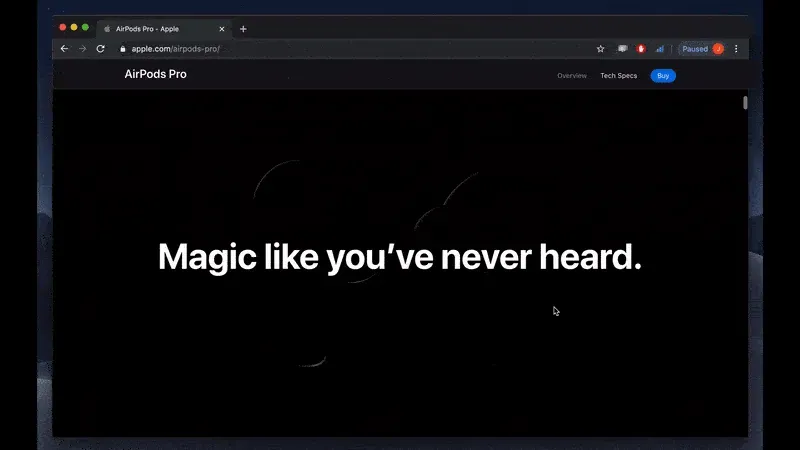
It shares a family with the AirPods-style page in how to make a 3D animation effect on scroll, with a video seeking where that tutorial draws images on a canvas. With reduced motion on, the film jumps between key frames.
Three parts of the motion pack exist only on paper, unmeasured.
Cursor rig
A painted head that follows the cursor, built from 2 to 8 paid image-to-video clips. Status: DOCUMENTED-NOT-RUN.
Alpha cutout
Transparent video keyed from footage on a colour plate. The lab's film has an opaque sky, so there was nothing to key. Status: DOCUMENTED-NOT-RUN.
Scroll film generation
The scroll-film runtime ran on the lab's own recording. Its generation step chains AI clips planned by the motion-assets skill, and both call a paid API. Status: DOCUMENTED-NOT-RUN.
Stage 6, when the object has to explain itself
Stage 6 answers a different question: how does it work? For an object with parts, the answer is an exploded view.
Only the burr assembly comes apart, and the body stays put with its shaft.
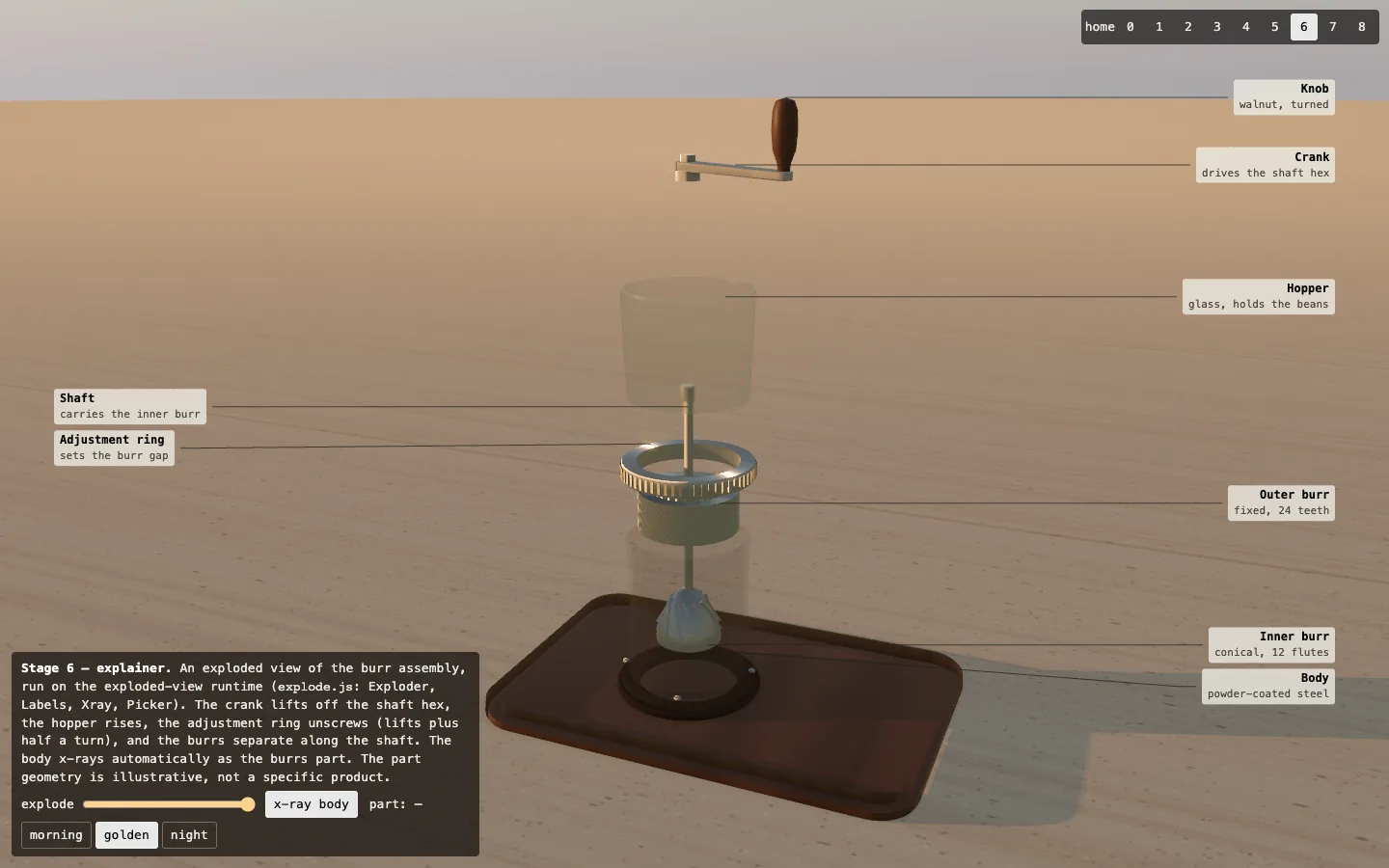
→ Each group moves in its own window of the slider, so parts leave in order.
→ The body turns x-ray at 62% of the slider, at 14% opacity, because the burrs separate inside it.
→ Eight labels with leader lines name the parts, and below 600 px they hide.
The lab exploded geometry it built itself, so every part was already a separate mesh. The burr teeth and ring knurls are instanced, the technique three.js documents under InstancedMesh.
Stage 7, degrade instead of disabling
Stage 7 assumes the scene will meet a GPU that cannot afford it.
| Tier | Pixel ratio cap | Ambient occlusion | Shadow map |
|---|---|---|---|
| High | 2 | on | 4096² |
| Balanced | 1.5 (1.25 on stage 8) | on | 4096² |
| Fast | 1 | off | 2048² |
The page drops a tier when the mean time of rendered frames over 3 seconds passes 25 ms.
On stage 8, at 1440×900 and a pixel ratio of 2, the high tier costs 38.72 ms a frame when pinned. Left on auto, the page fell to balanced in 5 runs of 5 and settled at 8.71 ms.
Below the tiers sits a poster. It covers a missing or lost WebGL 2 context, plus an explicit ?quality=poster. With prefers-reduced-motion set, the camera flight is skipped and orbit damping turns off.
On the final stage, phones boot differently. Under 600 px wide, with Save-Data on, or on a 2G or 3G connection, the page paints the poster first and starts WebGL later on the fast tier. That delay produces the most flattering number in the lab, tabled below.
Stage 8, capture before and after
Stage 8 puts the work of stages 3, 4, 6 and 7 on one page, then records it.
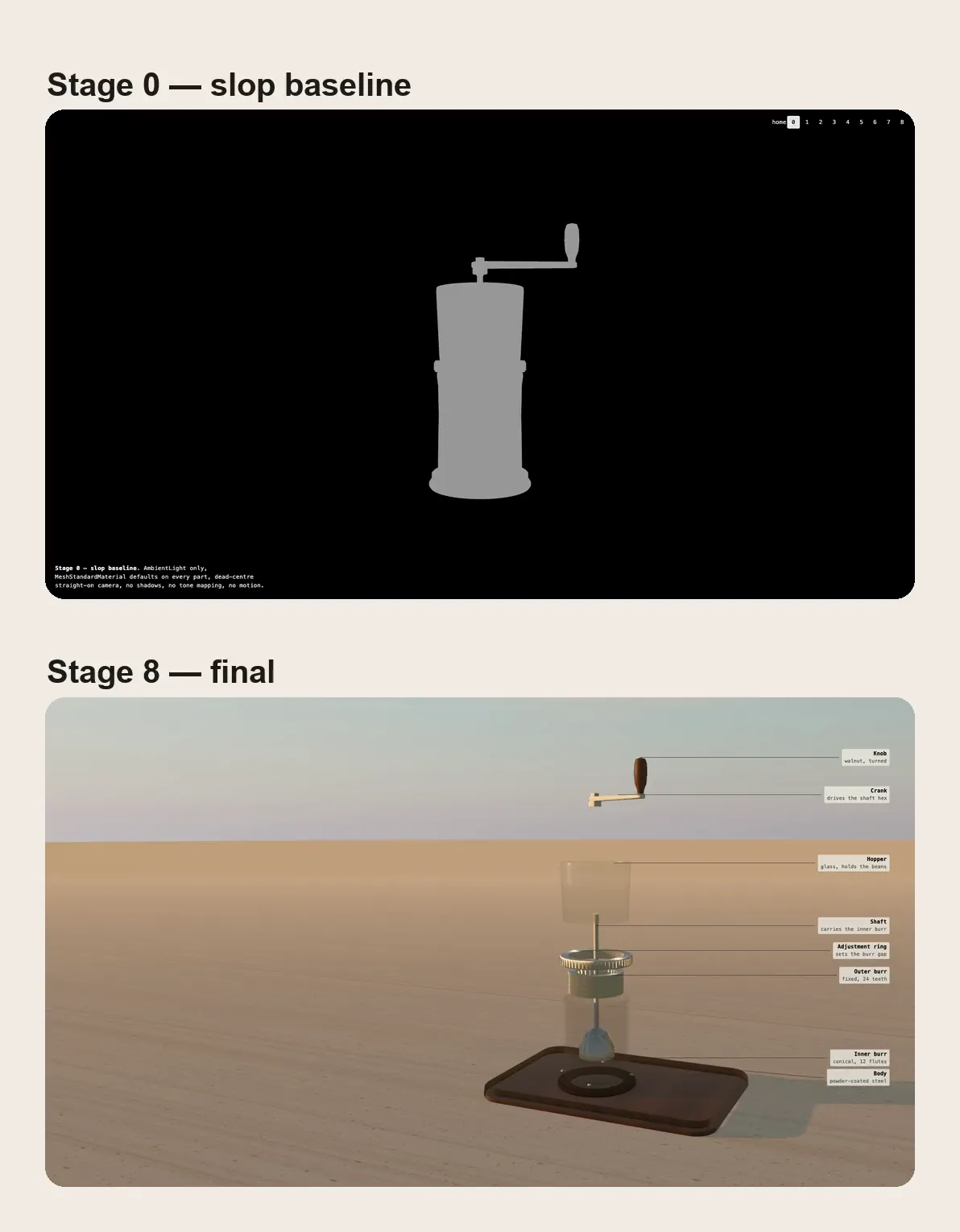
The frame-capture skill replaces the page clock, so performance.now and requestAnimationFrame read a virtual time that advances 1/60 s per frame. A frame can take two seconds to render and the video still plays at 60 fps.
The lab recorded 12 seconds each of stage 0 and stage 8 at 1920×1080, then stacked them into a comparison clip of 439 KB.
Record the baseline the day you build it. The real pair is the fastest way to show a client what direction bought.
Writing about 3D, WebGL or front-end performance? Setproduct takes guest posts from people who build things. See the plans →
Shipping checks beyond performance
Five defects surfaced during the checks, and only the first shows up as frame time.
❶ Pixel ratio applied twice. The post-processing composer multiplied the pixel ratio on top of the renderer's. On a 390×844 viewport at a ratio of 2, stage 2 cost 18.31 ms a frame, and 7.16 ms after the fix.
❷ A caption covering the film on phones. On stage 5 the fixed caption left the film 248 px of height. Moving the caption into the flow below 600 px gave it 620 px.
❸ Layout shift from late navigation. A script built the corner navigation after first paint: CLS 0.032 in 3 desktop runs of 5. Static HTML took it to 0.000 in 5 of 5.
❹ An aria-label that disagreed with its text. The home link announced one name to assistive technology and showed another. Removing the label fixed it.
❺ A crash in the checking tool. The site-check script divided by zero when a canvas sat fully off screen. The lab carries a local patch.
What the numbers say
First, what direction costs in rendering, at 1440×900 and a pixel ratio of 1.
| Stage | Draw calls | Triangles | Frame time |
|---|---|---|---|
| 0, baseline | 32 | 21,876 | 1.29 ms |
| 2, light | 166 | 81,168 | 6.87 ms |
| 3, materials | 198 | 97,116 | 8.08 ms |
| 4, composition | 218 | 103,556 | 8.12 ms |
| 6, assembled or exploded | 218 or 216 | 103,556 or 99,236 | 9.40 ms |
| 8, final | 218 | 103,556 | 8.74 ms |
Now the number that flatters the page, from the deployed final stage in Lighthouse 12.8.2, the median of 5 runs with the range in brackets.
| Stage 8, mobile | With the 1200 ms floor (default) | Without it (?bootdelay=0) |
|---|---|---|
| Performance | 100 [83–100] | 83 [81–83] |
| Total blocking time | 89 ms [0–644] | 683 ms [634–750] |
| LCP, simulated | 1,502 ms [1,408–1,570] | 1,389 ms [1,377–1,530] |
The page scores 100 only because WebGL startup waits behind a 1200 ms floor on phones, and without the floor the same code scores 83. The floor moves the shader compile outside the window Lighthouse measures.
The 89 ms median has a tail. Five consecutive runs on one browser profile read 109, 650, 23, 29 and 24 ms, so one run in five lands near 650 ms. The lab reproduced it without tracing the cause.
☞ Quote a median with its range or leave it out. A dashboard that shows one figure without its spread makes the same mistake.
Desktop is calmer: 98 [97–99], blocking time 74 ms [50–104], CLS 0.000 in 5 runs of 5.
The bigger lesson is where the score came from. On a local server without compression the same stage scored 62, with a simulated LCP of 6.31 s. On Netlify's edge three.js arrives as 162 KB of brotli instead of 687 KB, and the simulated LCP falls to about 1.4 s.
The lab never decomposed the two runs, so read that as a measured difference in input.
Two costs stay on the bill. The poster is 1 px shorter than the viewport, height: calc(100% - 1px), because in the lab's probe Chrome stopped counting a full-viewport image as an LCP candidate.
The web.dev guide to LCP lists full-viewport elements among those Chrome may treat as background. That rule was inferred from a probe and may change between Chrome versions.
The second cost is the missing build step. Nothing is tree-shaken, and Lighthouse reports 45% of three.js as unused by this scene. That was a deliberate constraint of the brief, not an oversight.
The known failure on a real iPhone
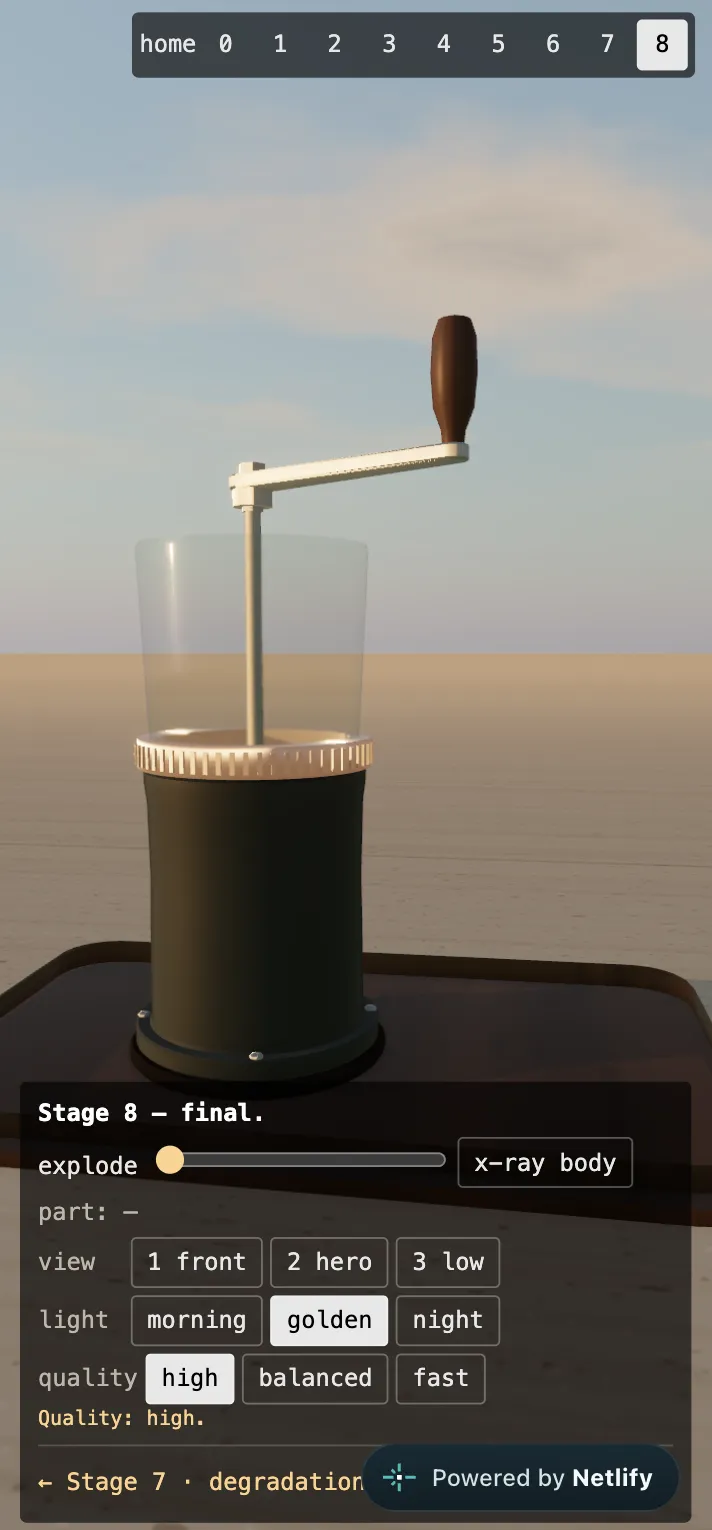
Everything above was measured on a MacBook Pro M1 Pro, in headless Chromium and Playwright WebKit. The lab notes say it plainly: no real phone was used.
Then a real phone was used. On an iPhone X running iOS 16.7, stage 8 never starts. The interface stays alive over a black screen, with no frame drawn.
The same page works in desktop Chrome and Playwright WebKit, and in the iPhone 16 device inspector. The failure is not in the lab notes yet. There are three suspects, and none is confirmed.
→ A half-float MSAA render target that may fail to allocate at a pixel ratio of 3 on a device with 3 GB of memory.
→ An uncaught exception on the first frame that kills the animation loop.
→ An opaque canvas sitting over the poster before the page marks WebGL as ready.
This is an open defect. I do not claim the lab works on mobile, and the mobile score above describes simulated throttling on a desktop GPU.
The 12-point anti-slop checklist
Answer each with yes or no.
✔ Direction before code. Did you write the look and the palette roles before the first line?
✔ One light source. Does one key light own the scene, with the rest as fill?
✔ Shadows fitted and soft. Is the shadow frustum fitted to the subject?
✔ A material rule per family. Can you state the rule in one sentence?
✔ Subject off centre. Is the subject on a third, with a reason for the side?
✔ One camera move. Is there a single flight, under 3 seconds?
✔ Quality tiers. Does the page drop a tier by itself when frames run slow?
✔ Poster. Is there a still image for when WebGL is missing?
✔ Reduced motion. Does the scene skip flights when the visitor asks for less motion?
✔ Labels hidden on phones. Do the callouts disappear under 600 px?
✔ No full-viewport LCP image. Is the poster a valid LCP candidate in your own probe?
✔ Measured, with a real device. Do you have a Lighthouse median with its range, plus one run on hardware you can hold?
Where this workflow breaks
• The skills repo is days old. It was created on 31 October 2026, so the lab pins one commit.
• The dependencies are heavy. Playwright, Pillow and ffmpeg must all exist before the first skill runs, and none of them is a browser feature.
• Exploded views depend on mesh quality. Fused or decimated meshes explode badly.
• Procedural geometry has a ceiling. Lathes and extrusions build a grinder. A face or a sneaker still needs a 3D artist.
• A 3D hero costs bytes no craft removes. Here that is 162 KB of three.js after brotli, before one triangle draws. A static hero from a landing page template costs none of them.
Frequently asked questions
❶ How do you make a Three.js scene look good?
Decide the look before writing code, with one sentence for the mood and a palette with roles. Then light the scene with one low key and give each material family a rule, with the subject on a third. In the lab that cost 186 extra draw calls and stayed under 10 ms a frame.
❷ What lighting works for product 3D on the web?
One warm key light low to the horizon, with a cool sky as fill. The lab uses a sun at 9° of elevation and 3200 K against a fill near 7000 K. Drop the white ambient light, because it erases form.
❸ Should you load a model or build geometry from code?
Build from code when the object is mechanical, made of lathed and extruded parts. The lab's grinder is 10 procedural parts with no model or texture files. Load a model for organic shapes such as a face or a shoe.
❹ How do you keep a 3D hero fast on mobile?
Paint a poster image first and start WebGL later, on a low quality tier with the pixel ratio capped at 1. In the lab a 1200 ms delay took the mobile Lighthouse score to 100, and without it the same code scored 83. The final stage still failed to start on a real iPhone X.
❺ Is a 3D hero bad for SEO?
Only when it blocks content. The lab's final page scored 100 for Lighthouse SEO, because the text and a poster exist in plain HTML and the canvas loads after them. The risks are a slow LCP and a blocked main thread, so defer the 3D.
Direction is the cheap part
The gap between stage 0 and stage 8 is 186 draw calls and about 7.5 ms a frame. Almost none of the visible difference comes from that budget. It comes from a one-page document, a low sun, a material rule and a camera that sits off centre.
Agents are good at execution and indifferent to taste. Give them the direction, then measure what they built, on real hardware if you can get it. The lab's final stage failed on an iPhone X, and that stays an open defect until someone holds the phone and reads the console.
Slop is a missing decision. Make the decision first and the render follows.
This lab is the kind of subject Setproduct takes guest posts on, if you build things like it.
The whole lab is public: nine stages, the method and every number, including the ones that failed. Read the lab notes → · Open the repo →