
LiftKit: a free Figma UI kit made by a design nerd obsessed with spacing

A new open-source design system has taken the community by storm. LiftKit, created by freelance DBA Chainlift, has quickly gained traction for its unique approach to making UI components feel oddly satisfying.

LiftKit: Open source design system for Figma & React
Resources

Published on

July 23, 2025

|

2 min read

Blog

LiftKit: a free Figma UI kit made by a design nerd obsessed with spacing

Roman Kamushken

Roman Kamushken

So I stumbled across this post on Reddit the other day. Some guy spent 18 months building a design system for free and just open sourced the whole thing. At first I thought, "Alright, another UI kit..." but then I looked closer.

This thing is different.

It's called LiftKit, and it was made by a freelancer who goes by Chainlift. Apparently he got mildly famous in the UI design world last year for a YouTube video called The Secret Science of Perfect Spacing. That video is what kicked off this whole project. Basically, he went down a deep rabbit hole of using the golden ratio for literally everything: spacing, font sizes, corner radiuses, all of it.

A design system that just feels right. You know that feeling when a UI just clicks visually? That’s what this is going for.
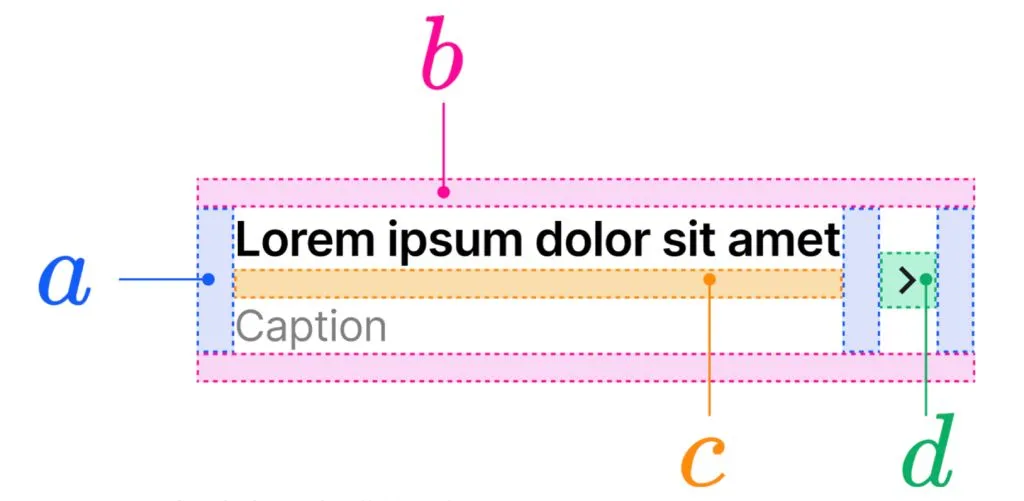
UI design component specs balanced with Golden Proportions

Everything is balanced with Golden Proportions

What is this thing, exactly?

LiftKit is a UI kit that works in Figma, and it also comes with React/Next.js components that match the designs. So whether you’re designing or coding, you’re covered. But it’s not just about the components. It’s the system behind them that’s cool.

Everything is based on a global scale tied to the golden ratio. No random 12, 14, 20px paddings or whatever. It’s all calculated. You can tell the creator is a bit of a perfectionist in the best way.

And yeah, it’s still early. This is the first official release. But even now, it’s way more polished than some paid kits I’ve used.
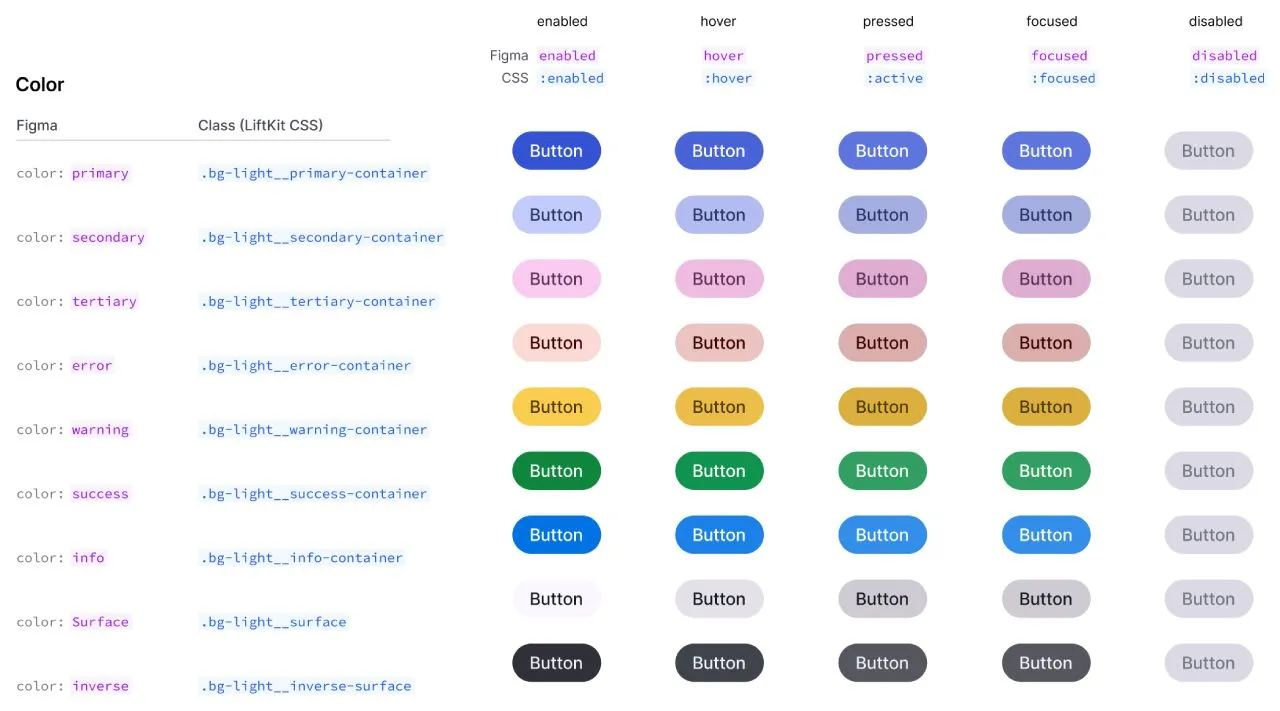
Button components section by LiftKit for Figma

Button components section looks polished and detailed

Why you should care (especially if you’re building stuff solo)

If you're like me and constantly juggling between building product, designing the UI, and actually shipping, you don’t want to waste hours fiddling with spacings and layouts. You just want something that looks clean and doesn’t fight you.

Here’s what LiftKit gives you:

  • A ready-to-go Figma kit with solid defaults
  • Clean, consistent React components
  • Spacing and layout logic that actually makes sense
  • And best of all — it's free and open source
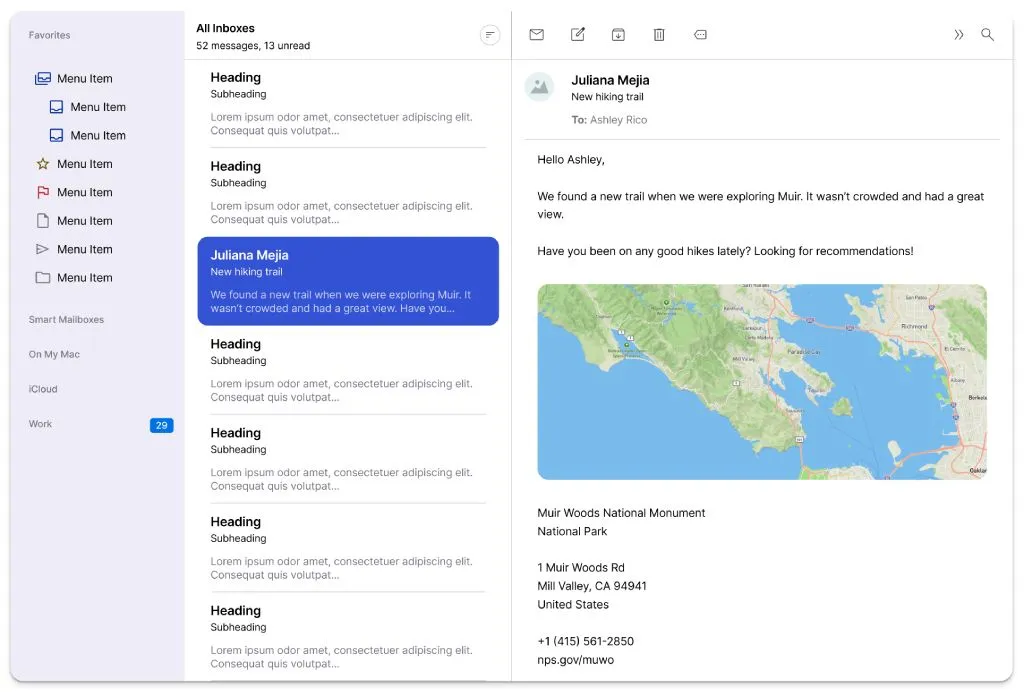
Example of app layout UI made with LiftKit

Example of app layout UI made with LiftKit

What’s inside?

→ A Figma file with all the basics: buttons, forms, nav, modals, etc

→ Components that mirror the Figma stuff in React and Next.js

→ A math-driven spacing system that just works

→ Docs that explain how to use the system and how the design logic works

→ A GitHub repo if you want to dive into the code or contribute

It’s clearly a passion project. You can feel the care in every layout and pixel.
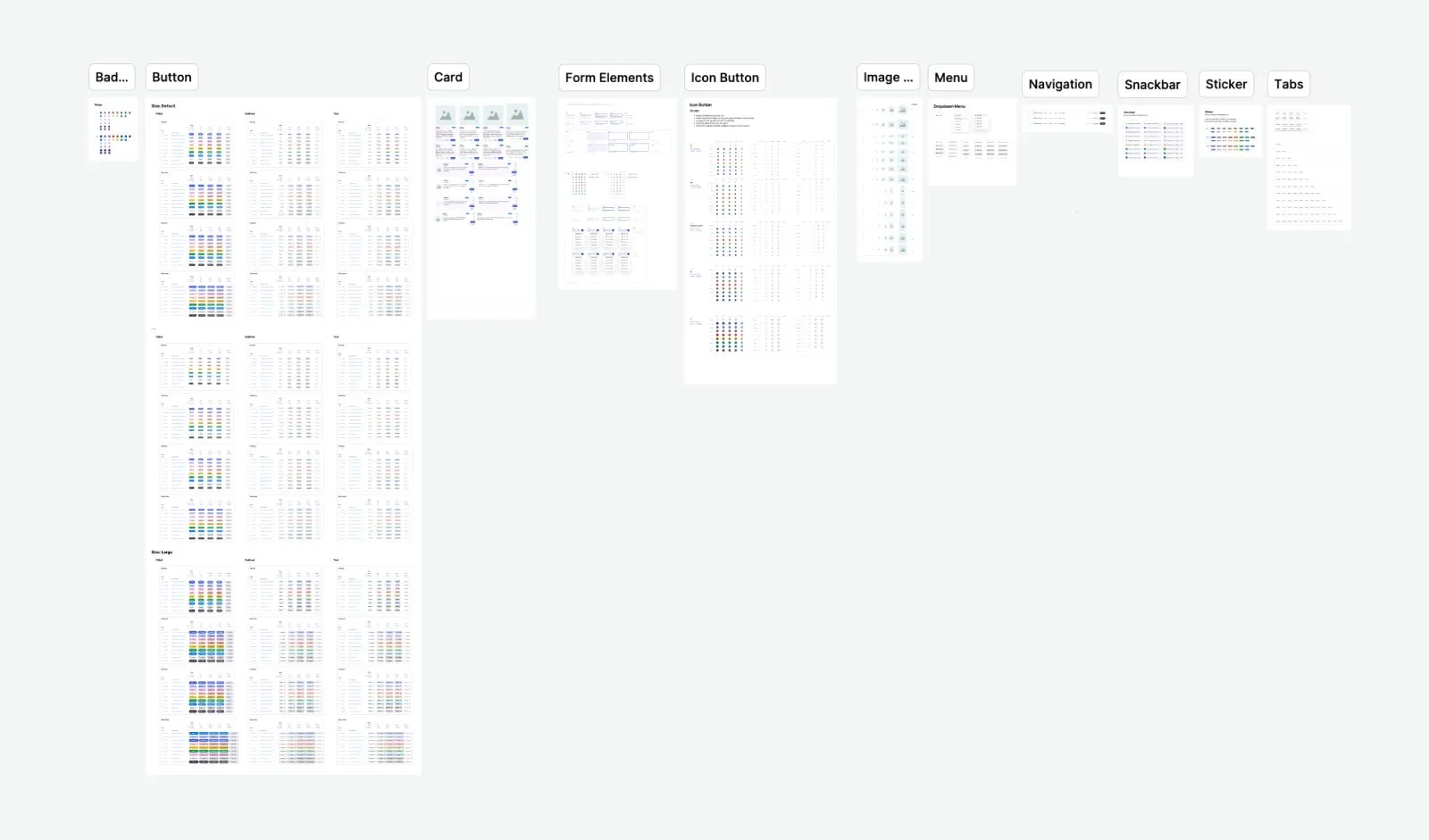
A Figma file with all the basics: buttons, forms, nav, modals, etc

Components section is just about getting started! More to come soon

Who this is perfect for

Honestly, if you're:

  • a startup founder shipping an MVP
  • a solo dev doing it all yourself
  • a designer who codes and wants something smart but flexible
  • or just someone who’s obsessed with spacing (no shame)

...then you should probably check this out.

It’s not trying to be the biggest design system. It’s trying to be the one that feels good to use.

Final take

What really gets me about this isn’t just the product. It’s the fact that someone sat down and spent a year and a half refining this thing, unpaid, just because they cared about making UI feel better. That’s rare.

It’s open source. It’s useful. And it’s got a brain behind it.

I’m already using it for a side project, and honestly? It’s saving me time and helping stuff look good without overthinking.

Want the links? I’ve got the Figma file, the GitHub repo, and the docs saved. Just say the word. Or go search for “LiftKit design system” and you’ll find it.

Either way, it’s worth a look.
Hey, founder, tell about your app at Setproduct

Promote your service, app, MVP in our directory. Get leads, SEO boost, sell more and validate ideas faster.

Related posts

Nocra UI kit: The AI design system with templates

Resources

9 min read

Nocra: A design system built for AI Startups (And why you’ll want to use it)

Introducing Nocra, a design system specifically crafted for AI products. This Figma UI kit is designed to help AI startups launch their products with a professional and modern look.

User profile design masterclass. From Figma templates to live implementation

Resources

7 min read

User profile design masterclass. From Figma templates to live implementation

Learn profile page structure, redesign strategies, and UX best practices for SaaS/app development. Discover 12 battle-tested Figma profile templates and helpful CodePen snippets.

Streamlining Website Development: Essential Tools For Agency Management

Resources

10 min read

Streamlining Website Development: Essential Tools For Agency Management

Discover the top tools for managing web development projects in 2024. From CRM solutions like Salesforce and HubSpot to project management tools like Jira and ClickUp, streamline your agency's workflow and enhance collaboration with these essential tools.

Figma Templates & UI kits

Save time and human resources by reusing hundreds of pre-made templates crafted by us. Based on top notch UX taken from the World's best apps.
Dashboards
Mobile
Charts
Code
Websites
Bundle
Freebies

Nocra UI kit

Nocra is a design system for AI products. Built specifically for startups harnessing AI generation: images, video, audio, music, prompts, and beyond.

Material X for Figma

Figma library with 1100+ components & 40 app templates beyond Material Design. Powered by top-notch shapes and Manrope font. Customizable & Adjustable UI kit now available for Angular & Figma

Material You UI kit

Figma & React library with 2600+ variants of 32 components compatible with Material Design 3. Plus 220+ dashboard templates for all the viewports. Now available for NextJS & TailwindCSS.

Figma React UI kit

Designed and well-organized in Figma React-based UI toolkit for the web. Optimized for building complex data-dense interfaces for desktop and mobile applications.

Panda Design System

Figma library with dashboard, calendar, kanban, profile, table, ecommerce and 80+ templates in total. Components with variants, dark theme included.

Eclipse UI kit

Figma library with 1100+ components & 74 templates for data-driven web applications. Powered by auto-layout. Supercharged by Figma's variants.

Rome UI kit for Figma

Customizable and well-organized team library. Contains 250+ components & 30 web app templates powered by stylish and trendy guidelines.

Material Design System

Figma library is based on 100% guidelines compliance with Material.io. Contains ready-to-use templates to accelerate app UI design.

Neolex Dashboard UI kit

Customizable & adjustable dashboard design system with 50+ ready-to-use app layouts, 1900+ variants for 30 components with auto-layout.

Material Desktop Dashboard UI kit

Figma library with 48+ dashboard templates based on reusable desktop app patterns carefully handpicked from the most popular web apps.

Xela UI kit for Figma

Figma library with 1900+ variants of 30 components categories to craft perfectly shaped desktop & mobile apps. Customizable & Adjustable dashboard design system with 50+ web app templates.

Figma S8 Design System

Figma design library for mobile and desktop apps made of high quality styled components. Full version includes 67 dashboard templates.

OE Figma Design System

Customizable and well-organized Figma library. This design system aimed to build highly loaded interfaces, boost the speed and save more costs.